Manufacturing engineers
Prepare assembly and operating steps so operators can follow a reviewed method. Explore assembly work instructions
Digital work instructions software
Create reviewed instructions for assembly, maintenance and quality tasks. Authors prepare the method, experts check the content, and operators open the published instruction in a browser and record the execution information configured for the task.
For industrial teams
Prepare assembly and operating steps so operators can follow a reviewed method. Explore assembly work instructions
Combine source instructions, visual steps and intervention records. Explore maintenance instructions
Reuse appropriate procedures for guided checks or training, with configured reporting. Operators follow the published steps and record the information requested for the task. Explore guided quality checks
How authoring works
3D imports include OBJ, FBX, GLB, self-contained GLTF and USDZ. STEP/STP import is beta; use ZIP for supported assembly or companion-file workflows. Review CAD inputs, drafting and visual-authoring responsibilities.
A readable example
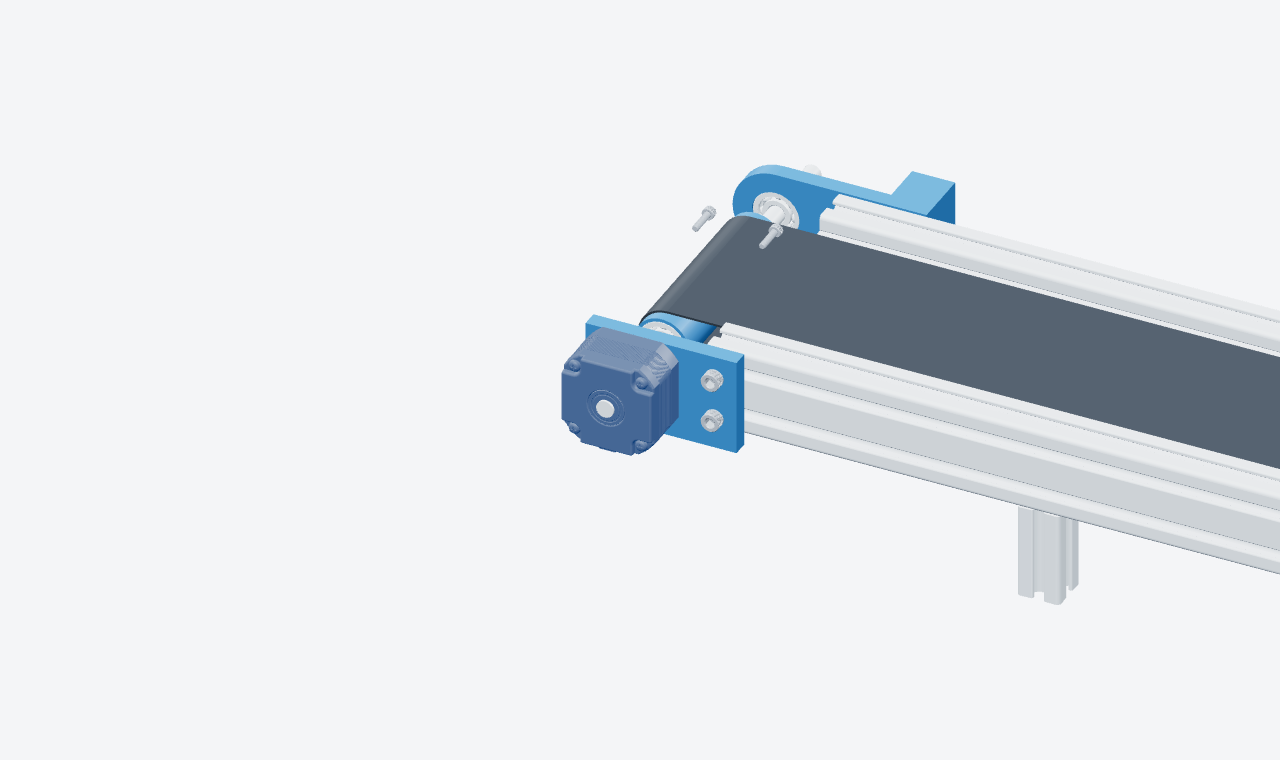
The existing assembly demonstration presents three authored steps: position the bracket, fit the drive motor and insert four mounting screws. The highlighted parts and selected views explain each action. A required-tool panel illustrates how authored resources appear beside a step.
This is a scripted website demonstration, not a live AI generation or an approved procedure. Authors must establish the real method and approved tightening, safety and acceptance requirements.
Open the interactive conveyor assembly example · Inspect the illustrative maintenance execution report (PDF)
At the point of work
In this published SO-101 example, the first step is “Unscrew the Initial Set of Screws.” The relevant screws are highlighted in the model, with the step text and navigation beside the view. It is a separate example from the authored conveyor demonstration above.
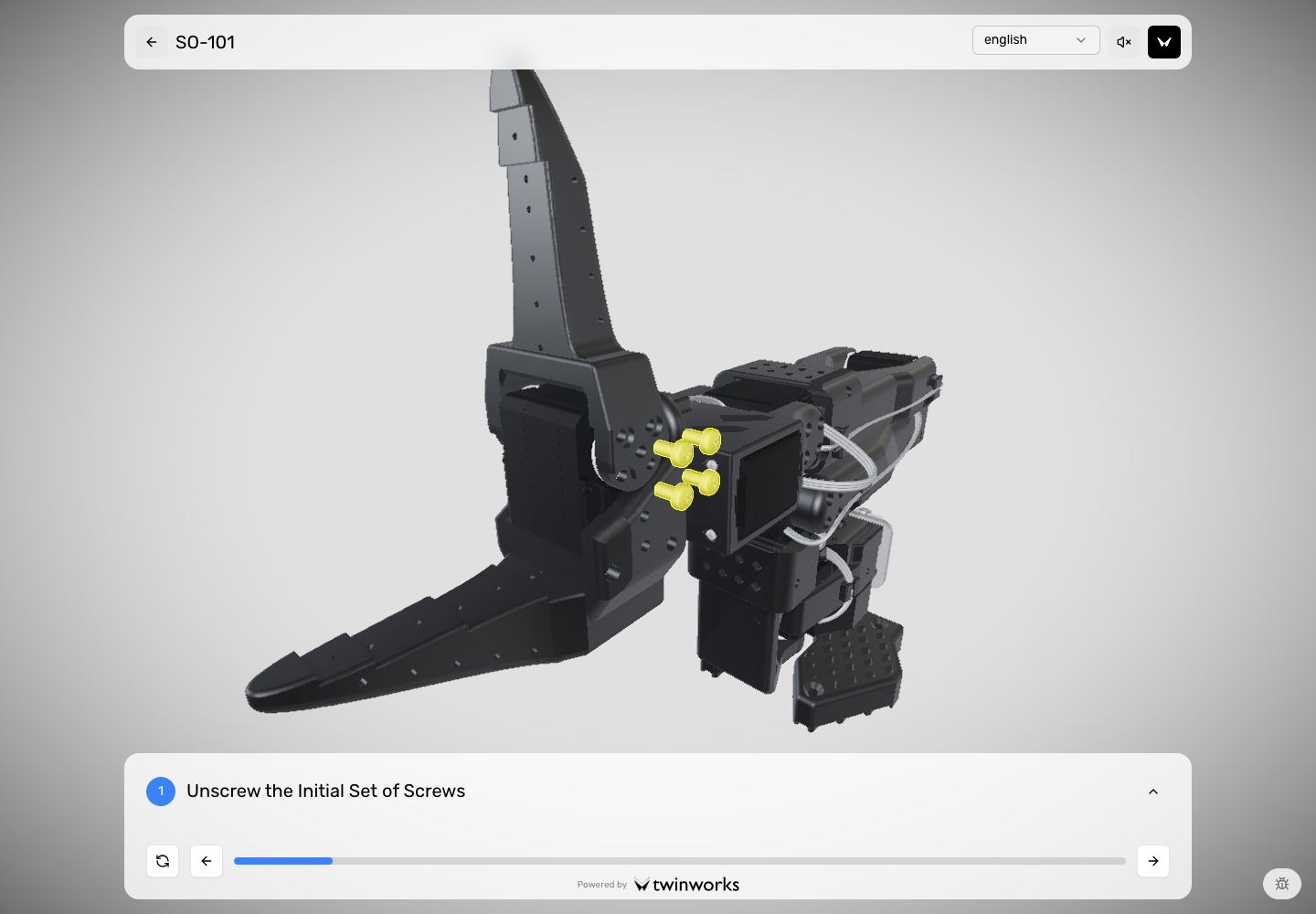
Operators open a published instruction by link or product QR code. Confirm the intended browser, access settings and equipment during evaluation.
Authoring and review
The following CP-200 text is an authored example using our illustrative maintenance manual. It explains the review responsibilities; it is not a recording of AI generation or a customer approval.
The sample PDF describes removing a coupling guard, inspecting the coupling and refitting the guard. Preserve its before-you-begin requirement and identify missing task details.
Read the illustrative source PDFAn instruction saying only “Remove the guard” leaves its prerequisites out of the step context. The author must retain the approved safe-access reference and add the equipment-specific requirements.
Follow the PDF-to-instruction worked exampleThe reviewer checks the sequence, part references, visual actions and acceptance criteria. Missing values remain open authoring tasks until the approved source supplies them.
Check CAD authoring responsibilitiesExecution information
Configured step status, elapsed duration, comments and optional photos.
Operator and serial fields, timing, feedback and ratings where enabled.
Execution reports available as PDF, Word or Excel. Records describe reported activity; they do not establish an immutable execution-to-revision binding. Our illustrative pump report contains a request for a closer view of the guard mounting points and leaves reviewer sign-off pending.
A practical first evaluation
A recurring task, its reference material and the people who author, approve and use it.
Have an author prepare the instruction and an expert review it. Test the intended viewer, link or QR access and reporting settings.
Assess operator clarity, missing information, authoring and review effort, and whether the recorded evidence meets your needs.
Before your pilot
Digital work instructions software helps industrial teams author, review and deliver step-by-step guidance. TwinWorks combines text and visual procedures, browser access and configurable execution records for assembly, maintenance and other operational tasks.
No. Procedures can be authored without a model. A supported 3D model adds part-level visual guidance; reference PDFs can support AI procedure drafts. Authors supply missing facts and review the result.
Operators open the published procedure in the TwinWorks web viewer through a link or product QR code. Confirm the intended browser, equipment and access settings during evaluation.
When reporting is enabled, records can include step status and duration, comments, operator and serial fields, ratings and optional photos. These are reported execution data, not proof of a physical inspection or an immutable record of the exact procedure revision used.
Compare the instruction your team uses today with a reviewed TwinWorks example and agree what a useful pilot should demonstrate.