
TwinWorks for quality control
Quality control checks.
Evidence together.
Show what to check. Capture what matters.
Find the record for the right unit.
One check, start to finish
See it. Record it. Review it.
Try a visual check on a conveyor drive.
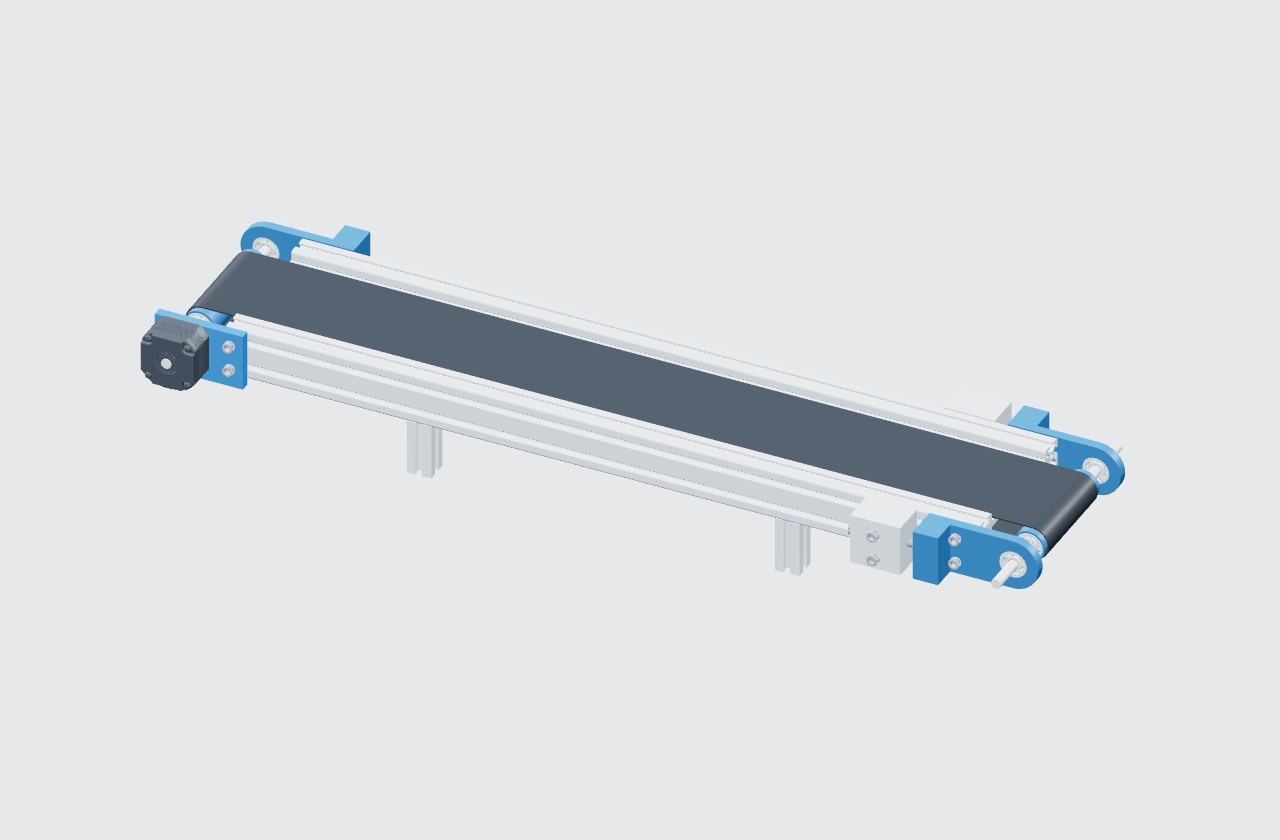
Step 02 of 02
Check the drive
mounting.
Show the bracket’s mounting points in one clear photo.
Checking reference
Prompt: are the mounting points visible in the image? Use your approved safe-access method; leave components in place.
Illustrative instruction for expert review.
Step 02 / Drive mounting
Add the evidence.
Add the example photo to continue.
CV-100 conveyor
CV-001
Record details
Completion records the work reported. Your team reviews the result.
QC-019 / Sample record
Recorded checks
✓01 · Identify the unitExecuted
Unit identified as CV-001.
No photograph recorded.
✓02 · Inspect the drive mountingExecuted
“Show the rear mounting point more clearly.”
No photograph recorded.
Create the instruction from your existing knowledge. AI helps draft; your experts review.
See a sample report
Separate SO-101 example. Fictional servomotor replacement: 8 of 9 steps, 89% completion, zero photos. “FAILED” reflects incomplete execution; review and approval fields are blank.
Download sample PDF ↓Execution reports can be exported as PDF, Word, or Excel.
Better with every observation
A small note.
A clearer next check.
“A closer view would help.”Alex · Step 02, sample record
Turn feedback into a better image or a clearer instruction. Review the edit before updating the guidance.
Document revision controlsOverviewA few practical details
Good to know.
Can a photo be required?
Yes. With required photo reporting enabled, the operator adds an image before advancing.
Does completion mean the product passed?
Completion shows which steps were recorded as executed. Your team reviews the evidence and makes the quality decision.
Can we find a specific unit’s records?
Yes. Product serial numbers and operator information give each execution its context.
Do we need a 3D model?
No. Start with text, images, or video. Use 3D where a component or viewpoint needs explaining.
Start with one check
What does your reviewer
need to see?
Bring an instruction. Let’s make its evidence easier to follow.
Add a note (optional) +