FR

Technical writing, 3D animation & AR services

We write your manuals and 3D instructions. Your team keeps them current.

Send us your CAD, drawings, existing manuals and time with your experts. We write the technical documentation, build the 3D work instructions and animations, and run AR pilots. Everything is built in TwinWorks and handed over editable, so the next product change is an update, not a rewrite.

  • For machine builders, equipment manufacturers and robotics teams
  • Your experts approve every page
  • Toulouse, France
SO-101 Maintenance ManualPage 4-7PDF ↗
SO-101 Robot Arm Maintenance ManualSO101-MM-EN · Rev 02

Chapter 4 · Gripper

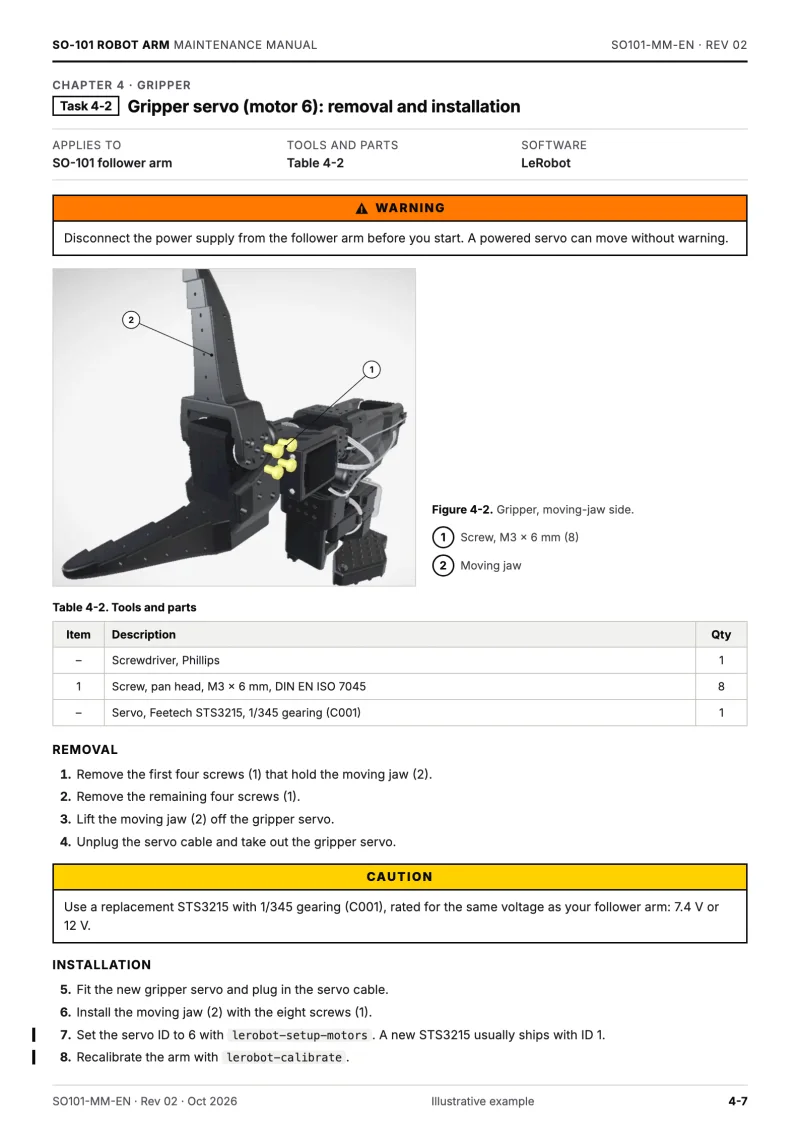
Task 4-2Gripper servo (motor 6): removal and installation

Applies to
SO-101 follower arm
Tools and parts
Table 4-2
Software
LeRobot

Warning

Disconnect the power supply from the follower arm before you start. A powered servo can move without warning.

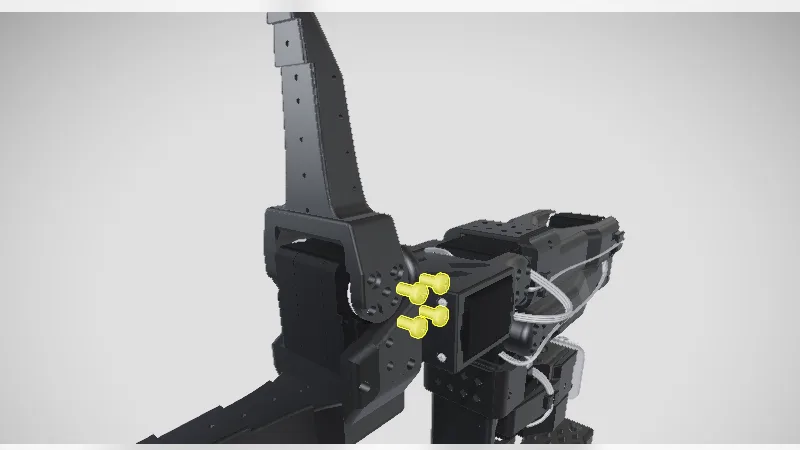
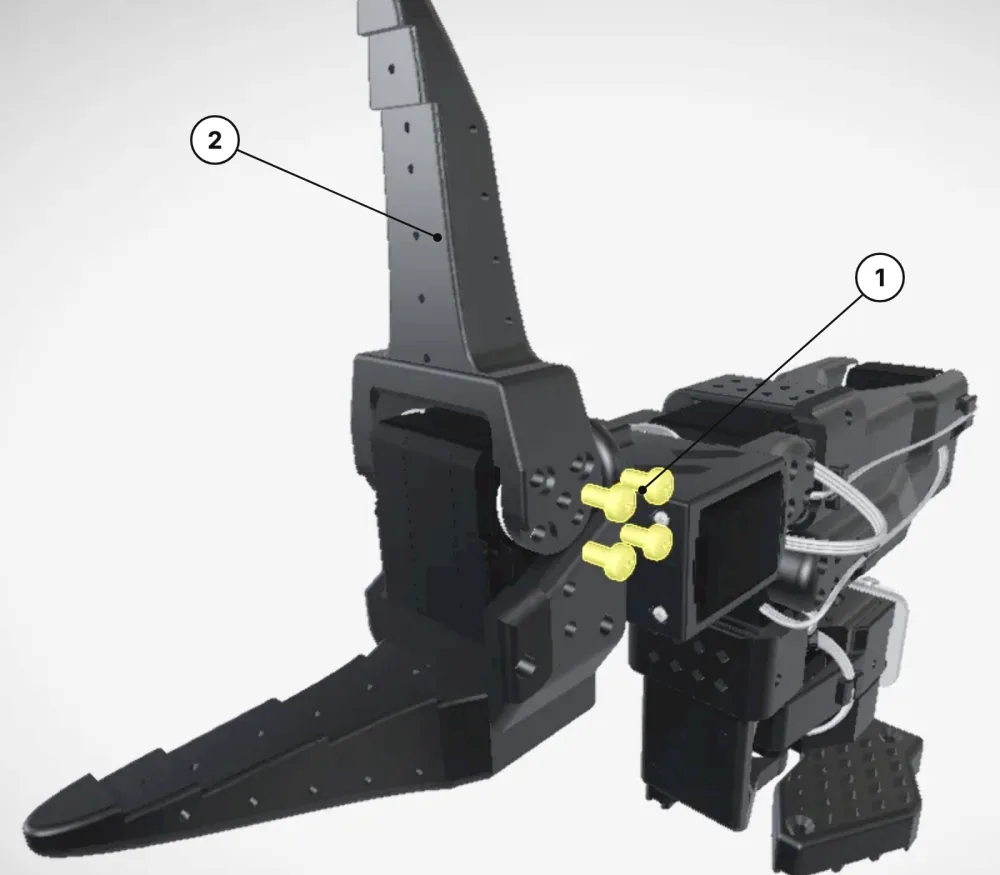
Figure 4-2: the SO-101 gripper, with callout 1 on the jaw screws and callout 2 on the moving jaw
Figure 4-2. Gripper, moving-jaw side. 1 Screw, M3 × 6 mm (8) 2 Moving jaw
Table 4-2. Tools and parts
ItemDescriptionQty
–Screwdriver, Phillips1
1Screw, pan head, M3 × 6 mm, DIN EN ISO 70458
–Servo, Feetech STS3215, 1/345 gearing (C001)1

Removal

  1. Remove the first four screws (1) that hold the moving jaw (2).
  2. Remove the remaining four screws (1).
  3. Lift the moving jaw (2) off the gripper servo.
  4. Unplug the servo cable and take out the gripper servo.

Caution

Use a replacement STS3215 with 1/345 gearing (C001), rated for the same voltage as your follower arm: 7.4 V or 12 V.

Installation

  1. Fit the new gripper servo and plug in the servo cable.
  2. Install the moving jaw (2) with the eight screws (1).
  3. Set the servo ID to 6 with lerobot-setup-motors. A new STS3215 usually ships with ID 1.
  4. Recalibrate the arm with lerobot-calibrate.
SO101-MM-EN · Rev 02 · Oct 2026Illustrative example4-7
Example deliverables. The procedures shown are illustrative: on a real project, your experts review and approve every step.

TwinWorks services at a glance

TwinWorks makes documentation software for manufacturers and, as a service, writes technical documentation and builds 3D work instructions for them, in the same software it hands over.

What we deliver
Technical manuals, procedures, illustrated parts catalogues, 3D work instructions, technical animations and AR pilots.
What you send
CAD or 3D models, drawings, existing PDF or Word manuals, and time with your experts.
Who approves
Your experts. We draft; they comment, request changes and approve every page and step before release.
What you keep
Approved manuals as web pages and PDF files, plus the editable content in TwinWorks for the next revision.

Four services

Four services. One source for all of them.

Start with one manual, one assembly sequence or one AR pilot. The content and 3D views made for the first deliverable are reused by the next.

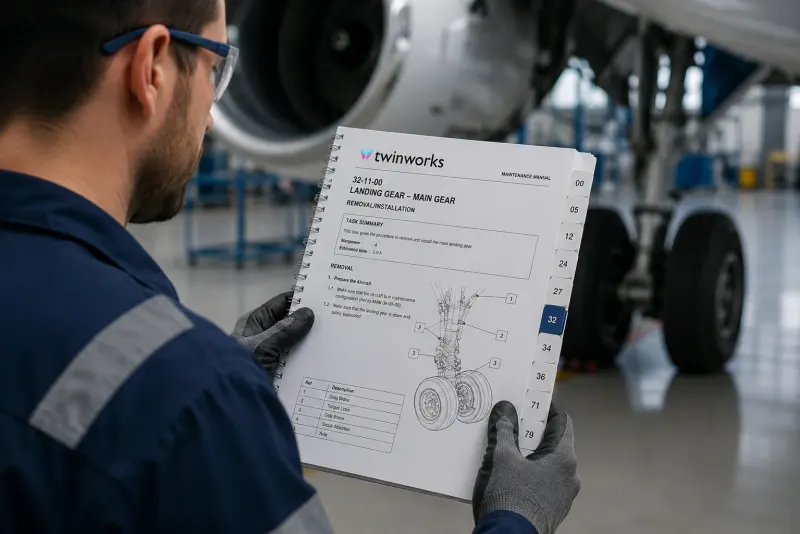
A technician reads a printed maintenance manual beside an aircraft engine

01 · Technical writing

Technical writing and documentation

Installation, operation and maintenance manuals written from your engineering sources. We interview your experts to fill the gaps the files leave.

  • Installation, operation and maintenance manuals
  • Assembly, service and troubleshooting procedures
  • Illustrated spare parts catalogues

You send → you getDrawings, specifications, existing manuals and expert interviews → approved manuals for web and PDF, with S1000D data modules if you need them.

Get a technical writing quote →
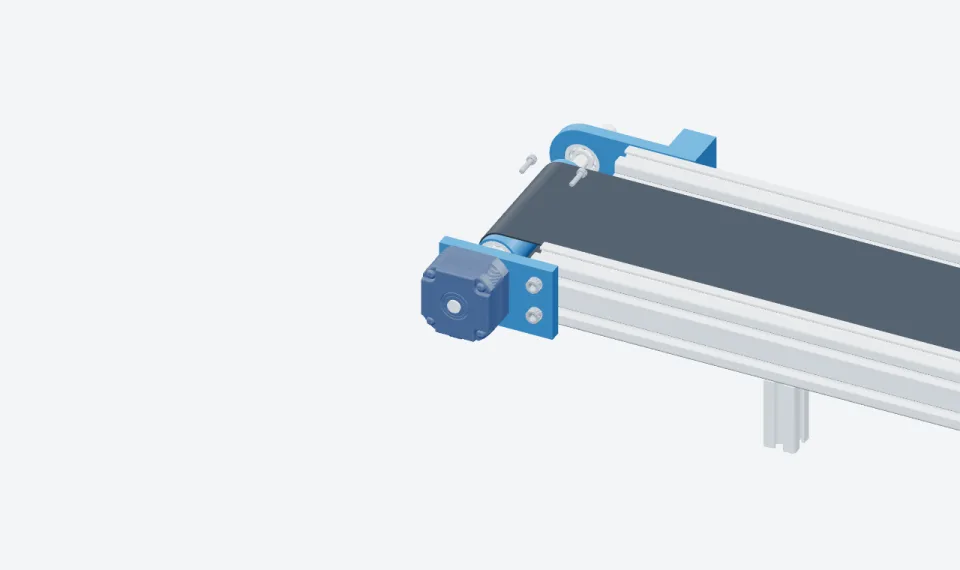
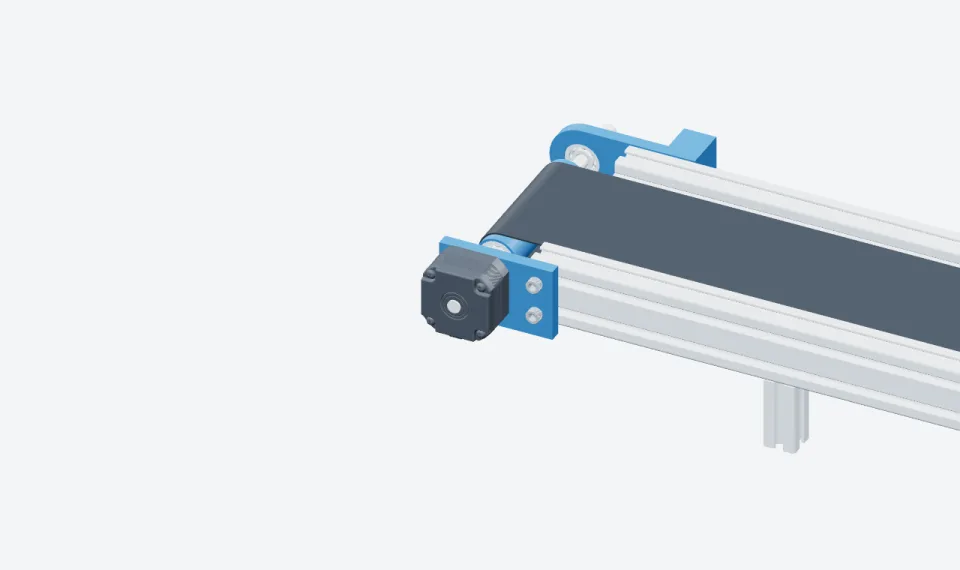
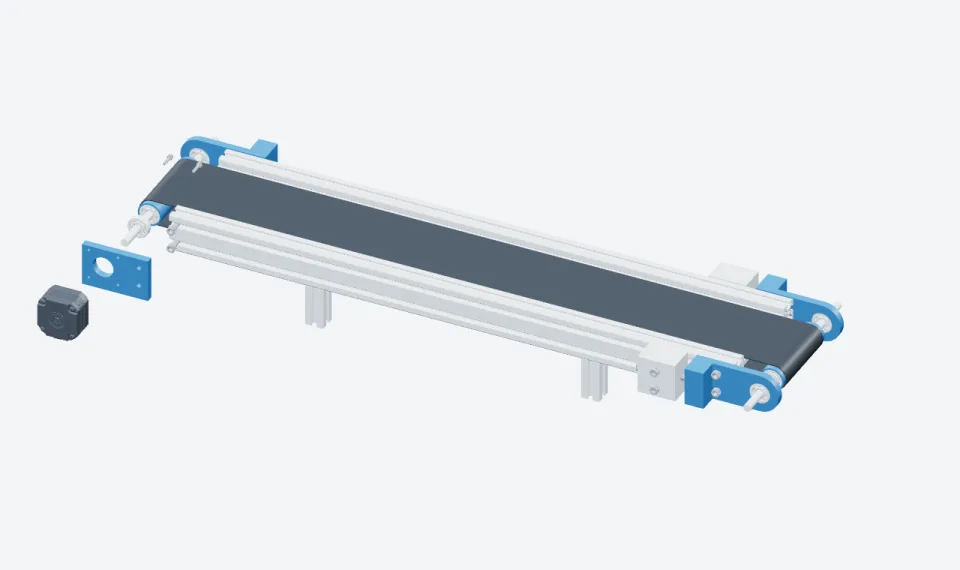
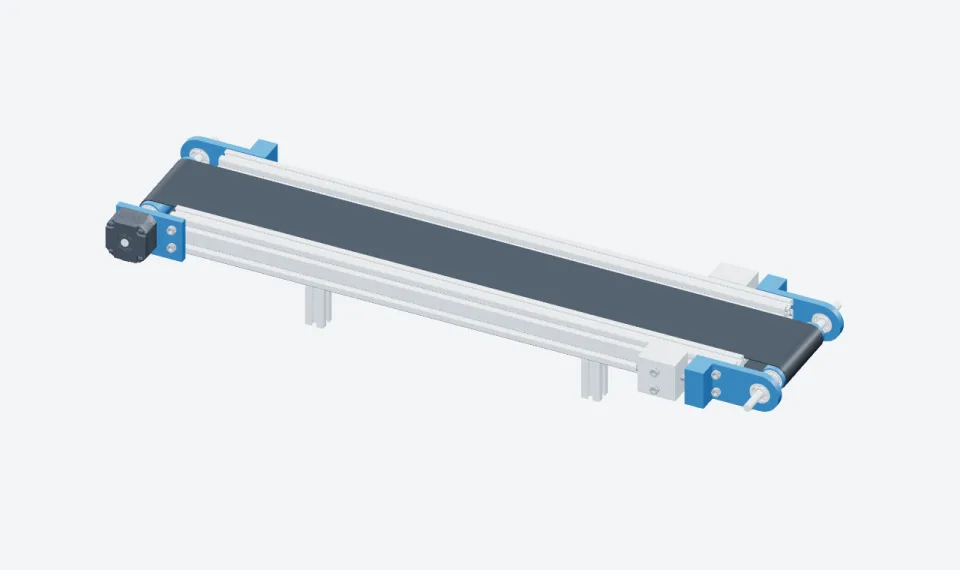
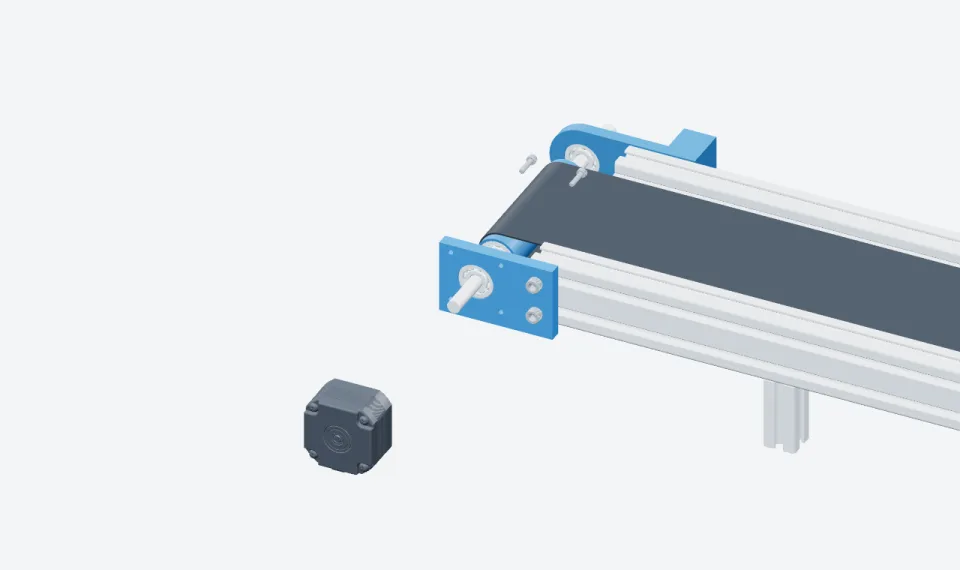
Exploded view of a conveyor drive: frame, motor bracket, drive motor and screws pulled apart

02 · 3D instructions & animation

3D work instructions and technical animation

Interactive step-by-step instructions on your CAD model, plus exploded views and animations that show how the product goes together and how it moves.

  • Interactive 3D assembly and maintenance instructions
  • Exploded views and technical illustrations
  • Product, assembly and mechanism animations

You send → you getCAD assemblies and the task sequence → 3D instructions your team opens in a browser, plus illustrations and animations in the formats we agree.

Get a 3D instruction quote →
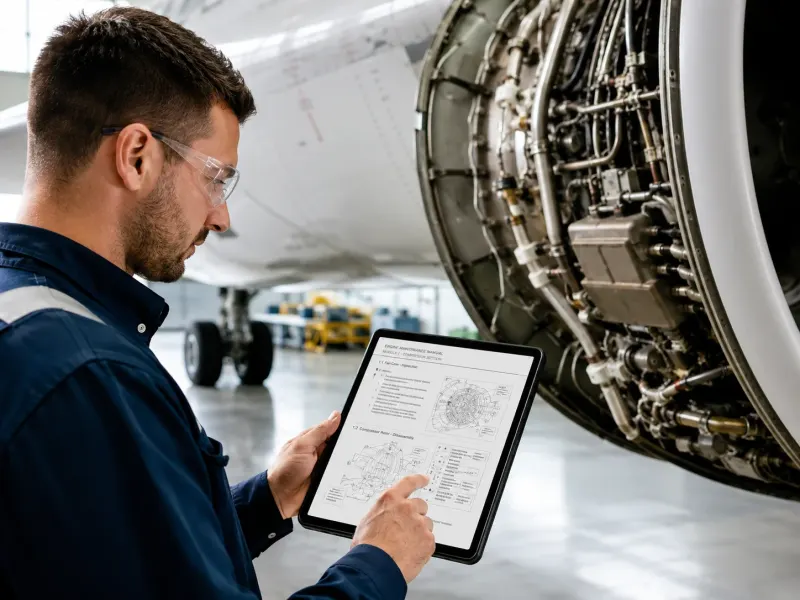
A technician follows a digital manual on a tablet next to an aircraft engine

03 · Documentation migration

Documentation migration and modernization

Move PDF and Word manuals and scattered procedures into structured content. Sections you share across products become reusable modules.

  • Documentation inventory and content mapping
  • Migration into reusable sections and procedures
  • Interactive 3D versions of existing instructions

You send → you getPDF and Word manuals, procedures and reference files → structured content in TwinWorks, ready for review, translation and the next revision.

Discuss a documentation migration →
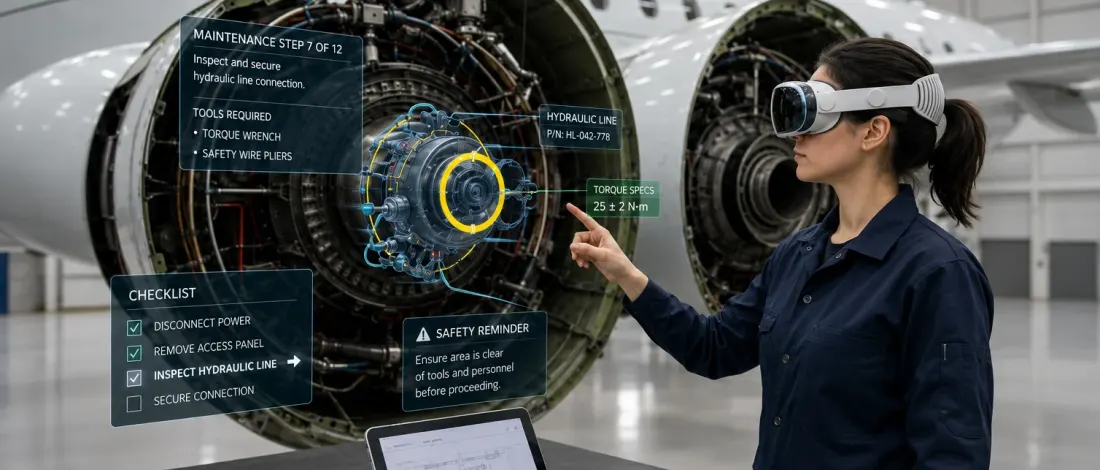
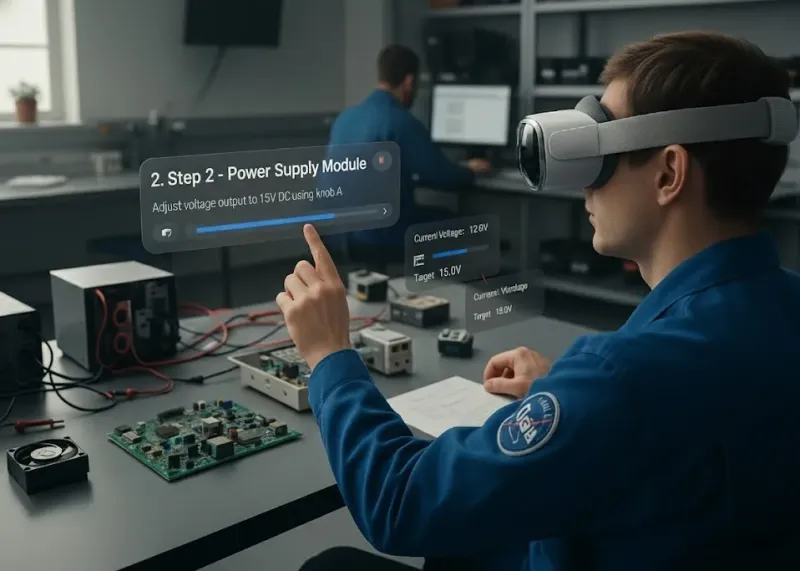
Illustration: a technician wearing a headset follows an AR step overlaid on an electronics test bench

04 · AR pilots

Industrial AR pilots

AR guidance for one assembly or maintenance task, tested on your equipment. We prepare the 3D procedure, set up tracking and alignment, and check it on a supported device.

  • AR work instructions for one task
  • Object tracking and alignment on your equipment
  • Device and environment evaluation

You send → you getA usable 3D model, a reviewed procedure and access to the equipment → an AR pilot evaluated in your working conditions.

Plan an AR pilot →
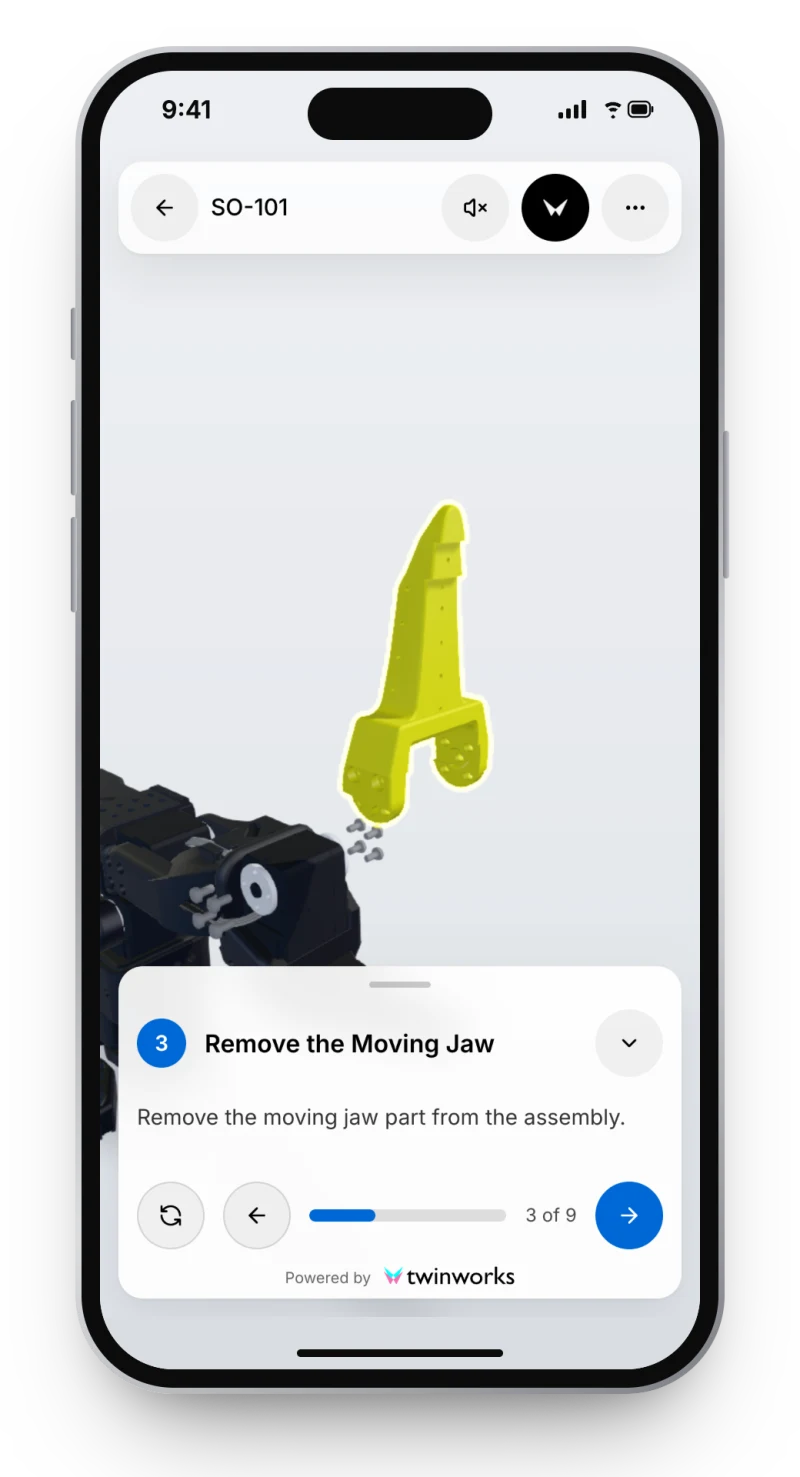
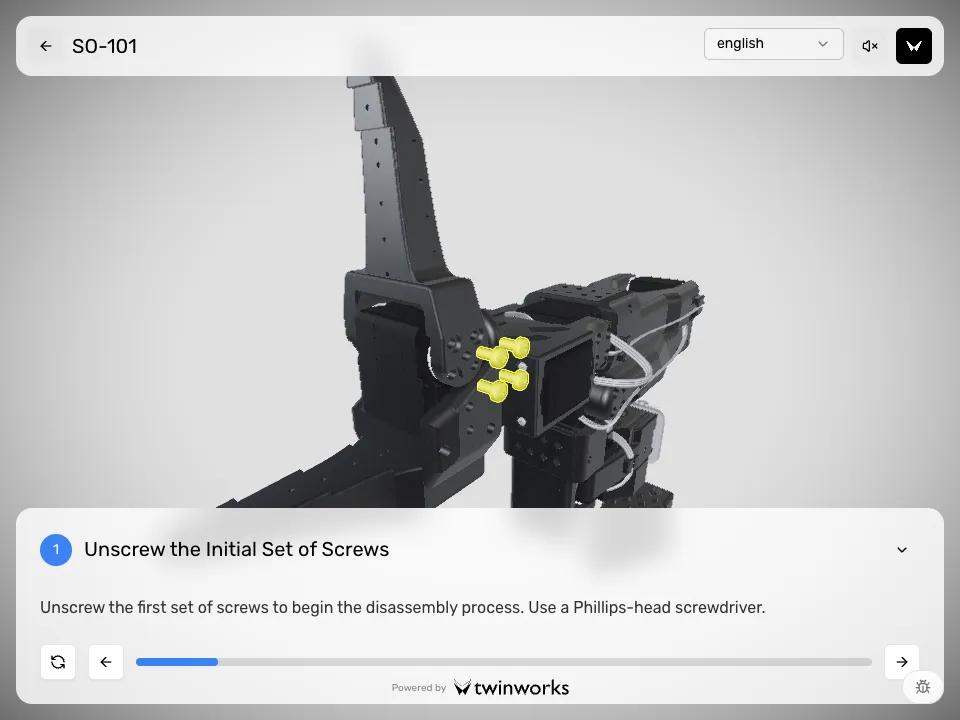
A phone running the TwinWorks 3D viewer at step 3 of 9 of the SO-101 procedure: the moving jaw is lifted off the gripper and highlighted, with the step card “Remove the Moving Jaw” below.
The public SO-101 procedure in the TwinWorks viewer, step 3 of 9. Open the guide

EU Machinery Regulation

Digital instructions for the Machinery Regulation

Regulation (EU) 2023/1230 replaces the Machinery Directive 2006/42/EC on 20 January 2027. It lets manufacturers supply instructions for use in digital format, under these conditions:

  • Mark on the machine, its packaging or an accompanying document how to reach the instructions.
  • Let users print, download and save them.
  • Keep them online for the machine’s expected lifetime and at least 10 years after it is placed on the market.
  • Supply paper free of charge within one month when a user asks for it at the time of purchase.
  • For machinery that non-professional users may use, supply the essential safety information on paper.

Source: Regulation (EU) 2023/1230, Article 10(7), on EUR-Lex.

How we help

We restructure your manuals for web and PDF publication, write the missing sections with your experts and set up the revision workflow for the years ahead. Your team keeps responsibility for conformity; TwinWorks does not certify compliance.

Prepare your manuals for 2027 →

Who we work with

Built around your equipment

Start with the deliverable your team needs now. Reuse the approved content and 3D views as the scope grows.

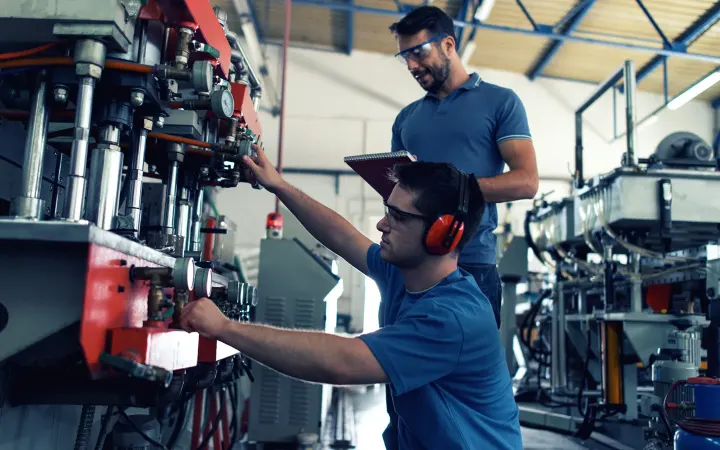
Two technicians assemble an industrial machine on the shop floor
Machine builders & OEMs

Ship every machine with clear instructions

Installation and operating manuals, parts information and product animations for handover, commissioning and after-sales.

Technical publications →
The SO-101 robot arm shown in the TwinWorks viewer with a step card
Robotics & assembly teams

Make the build sequence visible

Turn an agreed assembly method and a CAD model into 3D work instructions and animated part sequences.

Assembly instructions →
Two maintenance technicians check a procedure on a phone beside industrial equipment
Maintenance & field service

Bring the procedure to the equipment

Maintenance and troubleshooting procedures your technicians open on a phone or tablet, with AR pilots where they help.

Maintenance →

Created in TwinWorks. Ready for your team.

The project ends. Your content keeps working.

We build every deliverable in TwinWorks, the documentation software we make. When the project ends, your team edits, translates and revises the content there, or asks us to handle the next revision.

What you receive

  • Approved manuals as web pages and PDF files
  • 3D work instructions your technicians open in a browser
  • The editable source, with its revision history, in your TwinWorks workspace
  • S1000D data modules, if your customers require them

The exported files are yours. Editing the source in TwinWorks needs a TwinWorks plan, quoted separately from the service.

How the software works →
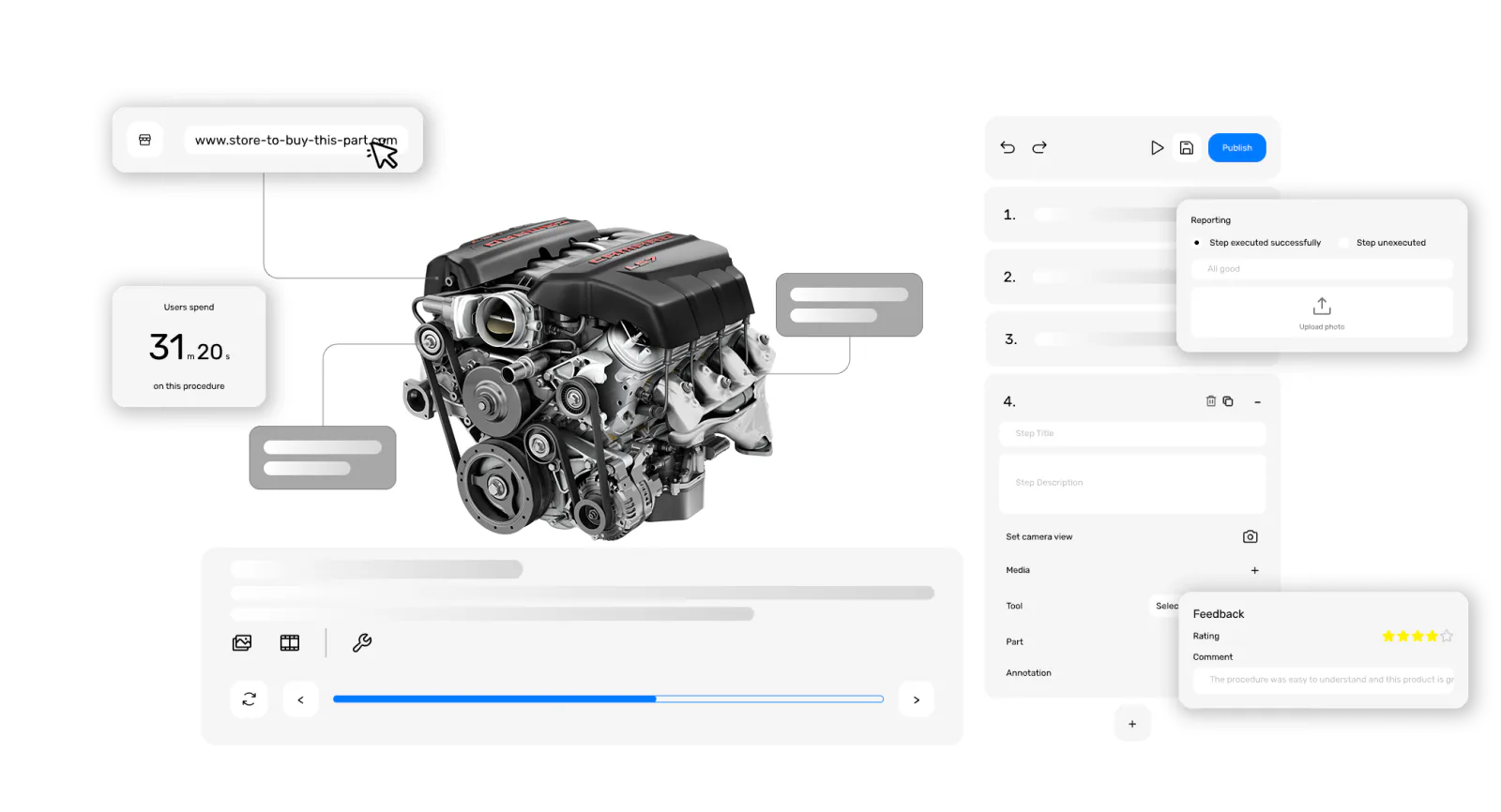
The TwinWorks editor: a 3D engine model beside its procedure steps and properties
  • Manuals
  • 3D instructions
  • Animations
  • AR guidance

When your project needs more

Implementation, integration and support

Add these to a project or book them on their own.

Expert knowledge capture

Interviews, recorded demonstrations and working sessions with your experts. We turn what they know into draft procedures and troubleshooting content for their review.

Implementation and onboarding

Workspace setup, publication templates, first content and hands-on training for your authors.

Integrations and custom workflows

Connections to your engineering and operations systems, scoped with clear data flows and acceptance criteria before any build.

Product-specific AI assistant

An assistant that answers questions from your approved documentation, with links to its sources, tested with your experts on real support questions.

Ongoing documentation maintenance

Revisions, change-impact reviews and publication as your product evolves, on a recurring scope. Your team keeps technical approval.

3D and AR feasibility studies

CAD preparation, tracking tests and prototypes for one defined use case, to check the equipment, environment and constraints before you commit.

How we work

How a service project works

  1. Scope itChoose one product or task. We agree the deliverables, sources, reviewers and price.
  2. Create itWe structure the content, prepare the visuals and write the deliverables in TwinWorks.
  3. Review itYour experts check facts, sequence and safety information, comment in place and approve.
  4. Hand it overPublish or export the approved content. Your team takes over, or we handle the next revision.

Questions before you request a quote

What do TwinWorks services include?

TwinWorks writes technical manuals and procedures, builds 3D work instructions and technical animations, migrates existing documentation and runs industrial AR pilots. We work from your CAD, drawings, existing manuals and expert interviews, and your experts approve every deliverable before release.

Do we need to use TwinWorks already?

No. You can start with a service project. We build the deliverables in TwinWorks and hand them over as web pages and PDF files. If your team wants to keep editing them in TwinWorks, the software plan is quoted separately.

Do we need a 3D model?

Only for 3D, animation and AR deliverables. Manuals can start from existing documents, drawings, photos, videos and expert input. When 3D is in scope, we check that your CAD model is usable before we commit to the work.

Who approves the technical content?

Your experts do. We draft; your designated reviewers comment, request changes and approve each deliverable before release. We agree who reviews what at the start of the project, together with the acceptance criteria.

What do we keep after the project?

The approved deliverables: manuals as web pages and PDF files, 3D work instructions, illustrations and animations in the agreed formats, and S1000D data modules if you need them. The exported files are yours. Editing the source in TwinWorks needs a TwinWorks plan.

Can you write instructions for the EU Machinery Regulation?

Yes. We write and restructure instructions for use as web pages and PDF files, which suits the digital format that Regulation (EU) 2023/1230 allows from 20 January 2027. Your team keeps responsibility for conformity; TwinWorks does not certify compliance.

Can we outsource just one manual or work instruction?

Yes. Start with one manual, one procedure, one animation or one AR pilot. We agree a bounded scope and review process, then extend to more equipment once the first deliverable is approved.

How much do technical writing, 3D animation and AR services cost?

We quote each project after scoping. Technical writing depends on the sources, page count and review rounds; 3D animation on CAD preparation and sequence complexity; AR on tracking, devices and environment. The quote shows the service fee separately from any software plan.

What should we send for a quote?

The product, the audience, the deliverables you need and your target date, plus a list of your sources: manuals, CAD, drawings, specifications or recorded demonstrations. For 3D or AR, add the task and the devices your technicians use.

How long does a service project take?

It depends on the sources, the volume, the visual complexity and how quickly your reviewers respond. We set milestones after scoping and often start with one representative deliverable to set up the workflow.
Tell us what you need delivered.

Share the product, your sources, the formats you need and your deadline. We define the scope and send you a quote.

Request a project quote

Prefer to explore first? Animate your CAD for free