Engineering schools and universities
Mechanical, aerospace, robotics and mechatronics courses: assembly and maintenance coursework built from the course's own models.
TwinWorks for education
Teach assembly, maintenance and technical documentation on real 3D models. Students turn a model into interactive, step-by-step instructions; instructors review every step before it is shared. Free for teaching, student projects and non-commercial research.
Apply with your institution email address. Until your license is set up, the free plan works for anyone.
Who it is for
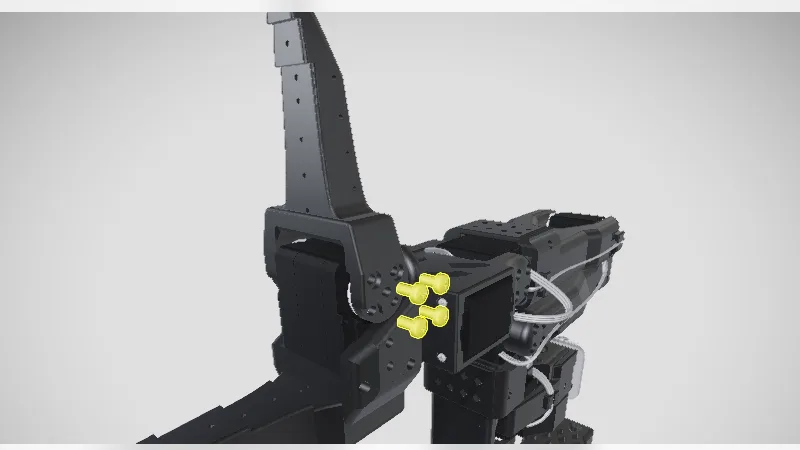
Wherever a course depends on a machine, a robot or an assembly, a static PDF leaves learners guessing. TwinWorks shows each step on the 3D model, with the exact parts highlighted.
Mechanical, aerospace, robotics and mechatronics courses: assembly and maintenance coursework built from the course's own models.
Workshop procedures, machine inductions and maintenance training, as 3D guides learners can replay as often as they need.
Robotics, CubeSat, rocketry and racing teams: document the build so next year's team can maintain it.
Practise the real work of a documentation team: structured content, review and approval, revisions, and S1000D export.
A lab guide in four steps
Students do the work a documentation team does in industry, on the same kind of tool.
Teach with what is already there
The public TwinWorks Community holds free step-by-step 3D guides for real hardware, and some of it was designed by student teams: the LeKiwi mobile robot by SIGRobotics at the University of Illinois, and a 2U CubeSat built on CAD from the Yale Undergraduate Aerospace Association.
Open any Community guide in the browser, or drop a STEP file into the free Animate tool to explode and animate it.
Go further
Yes. Education licenses are free for teaching, student projects and non-commercial research at universities, engineering schools, technical colleges and vocational training centres. Apply with your institution email address and tell us about your course.
Instructors, lab and workshop managers, and the faculty advisers of student teams. One request can cover a course, a lab or a team.
A web browser and a 3D model. TwinWorks imports OBJ, FBX, GLB, glTF and USDZ models; STEP and STP import is in beta. Nothing to install.
Yes. The free Animate tool explodes and animates a STEP file with no account, and the public Community has guides you can teach with, from the SO-101 robot arm to a turbofan engine.
Education licenses cover teaching and non-commercial work. For a paid project with an industry partner, contact us and we will find the right plan.
Tell us about your course or team, and how many students will use TwinWorks. We will set up your institution's free license.
Updated