SOP software
SOP software for industrial teams.
Draft standard operating procedures from your existing PDFs, have your experts approve every revision, and put them in front of operators by link or QR code.
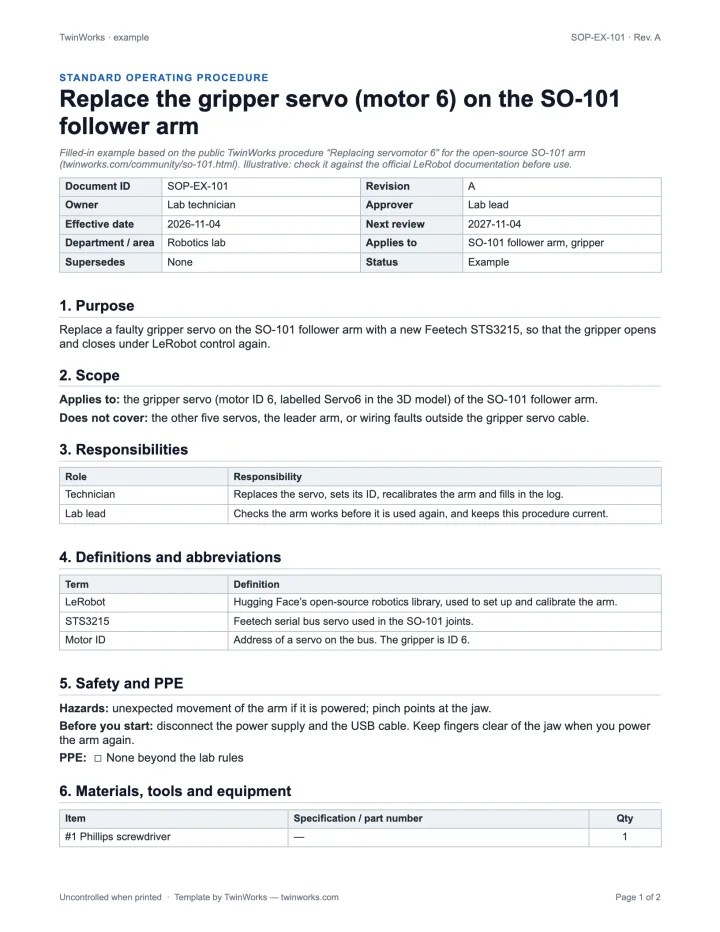
From PDF to the shop floor. Four steps.
- Bring what you have. TwinWorks drafts editable procedures from your existing PDF procedures.
- Review and approve. Experts comment, request changes and approve each revision.
- Publish to the station. Operators open the procedure in a browser, by link or QR code.
- Learn from each run. Execution reports show step status, duration, comments and optional photos.
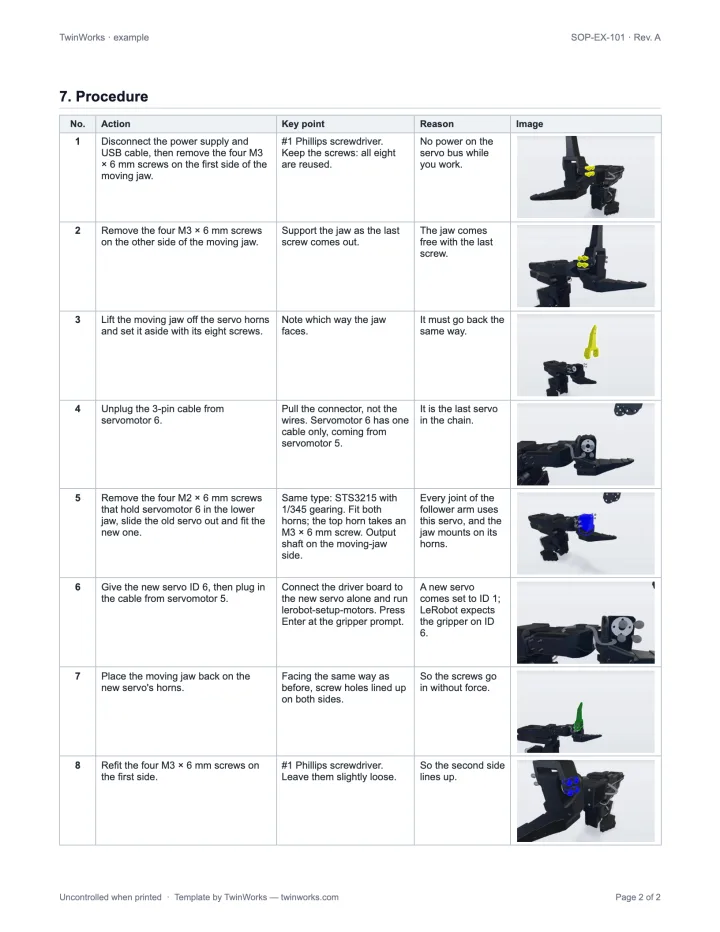
Every step, on the part.
Add the 3D model and set up the parts and views for each step. Operators see what to touch, not a paragraph about it.
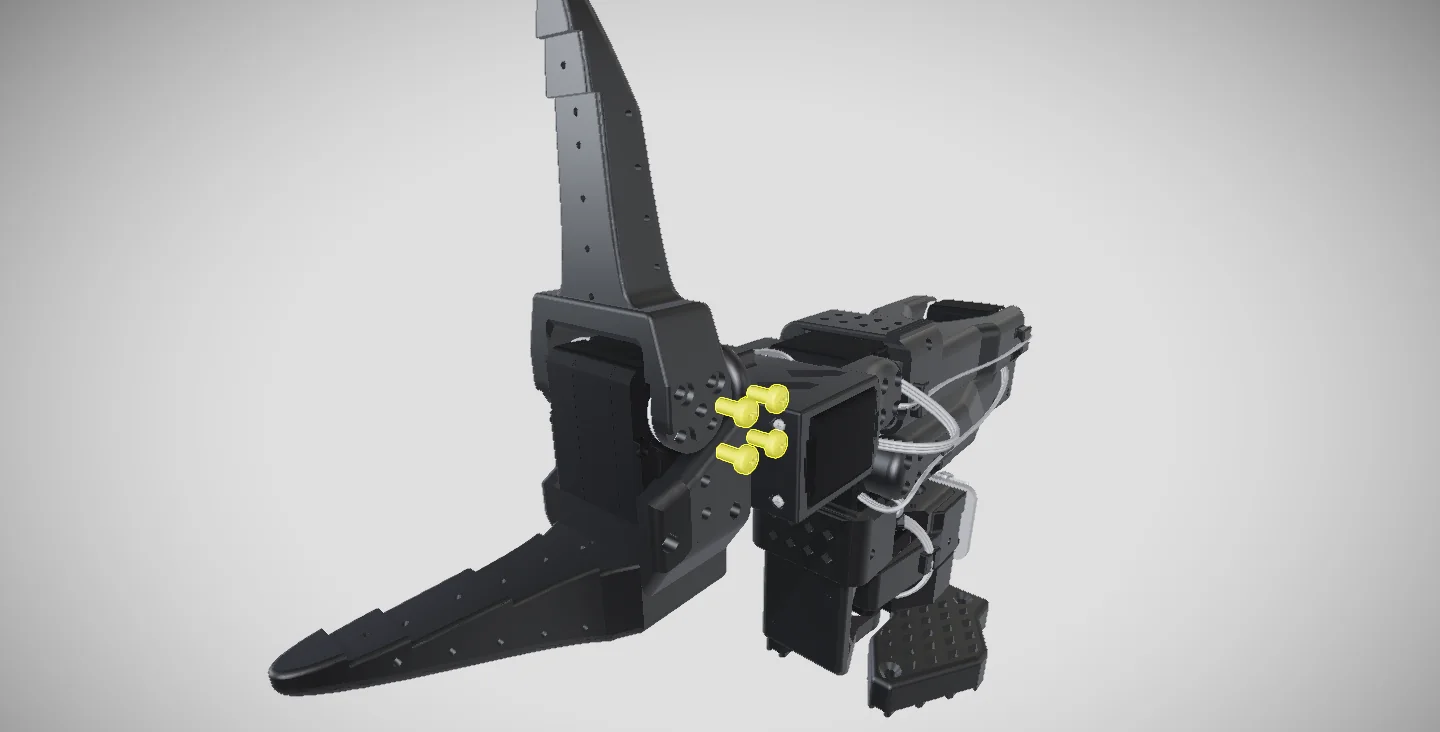
The public SO-101 gripper servo procedure. Supported models: GLB, self-contained GLTF, FBX, OBJ and USDZ; STEP/STP import is in beta.
Template or software? It depends on how many.
A Word template is the right way to write one SOP. Software earns its place when you have dozens to keep approved and in use.
| What you need | Word template | TwinWorks |
|---|---|---|
| A clear structure for one procedure | ✓ | ✓ |
| Drafts from your existing PDF procedures | — | ✓ |
| Comments, change requests and approval | By email | ✓ |
| Revisions, differences and checkpoints | By hand | ✓ |
| Steps shown on the 3D model | — | ✓ |
| Opened at the station by link or QR code | — | ✓ |
| Execution reports | — | ✓ |
| Reviewed translations | — | ✓ |
At the station
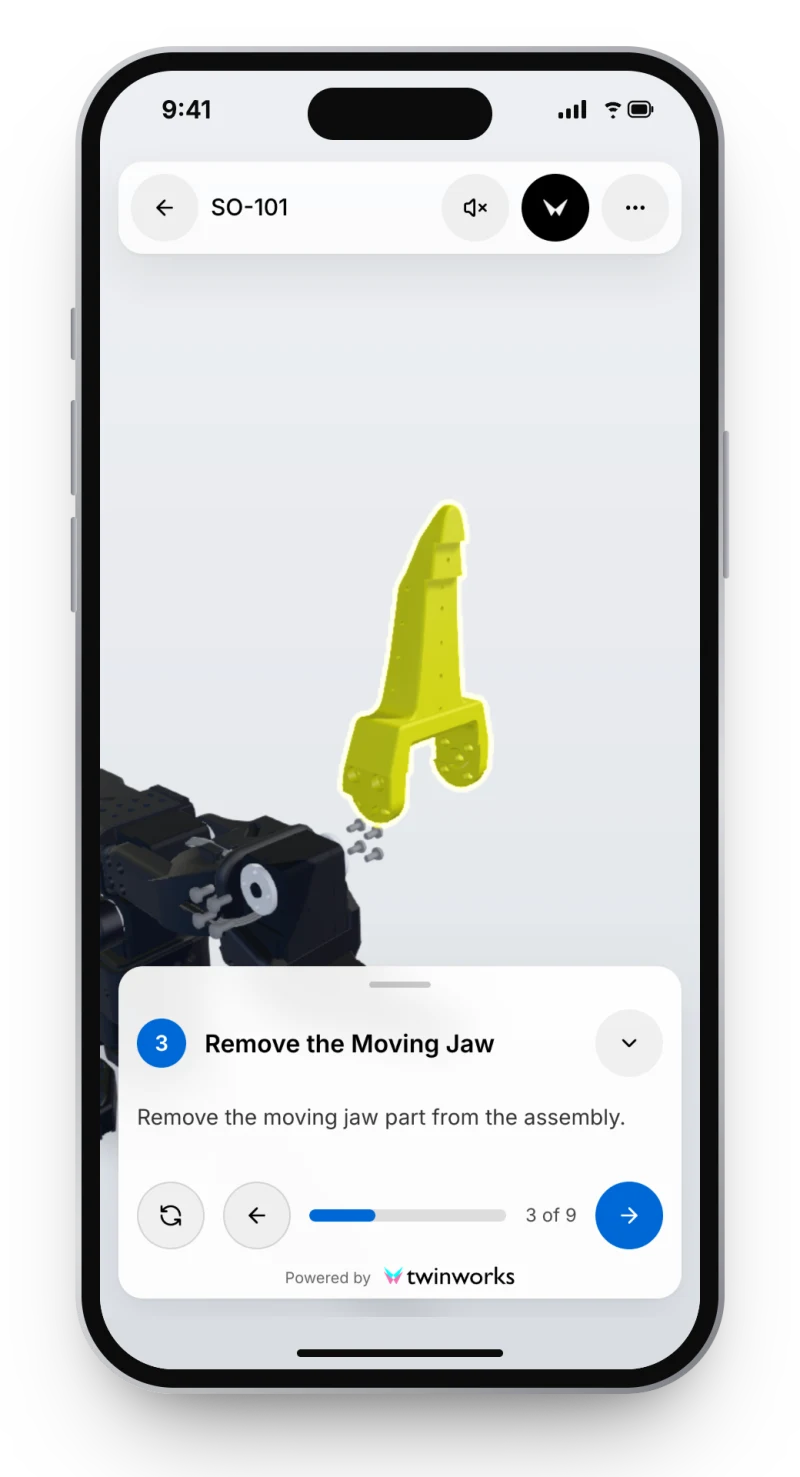
The SOP, in the operator’s hand.
On a phone, a tablet or a screen at the station, one step at a time, with the parts of that step highlighted.
Start small. Start with one procedure.
Free template · Word
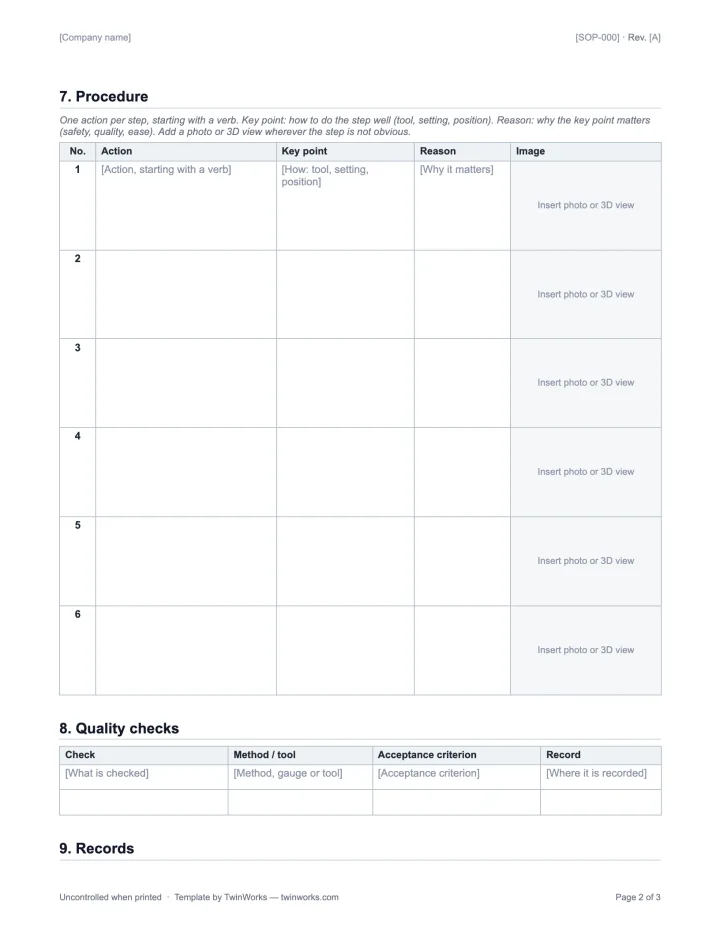
The SOP template.
Document control, safety, a step table and revision history, with a filled-in example.
Download the template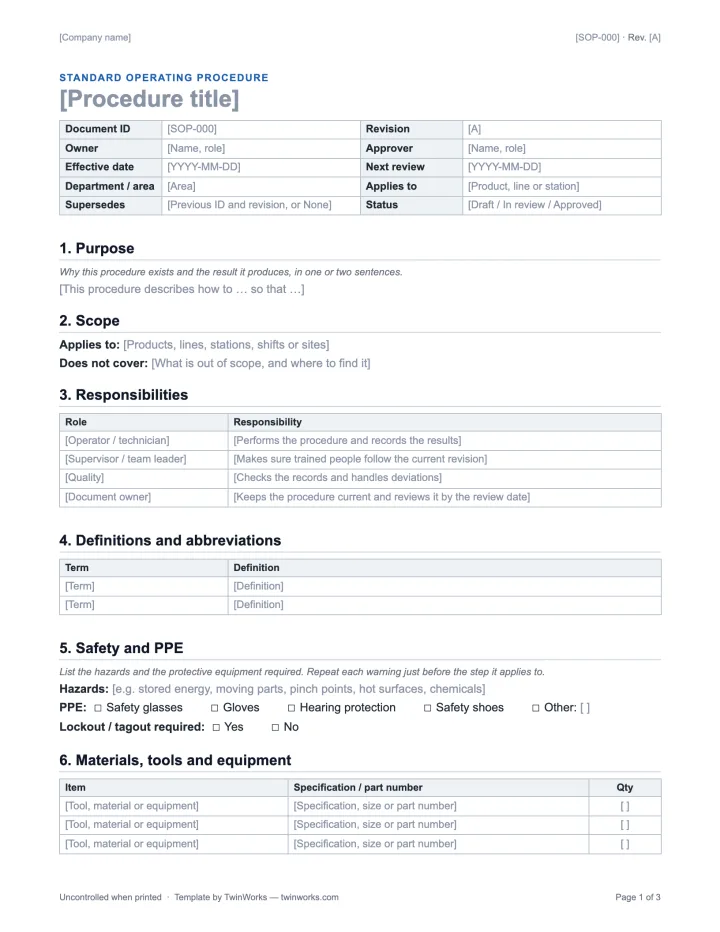
Glossary
What is an SOP?
What a standard operating procedure contains, and how it differs from a work instruction.
Read the definitionQuestions
What is SOP software?
SOP software helps teams write, review, publish and revise standard operating procedures. In TwinWorks, procedures are drafted from your existing PDF procedures, reviewed and approved by your experts, and opened by operators in a browser by link or QR code.
Can we bring our existing SOPs?
Yes, as PDF. TwinWorks drafts editable procedures from your existing PDF procedures. Your authors supply the missing details and your experts review every step before it is published.
How is an SOP approved?
Reviewers comment, request changes and approve each new revision. TwinWorks keeps the revisions, their differences and restorable checkpoints. Approval is always a decision by a person, never automatic.
Do we need a 3D model?
No. Procedures work without a model. A supported 3D model adds the parts and views for each step: GLB, self-contained GLTF, FBX, OBJ and USDZ are supported, and STEP/STP import is in beta.
What do operators record when they follow an SOP?
When reporting is enabled, execution reports describe recorded procedure use, including step status, duration, comments and optional photos. They are reported data, not proof of a physical inspection.
Is there a free SOP template?
Yes. The TwinWorks SOP template is a free Word document with a filled-in example, in English and French, with no account and no email.
Bring one SOP. See it in TwinWorks.
Book a demo with a procedure your team uses today: see it drafted from the PDF, reviewed and published to the station.
The Free plan costs €0, needs no credit card and starts with 500 AI credits.
Updated