Free template · Word
Free SOP template, with a filled-in example.
A standard operating procedure for manufacturing and maintenance teams. Fill it in, or start from a real robot-arm example.
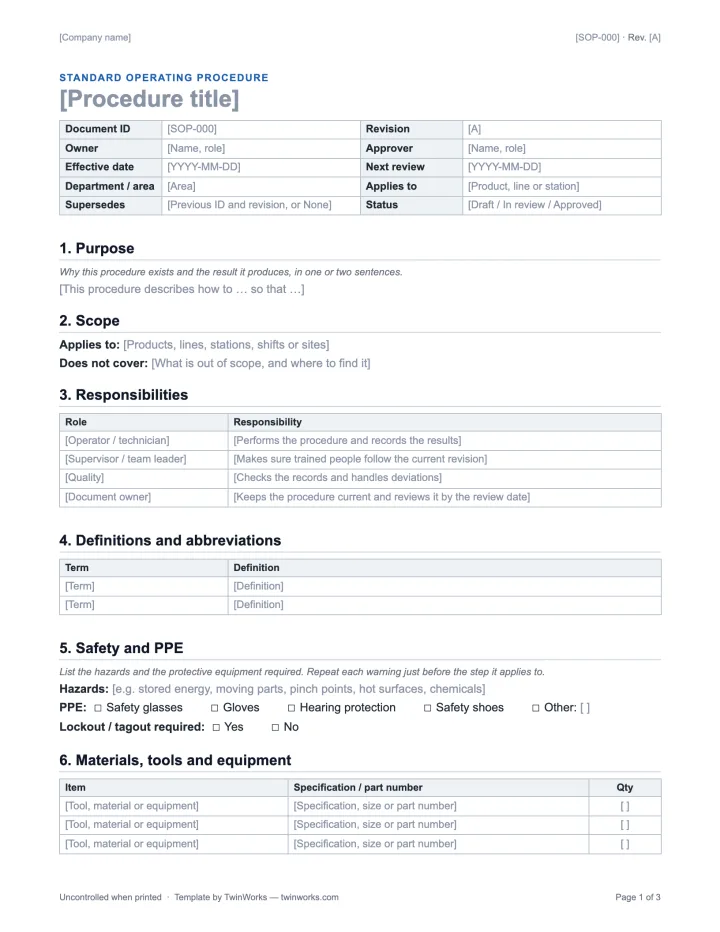
Eleven sections. Three pages.
Page 1 opens with document control. Page 2 holds the procedure table, the checks and the revision history. Page 3 explains how to write each part.
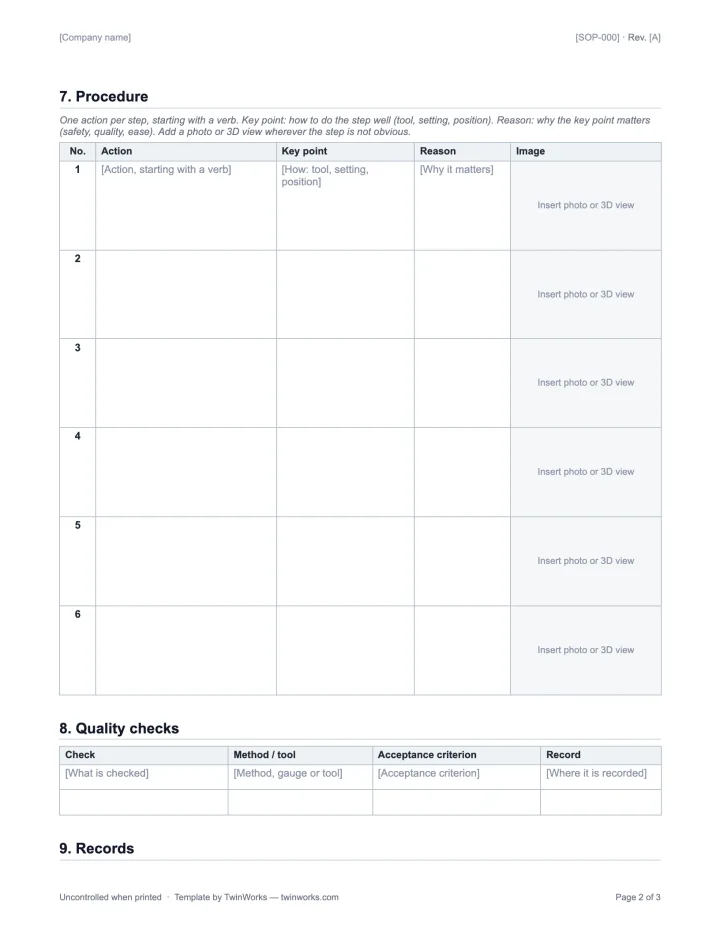
- Purpose Why the procedure exists and the result it produces.
- Scope What it applies to, and what it does not cover.
- Responsibilities Who does, checks and approves the work.
- Definitions Terms and abbreviations a new reader needs.
- Safety and PPE Hazards, protective equipment, lockout and tagout.
- Materials and tools Item, specification or part number, quantity.
- Procedure Numbered steps: action, key point, reason, image.
- Quality checks What is checked, how, the criterion and the record.
- Records What evidence is kept, where and for how long.
- References Related procedures, drawings and standards.
- Revision history Every change, its date, author and approver.
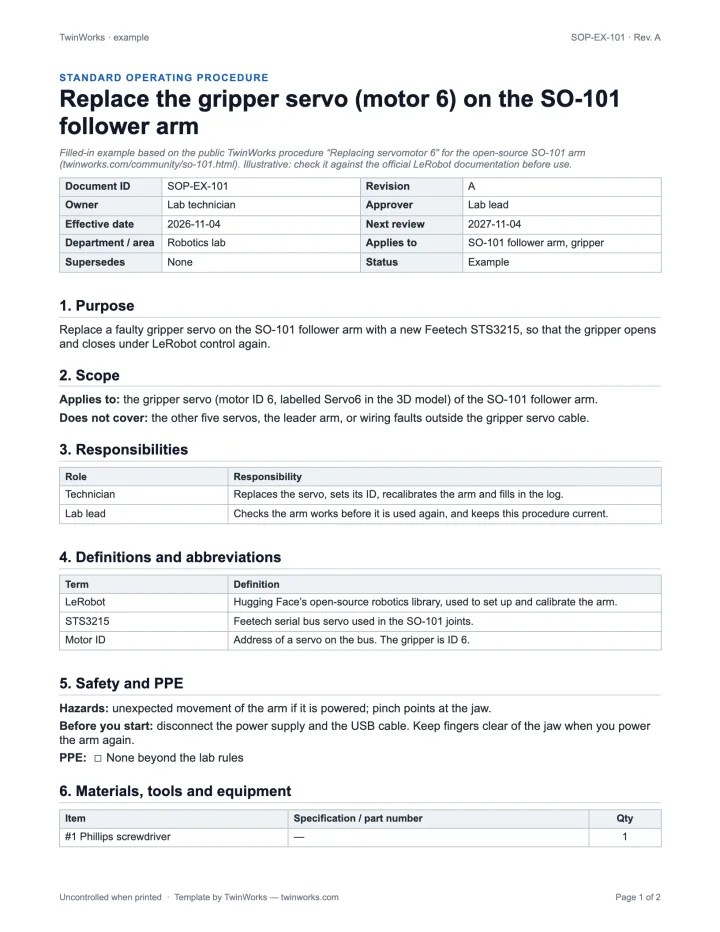
A real task. Every section filled in.
Replacing the gripper servo (motor 6) of the open-source SO-101 robot arm, following the public TwinWorks procedure. Each of its nine steps carries the image of that step in 3D.
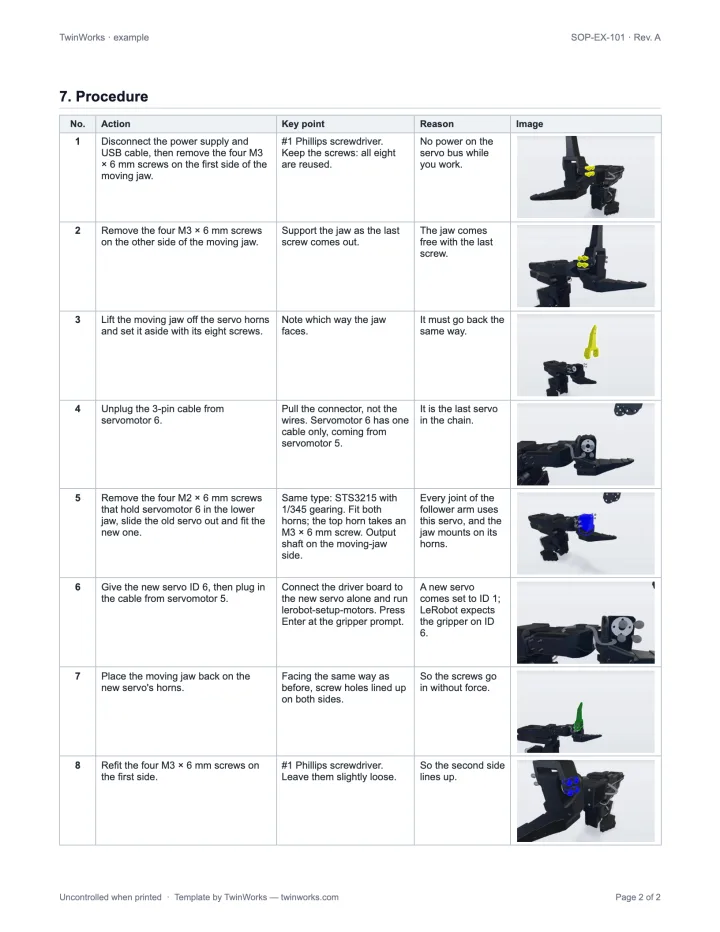
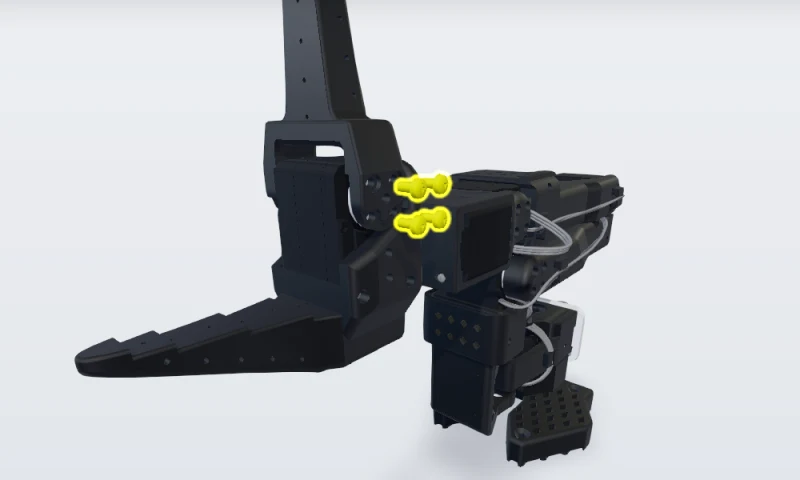
1. Disconnect the power supply and USB cable, then remove the four M3 × 6 mm screws on the first side of the moving jaw.
- Key point
- #1 Phillips screwdriver. Keep the screws: all eight are reused.
- Reason
- No power on the servo bus while you work.
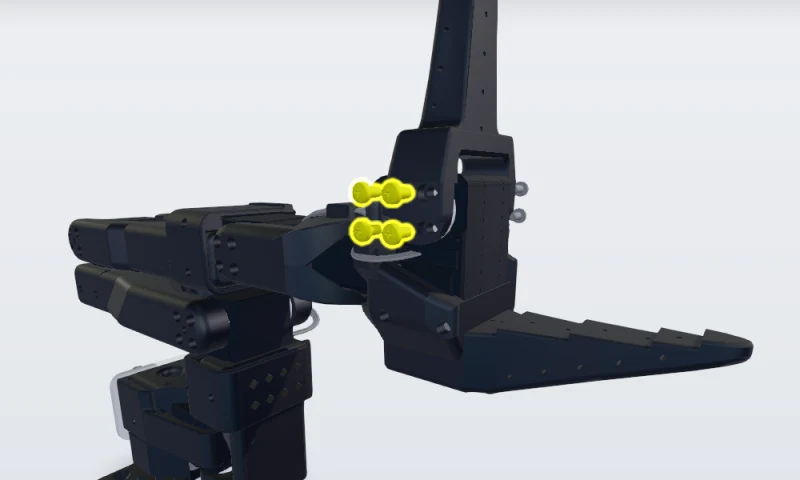
2. Remove the four M3 × 6 mm screws on the other side of the moving jaw.
- Key point
- Support the jaw as the last screw comes out.
- Reason
- The jaw comes free with the last screw.

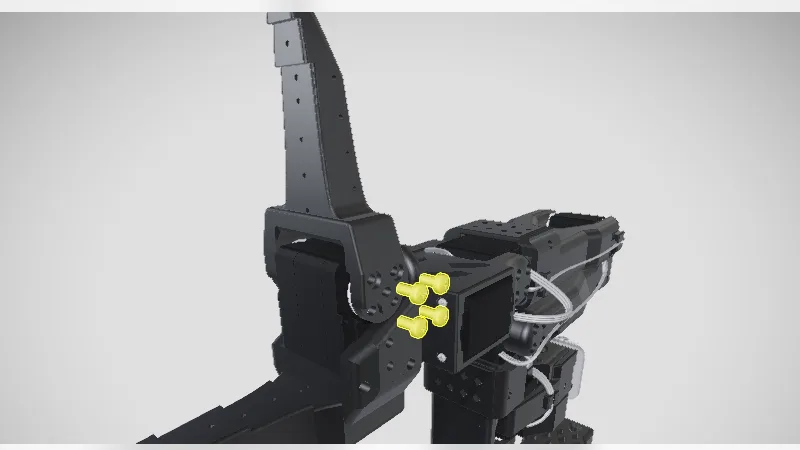
3. Lift the moving jaw off the servo horns and set it aside with its eight screws.
- Key point
- Note which way the jaw faces.
- Reason
- It must go back the same way.
SOP, work instruction or checklist?
Quality systems such as ISO 9001 usually organise documents in levels. The SOP says what must be done and by whom; the work instruction shows exactly how, for one task.
| Document | Answers | Typical length |
|---|---|---|
| SOP | What must be done, by whom, and why | 2 to 10 pages, one process |
| Work instruction | Exactly how to do one task at one station | 1 to 3 pages, mostly pictures |
| Checklist | Was everything done? | One page of items to tick |
More on each term: what is a standard operating procedure and what are work instructions.
How to write an SOP in seven steps.
- Pick one process and one owner. Write the purpose and the scope first: if you cannot say where the procedure stops, it is two procedures.
- Watch the work. Follow the person who does the task best, and write down each action as it happens.
- One action per step. Start each step with a verb, then add the key point (how) and the reason (why).
- Add the hazards and the PPE. Repeat each warning just before the step it applies to.
- Show it. Add a photo or a 3D view wherever a step is not obvious, taken from where the operator stands.
- Test the draft. Have someone who has never done the task follow it while you watch, and fix every hesitation.
- Approve, train, release. Set the effective date, train the people concerned, then withdraw the old revision.
TwinWorks
When you have fifty SOPs, not one.
A Word SOP is the right start. The hard part comes later: the product changes, the photos go out of date, and every revision has to be checked and approved again.
- Draft procedures in TwinWorks from your existing PDF procedures, as editable drafts.
- Add the 3D model and set up the part actions and views for each step (STEP/STP import is in beta).
- Experts comment, request changes and approve each revision before it is published.
Questions
What is in this SOP template?
This free SOP template is a Word document (.docx, 3 pages, US Letter) for writing a standard operating procedure. It has a document control block (title, ID, revision, owner, approver, effective date), purpose, scope, responsibilities, definitions, safety and PPE, materials and tools, a procedure table with a key point, a reason and an image for each step, quality checks, records, references, revision history and sign-off, and a page on how to fill it in. It is free to use and adapt, with no account and no email required, and it opens in Word, Google Docs, LibreOffice and Pages.
What is an SOP template?
An SOP template is a ready-made document with the sections a standard operating procedure needs: document control, purpose, scope, responsibilities, safety, materials, numbered steps, checks, records and revision history. You fill in the blanks instead of starting from a blank page.
What is the difference between an SOP and a work instruction?
An SOP describes a process: what must be done, by whom and why, often across several tasks or roles. A work instruction describes one task at one station, step by step, usually with a picture for each step. An SOP often points to work instructions.
What should a good SOP include?
A clear purpose and scope, the roles involved, the hazards and PPE, the materials and tools, numbered steps that each start with a verb, the checks and their acceptance criteria, the records to keep, and a revision history with an approver.
Can I use this SOP template in Google Docs?
Yes. Open the .docx file in Google Docs (File, Open, Upload), or in LibreOffice or Apple Pages. The layout uses plain tables and the Arial font, so it keeps its look in each of them.
Is the SOP template free for commercial use?
Yes. You can use it, adapt it and share it inside your company, for commercial work, with no account, no email address and no attribution. The small TwinWorks credit in the footer can be removed.
Skip the blank page.
Already have procedures in PDF? TwinWorks drafts editable procedures from them; add your 3D model for visual steps, and let your experts review and approve each one.
Updated