Free template · Word and Excel
Work instruction template with pictures.
A one-task instruction built around pictures, with a filled-in example and a standard work sheet.
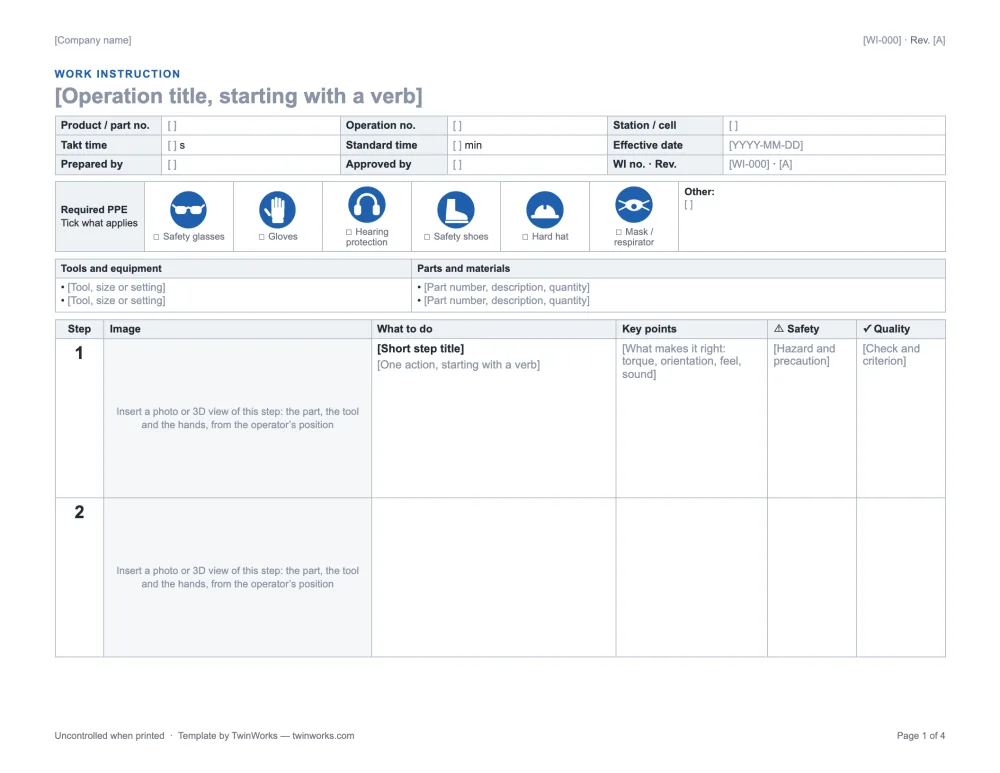
Everything the station needs. On one page.
Landscape, because pictures need the width. Each step keeps its image, its action and its checks together, and rows never split across two pages.
- Header Product and part number, operation, station, takt time, standard time, effective date, revision.
- PPE pictograms Glasses, gloves, hearing protection, safety shoes, hard hat and mask, to tick.
- Tools and materials Tools with sizes or settings; parts with part numbers and quantities.
- Steps A large image cell, what to do, key points, safety and quality for each step.
- Sign-off Prepared, checked and approved by, with signatures and dates.
- Training record Who was trained on this revision, by whom and when.
- Revision history What changed, when and by whom.
- How-to page How to shoot the pictures and word the steps. Delete it before release.
Nine steps. Nine pictures.
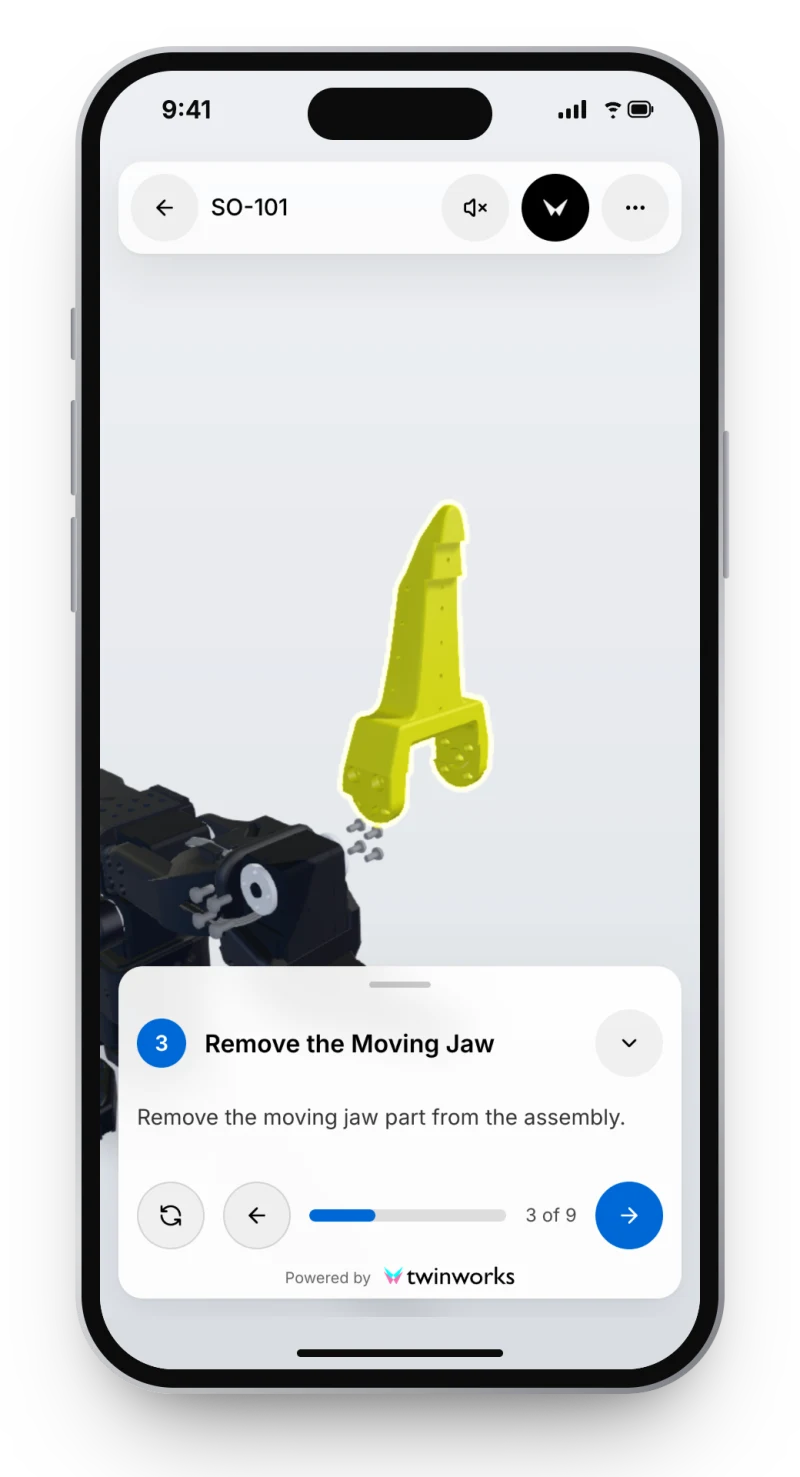
The example replaces the gripper servo (motor 6) of the open-source SO-101 robot arm. Every picture is a view of the public TwinWorks procedure in 3D, with the parts of that step highlighted.
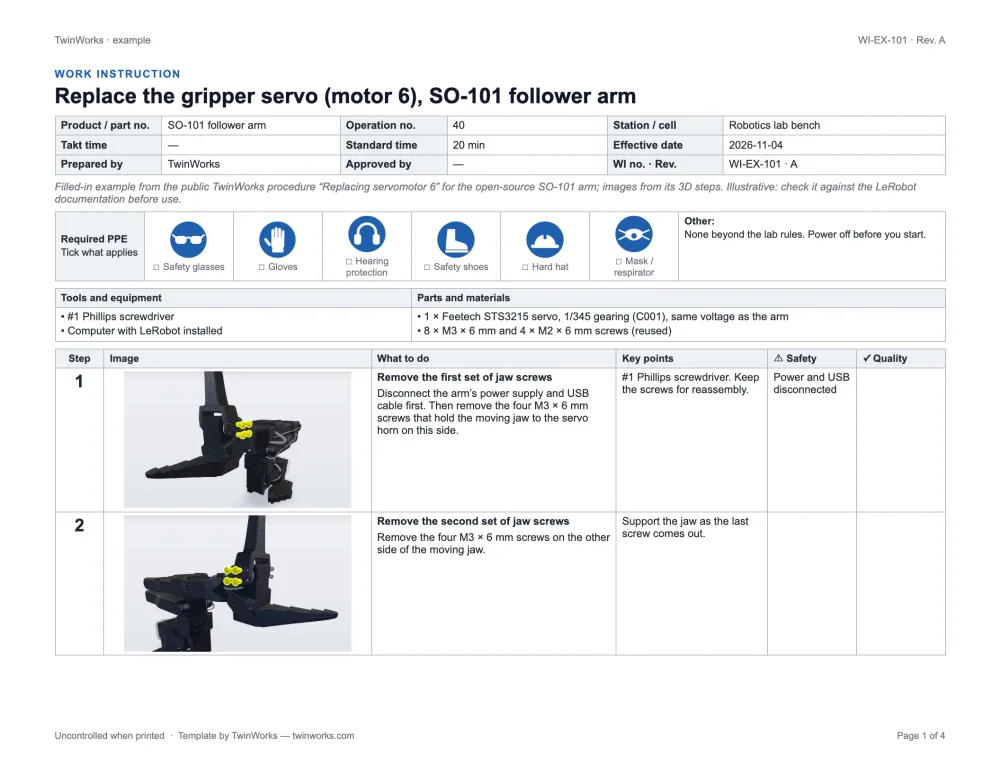
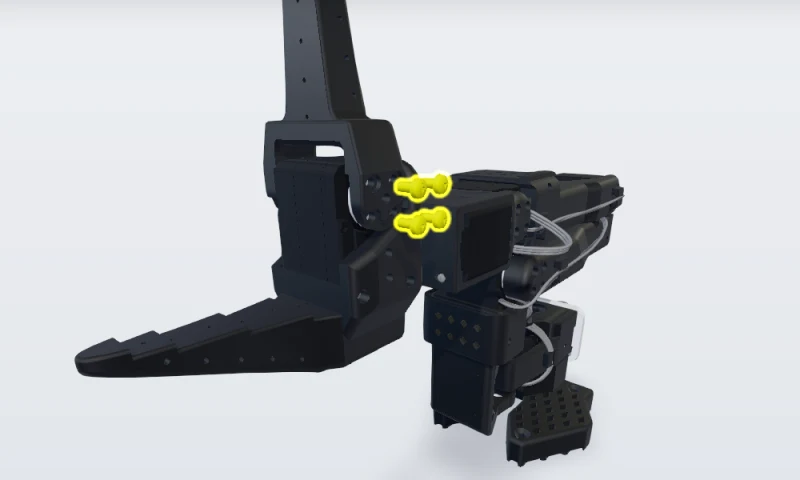 1. Remove the first set of jaw screws
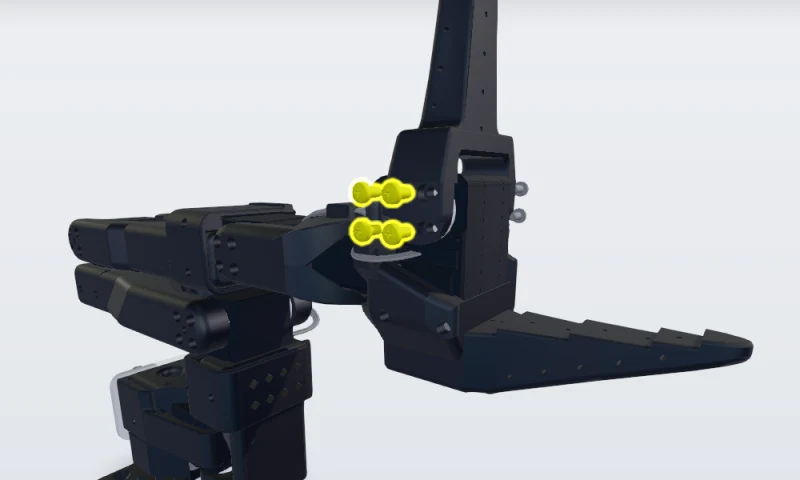 2. Remove the second set of jaw screws
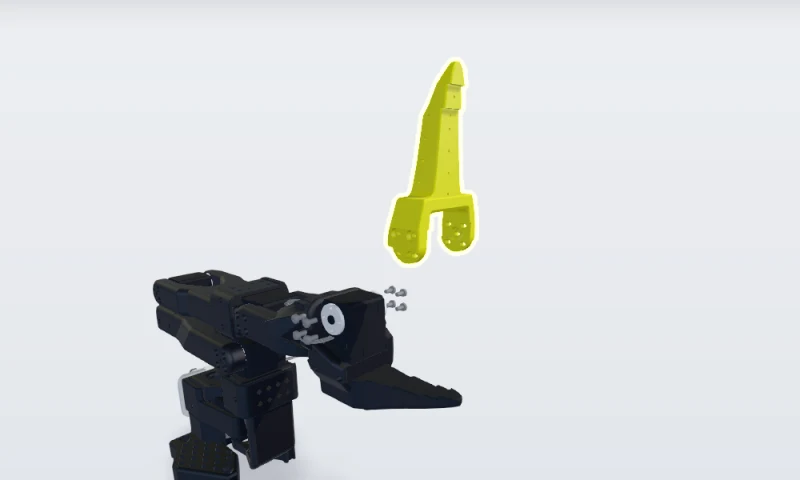 3. Remove the moving jaw
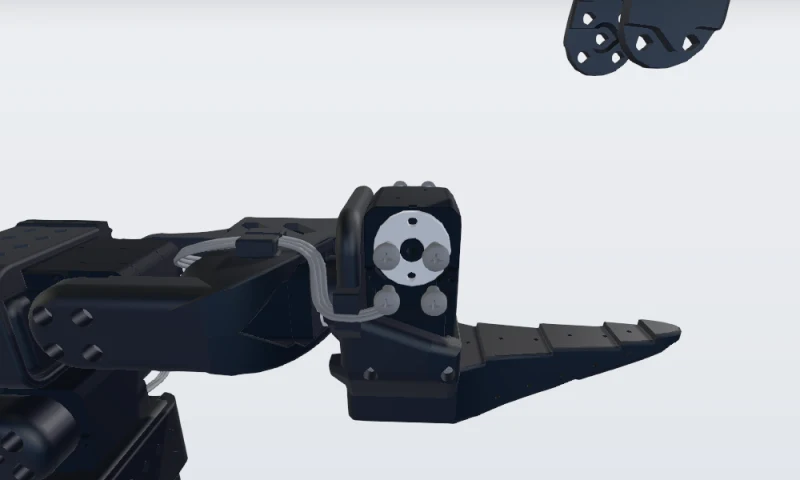 4. Unplug servomotor 6
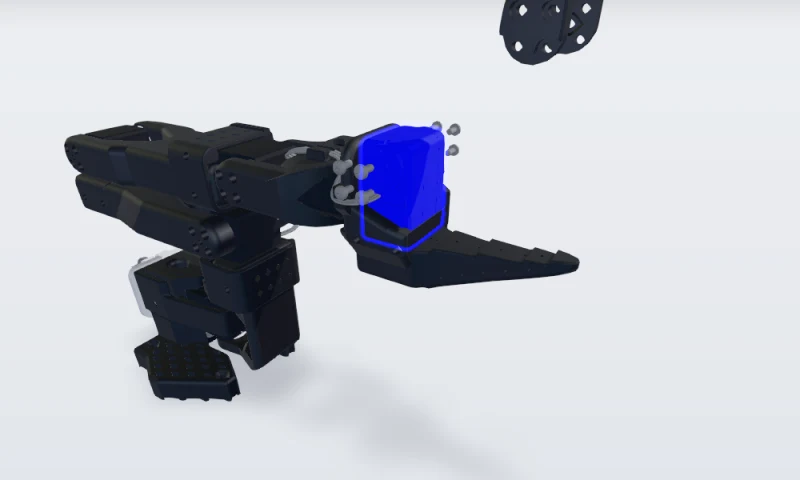 5. Replace the servomotor
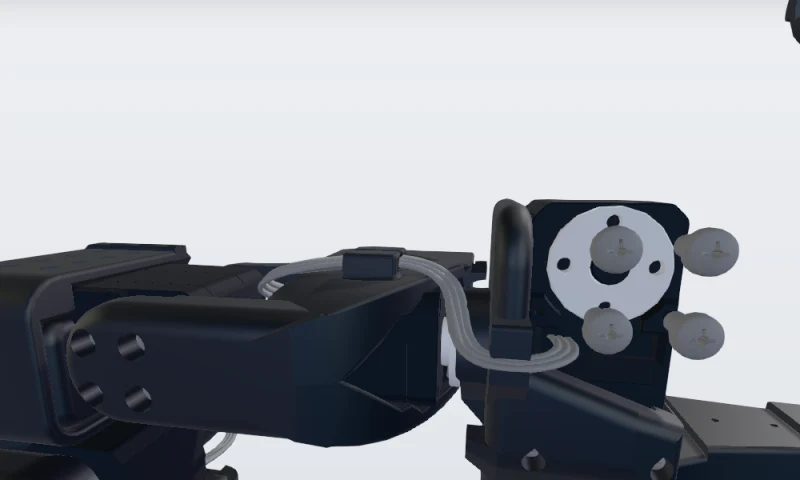 6. Give the new servo ID 6, then plug it in
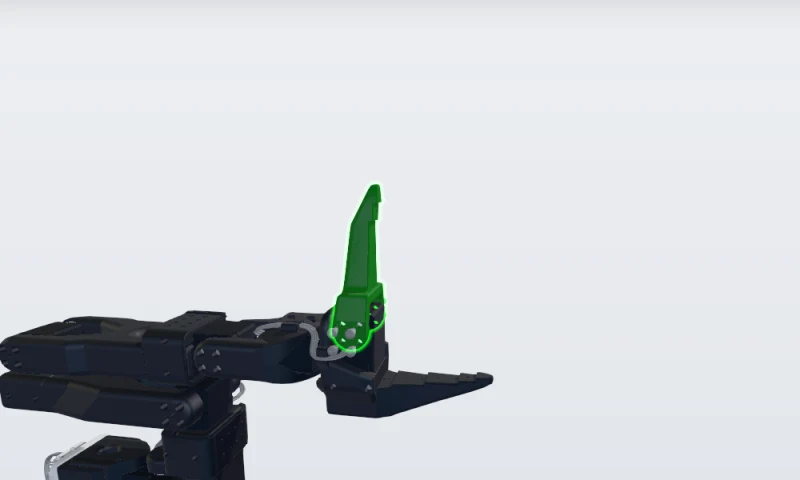 7. Install the moving jaw
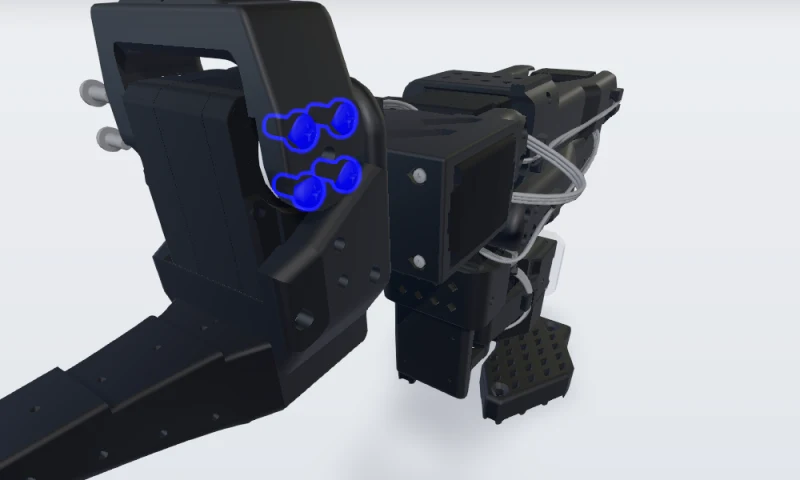 8. Refit the first set of jaw screws
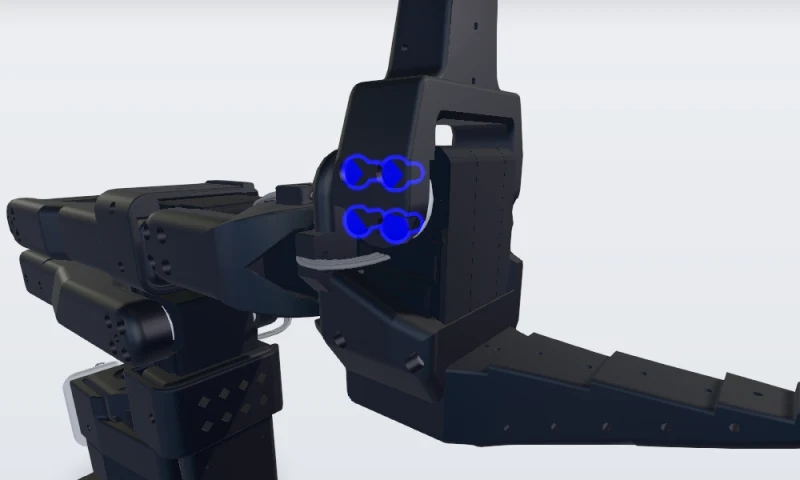 9. Refit the second set and recalibrate
Time it against takt.
Enter the takt time. The standard work sheet calculates operator, cumulative and cycle time, and says whether the job fits.
More in what is standard work.
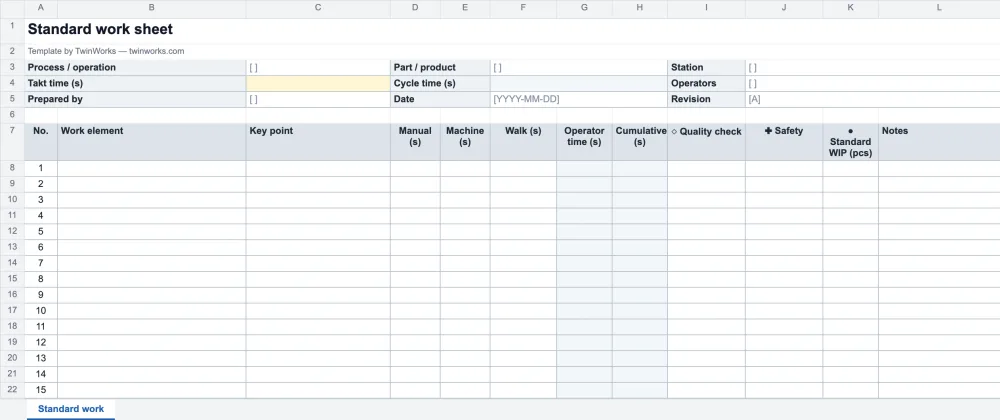
Routing, work instruction, standard work.
A routing lists the operations a part goes through. Each operation can have a work instruction, which shows how, and a standard work sheet, which fixes the sequence and its timing.
Six rules for instructions people follow.
- One task, one station. If the steps run past two pages, split the task.
- Shoot from the operator’s position. The part, the tool and the hands in frame, and nothing else.
- Mark what matters. One arrow or one circle per picture, in the same colour every time.
- Start every step with a verb. One action per step. Key points say what makes it right: the torque, the orientation, the click.
- Put safety where it belongs. On the step it applies to, not in a paragraph at the top that nobody reads.
- Train with it, then sign. The training record shows who learned which revision.
TwinWorks
The same steps, in 3D, at the station.
Each step can show the 3D model with that step’s parts highlighted, on a phone, a tablet or a screen. Draft the steps from your existing PDF instructions, then review them.
Questions
What is in this work instruction template?
This free work instruction template is a Word document (.docx, landscape US Letter) built around pictures: a header for the part, operation, station, takt time and standard time, a row of PPE pictograms to tick, a tools and materials box, and a step table with a large image cell, what to do, key points, safety and quality for each step, followed by sign-off, a training record and revision history. A standard work sheet in Excel (.xlsx) comes with it: work sequence, manual, machine and walk times, cumulative time against takt and standard work in process. Both are free to use and adapt, with no account and no email.
What is a work instruction template?
A work instruction template is a ready-made document for describing one task step by step: a header that identifies the part, operation and station, the PPE and tools needed, and a table with a picture, the action, key points, safety and quality checks for each step.
What is the difference between a routing, a work instruction and standard work?
A routing lists the operations a part goes through, station by station. A work instruction tells the operator how to do each step of one operation. Standard work records the agreed sequence of that job, the time of each element against takt time and the standard work in process. Teams usually keep the last two at the station and update them together.
How many steps should a work instruction have?
As few as the task needs, with one action per step. When a work instruction runs past two pages, the task is usually too big: split it into separate instructions, one per sub-task or station.
What pictures work best in work instructions?
Pictures taken from the operator’s position, showing the part, the tool and the hands, with the important point marked by an arrow or a circle. A 3D view of the CAD model with the part highlighted works well when photos are hard to take or the product is not built yet.
Is this work instruction template free?
Yes. The Word template, the filled-in example and the Excel standard work sheet are free to download, use and adapt in your company, with no account or email address.
Have a STEP file? Start with the pictures.
TwinWorks Animate explodes and animates a STEP or STP assembly in your browser, free and with no account.
Updated