Compared · November 2026
The best work instruction software in 2026.
Nine tools, what each is best at, and what its AI really does. We make TwinWorks, so we say where another tool fits better.
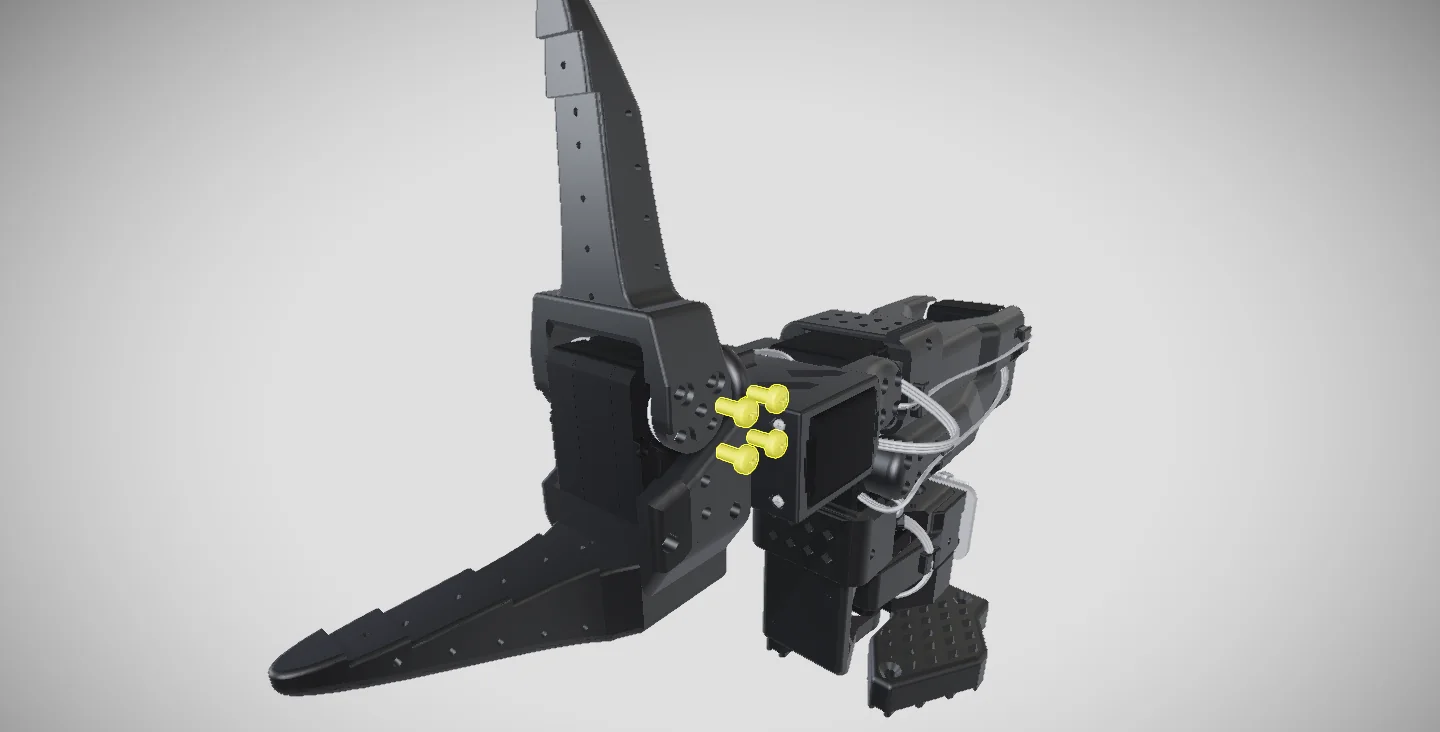
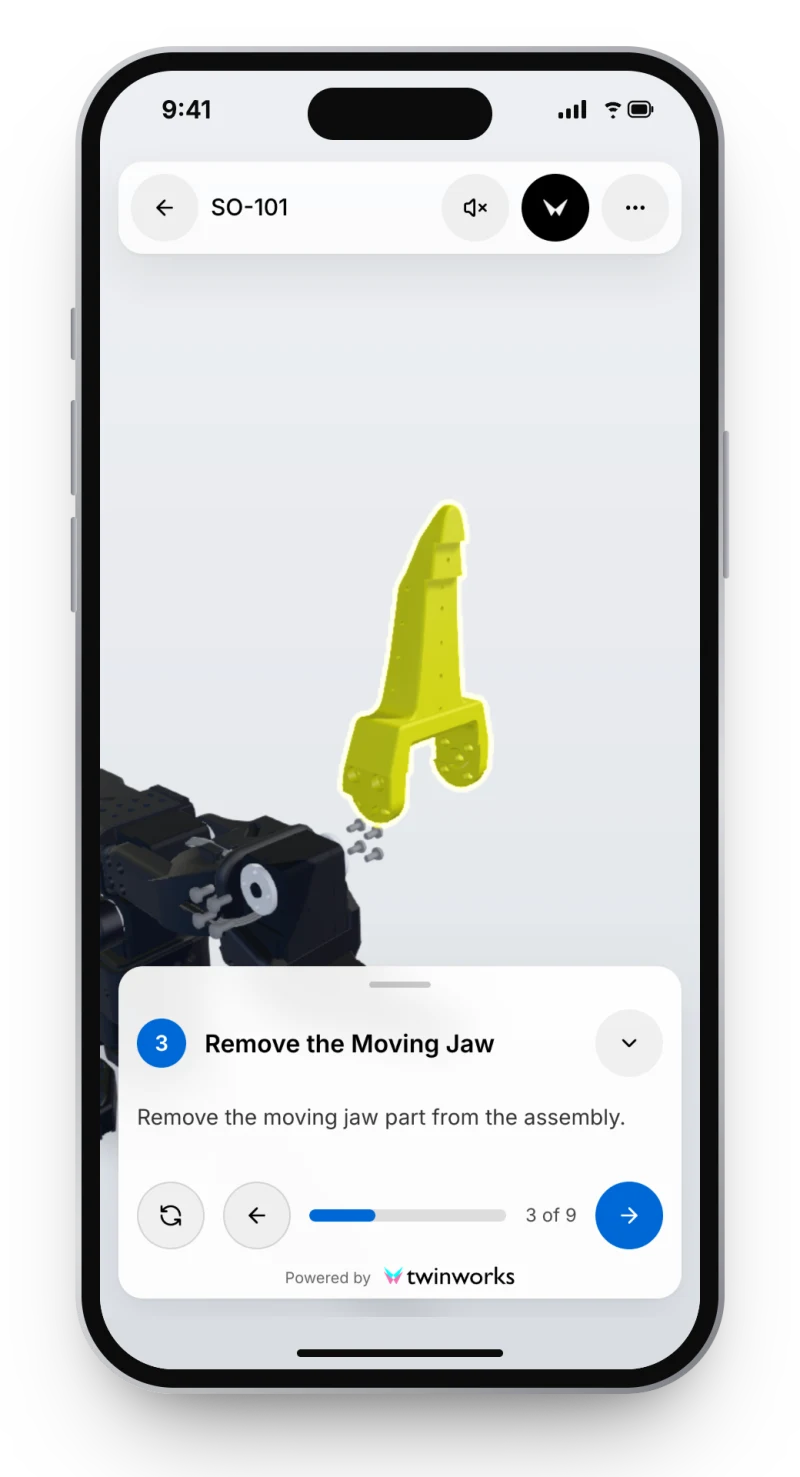
What good work instruction software produces: one step at a time, shown on the part.
Pick by job. Not by score.
- Draft instructions from your CAD and manualsTwinWorksSteps on the 3D part, drafted from your manuals.
- Build your own shop-floor appsTulipNo-code apps, machines and devices.
- Visual instructions with tool connectivityVKSTorque tools, PLCs and printers. Cloud or on-premise.
- Govern standard work and trainingDozukiProcedures, training and skills across sites.
- Share frontline know-how across many plantsPokaSkills, forms and links to IFS and SAP.
- Connect torque tools and scannersAzumutaInstructions, quality checks and a light MES.
- Guide maintenance and safety with AIAugmentirAI agents, skills, smart forms and AR.
- Instructions inside a full shop-floor platformL2L (SwipeGuide)SwipeGuide is now part of L2L: maintenance, OEE and skills.
- Run jobs and inspections on mobileParsableOffline rounds and inspections, by CAI Software.
Side by side. From each vendor’s own pages.
Checked on 10 November 2026. Features change, so confirm with each vendor.
| Tool | AI drafts from | 3D / CAD | Approvals | Skills | Offline | Price |
|---|---|---|---|---|---|---|
| TwinWorks | PDF and Word manuals, 3D models | GLB, GLTF, FBX, OBJ, USDZ; STEP beta | ✓ | — | — | Free plan |
| Tulip | PDF procedures | STL models in apps | ✓ | ✓ | — | From $100 per interface a month |
| VKS | None; AI translates | Links to CAD drawings | ✓ | ✓ | — | On request |
| Dozuki | Documents and video | — | ✓ | ✓ | ✓ | On request |
| Poka | PDF, Word, video and paper | — | ✓ | ✓ | ✓ | On request |
| Azumuta | Word, PowerPoint, Excel, PDF, video | STL and OBJ; no STEP | ✓ | ✓ | — | On request |
| Augmentir | Video, Word, Excel, PDF, images | AR, no CAD stated | Remote sign-off | ✓ | ✓ | On request |
| L2L (SwipeGuide) | Video and documents | — | ✓ | ✓ | ✓ | On request |
| Parsable | Not yet (on its 2026 plan) | — | — | — | ✓ | On request |
✓ stated on the vendor’s pages. — not stated publicly. Every row links to a detailed comparison with its sources.
How to choose. Four questions.
- Where do your instructions start? CAD and manuals, or a blank page? Pick a tool that drafts from what you have.
- Does 3D really open? Ask which file formats work, then try one of your own assemblies.
- Who approves a release? Look for review, revisions and a history you can show an auditor.
- What does it cost? Most vendors quote on request. Ask for a pilot with one real procedure.
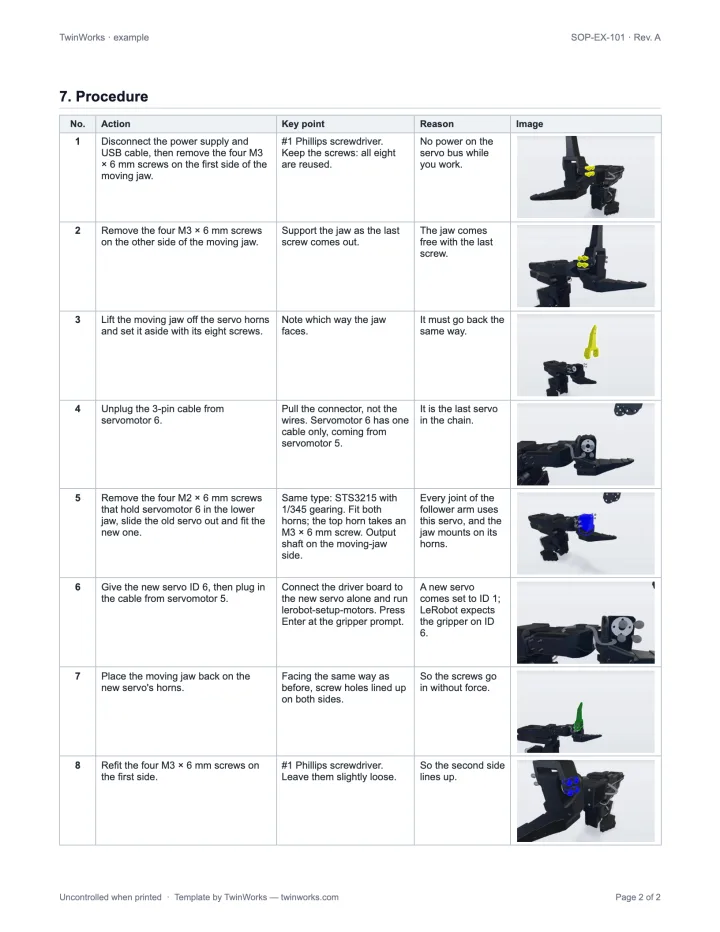
Where TwinWorks fits
Best when the instructions start in engineering.
Drafts from your PDF or Word manuals, steps on the 3D model, and experts approve every release. Pick another tool for no-code apps, machine data or a skills matrix.
Questions
What is the best work instruction software?
It depends on where your instructions start. To draft them from CAD and existing manuals, with each step shown on the 3D part, TwinWorks. To build your own shop-floor apps, Tulip. To run frontline knowledge and skills across many plants, Poka or Augmentir. For assembly lines with connected torque tools, VKS or Azumuta.
Is there free work instruction software?
Yes. TwinWorks has a Free plan that costs €0, needs no credit card and starts with 500 AI credits. None of the other eight publishes a free plan. Tulip shows prices; the others quote on request.
Which work instruction software works with 3D and CAD?
TwinWorks shows each step on a 3D model and imports GLB, self-contained GLTF, FBX, OBJ and USDZ, with STEP/STP import in beta. Tulip apps can include STL models, Azumuta embeds STL and OBJ files, and VKS links CAD drawings to instructions. The others state no 3D or CAD support on their own pages.
How much does work instruction software cost?
Tulip publishes its prices: $100 per interface a month on Essentials and $250 on Professional, billed yearly, with at least 10 interfaces. VKS, Dozuki, Poka, Azumuta, Augmentir, L2L and Parsable quote on request.
What does the AI do in these tools?
Most of them turn existing documents or videos into draft steps that a person edits and approves. TwinWorks drafts from PDF or Word manuals and a 3D model, and Tulip from PDF procedures. Dozuki, Poka, Azumuta, Augmentir and L2L also draft from video. VKS uses AI to translate, and Parsable lists AI-generated SOPs on its 2026 plan.
How did you compare them?
We read each vendor’s own public pages on 10 November 2026 and link a detailed comparison with its sources for each tool. We make TwinWorks. Features and prices change, so confirm with each vendor.
Try it on one of your procedures.
Bring a PDF manual and a 3D model, and see the steps drafted on the part.
The Free plan costs €0, needs no credit card and starts with 500 AI credits.
TwinWorks publishes this page and is not affiliated with the other companies named. Their names belong to their owners.
Updated