Quick answer
Augmentir runs connected work on the floor; TwinWorks keeps the documentation behind it in sync with Engineering. The two overlap on interactive procedures, but their centers of gravity differ: TwinWorks drafts and maintains technical documents and procedures from engineering data; Augmentir combines digital workflows with skills, collaboration, industrial AI, workforce intelligence, and AR.
What each product is
Augmentir describes its product as an AI-native connected-worker platform spanning digital work instructions, skills and training, collaboration, knowledge, smart forms, workforce intelligence, integrations, and augmented reality.
As of 10 August 2026, Augmentir's pages describe no-code workflow authoring, video-to-procedure conversion, personalized guidance, step-level data capture, multi-device delivery, offline work, industrial AI, skills, and enterprise integrations. See the official sources used for this review.
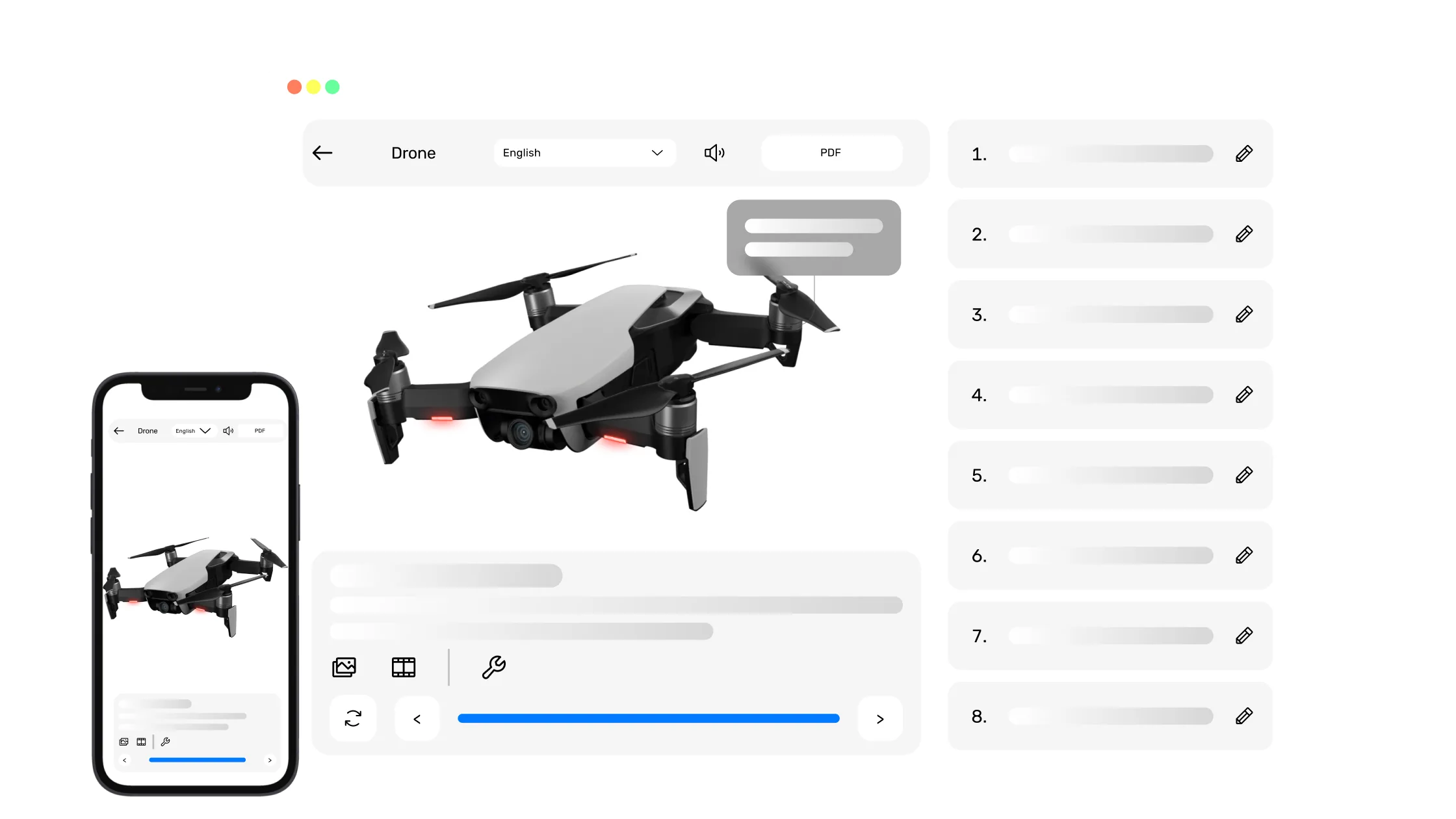
TwinWorks is the layer between what Engineering knows, what Documentation says, and what Operations does. It drafts manuals and work instructions from your engineering data and existing PDF or Word manuals, with PDF-grounded procedure drafts and authored or reviewed 3D actions. When the product changes, it shows the footprint of the change: the manual sections, work instructions, and procedures it touches. Your experts review and approve every draft and every update. TwinWorks publishes web and PDF documentation and interactive 3D procedures, exports descriptive and procedural S1000D data modules, and, with reporting on, collects the execution reports operators send from the floor.
Factual workflow comparison
The table compares how each product handles the same documentation workflows; it is not a feature score. The competitor column summarizes the vendor's own pages as checked on 10 August 2026. Packaging and integrations vary, so confirm the details with each vendor.
| Workflow | TwinWorks (our product) | Augmentir (per augmentir.ai, checked 10 Aug 2026) | Evidence |
|---|---|---|---|
| Primary workflow | Drafts and maintains technical documents and interactive procedures from engineering data, and runs those procedures on the floor, in one product. | AI-native connected work across training, digital workflows, collaboration, knowledge, assets, issues, and workforce intelligence. | [1] |
| Content creation | AI drafts manuals and work instructions from engineering data and existing PDF or Word manuals, with PDF-grounded procedure drafts and authored or reviewed 3D actions. Experts comment on, edit, and approve every draft before release. | A no-code workflow builder creates procedures and smart forms; its AI assistant (Augie, as of 10 August 2026) can turn videos and existing content into interactive procedures. | [1] [2] |
| Technical-publication model | Modular content: each block records its source and keeps an approved revision history. Exports descriptive and procedural S1000D data modules alongside web and PDF output. | Delivers frontline workflows and knowledge access. Ask Augmentir how it handles structured technical publications such as manuals and parts lists. | [1] |
| Engineering, 3D, and AR | Imports GLB, self-contained GLTF, FBX, OBJ, and USDZ models (STEP/STP in beta). Uses imported geometry for visual authoring. AI can draft procedure text from reference PDFs; authors create or review the 3D actions and approve the instruction before release. | Supports images, video, AR experiences, industrial smart glasses, and an AR add-on. Ask Augmentir how it links instructions to CAD data. | [2] [4] |
| Change and review control | Shows the footprint of a change: the document sections and procedures linked to a changed part, tool, consumable, or source, plus broken or outdated references. Experts review and approve each update. | Collaboration can feed updates into procedures, and remote approvals are described for safety workflows. | [1] [2] |
| Frontline execution | Runs assembly, disassembly, maintenance, operating, and quality-control procedures and records step status, duration, comments, replays, serial and operator fields, ratings, and optional photos. | Smart forms support photos, e-signatures, numeric thresholds, pass/fail responses, conditional logic, and AI checks on inputs, photos, and readings. | [2] |
| Evidence and analytics | Exports execution reports to PDF, DOCX, and XLSX for review and analysis. | Workforce intelligence, operational dashboards, performance insights, and skills data are central parts of the platform. | [1] [3] |
| Deployment and integration | Publishes technical documents to the web and PDF, and interactive 3D procedures to the web. | Runs on phones, tablets, desktops, and supported wearables, includes offline work, and connects with ERP, CMMS, QMS, MES, CRM, HCM, and LMS systems. | [1] [2] |
Best fit by buying priority
Augmentir is the better fit when
- Personalized guidance, skills management, and in-the-flow training are the primary buying goals.
- Workforce performance analytics and AI agents should drive continuous improvement.
- Smart forms, live expert support, wearables, or industrial AR are required in frontline workflows.
- A broad connected-worker layer must integrate with operational enterprise systems.
TwinWorks is the better fit when
- The team needs technical publications and interactive procedures in the same product.
- Product-linked visual documentation and modular technical content matter more than workforce optimization.
- Reviewers need to see where each piece of content came from, approve each revision, and see what a change touches.
- The evaluation includes both publication delivery and captured procedure-execution evidence.
What TwinWorks doesn't do yet
- It doesn't update or approve affected documents on its own: it shows what a change touches, and your experts decide.
- Execution records show which steps were completed; they don't prove which exact revision was on screen.
- AR is a limited beta for prepared setups.
How to evaluate the two products
Use one maintenance procedure and its supporting manual. Compare source migration, expert review, personalized execution, step evidence, and the effort required to identify and approve a real product change.
- Use your own source content and product data, not a vendor sample.
- Record the expert time required to draft, review, approve, translate, and revise.
- Introduce one real engineering change and see how each product finds the affected content and controls the update.
- Run the procedure and check the records, exports, integrations, and which revision each record refers to.
Official sources and methodology
Competitor information was checked on 10 August 2026 and may have changed since. The links below are the vendor pages we used; they describe what each vendor says about its own product, not independent tests. Confirm plans, regions, integrations, and release availability with the vendor.
- Augmentir platform overview — official Augmentir source.
- Augmentir digital work instructions — official Augmentir source.
- Augmentir manufacturing workforce management — official Augmentir source.
- Augmentir AR announcement — official Augmentir source.
Update, 10 November 2026: Augmentir, now at augmentir.ai, made Augie Command Center and Procedure Studio generally available on 15 September 2026. Procedure Studio turns an SOP or a single sentence into a procedure and imports PDF, Word and spreadsheet files in bulk.
FAQ
Workflow-specific answers for this comparison.
Is TwinWorks better than Augmentir?
Neither product is universally better. TwinWorks fits documentation-led programs that also need interactive execution; Augmentir fits connected-worker programs centered on skills, personalized guidance, collaboration, industrial AI, and workforce performance.
Can TwinWorks replace Augmentir?
No. Augmentir focuses on personalized guidance, skills, workforce intelligence and AI agents across the connected workforce. TwinWorks owns the product documentation and 3D work instructions that guidance depends on, shows which content an engineering change touches, and leaves approval to your experts. The two run side by side.
What is the biggest difference between TwinWorks and Augmentir?
TwinWorks starts from governed product and technical content, while Augmentir starts from connected frontline work and workforce performance. Both can deliver interactive procedures, but the surrounding workflow is different.
What should an evaluation test?
Test one real procedure and its supporting manual. Measure content conversion, expert review, worker guidance, evidence capture, skills requirements, integrations, and how each system handles a real engineering change.
Explore the comparison set
See all comparisons in the technical documentation and work-instruction software comparison hub, or the best work instruction software compared. Competitor information checked on 10 August 2026.

Compare both products on one real maintenance workflow
Answer five questions and get a free starter kit: a documentation structure, worksheets, a 3D instruction example, and a sample execution report, previewed before you enter an email. Or book a free 30-minute session: bring a manual, a procedure, and a recent engineering change if you can share them, and we'll show what TwinWorks drafts and what the change touches.