Existing manuals
Import the PDF or Word manuals your team maintains today. They become editable drafts, not a rewrite from a blank template.
S1000D data module export
For aerospace and defense suppliers, and lean technical-publications teams that must deliver S1000D but still write in Word and PDF. TwinWorks drafts modular content from the manuals and engineering data you already have, your experts review and approve every module, and TwinWorks exports descriptive and procedural S1000D data modules.
No S1000D or BREX conformance is claimed. Bring your project’s issue and business rules, and we confirm the setup with you.
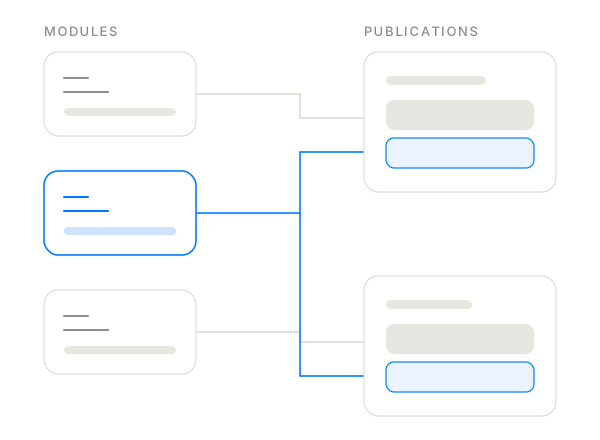
Start with what you have
Import the PDF or Word manuals your team maintains today. They become editable drafts, not a rewrite from a blank template.
Add parsed engineering sources. Supported schematics contribute explicit component and connection information where the file provides it.
Get modular content with per-block provenance and an approved revision history, ready to export as descriptive and procedural data modules.
From legacy manual to data module
When a referenced part, tool or source changes, TwinWorks shows the content that change touches, so your experts know which modules to review before the next export. See how change impact works.
Stated plainly
| Topic | TwinWorks today | What to plan for |
|---|---|---|
| Data module types | Exports descriptive and procedural data modules. | Other types, such as illustrated parts data or fault isolation, are not claimed. |
| S1000D issue | No fixed issue number is published. | Tell us the issue your project uses; we confirm the setup in a working session. |
| BREX and conformance | No S1000D or BREX conformance or certification is claimed. | Validate exported modules against your project BREX with your own tools before delivery. |
| Source manuals | Imports existing PDF or Word manuals into editable drafts. | Plain-text ingestion is not claimed. Check scanned or image-only pages in a pilot. |
| Review | Comments, requested changes and approval; approval creates a revision with history and diffs. | Application approval is not a regulated e-signature. |
| CSDB and viewing | Publishes its own web manual and PDF from the same approved content. | CSDB management and an IETP viewer are not claimed. Plan where the exported modules will live. |
S1000D in two minutes
S1000D is an international specification for technical publications. It breaks a manual into data modules: small, self-contained units of information, each with its own data module code, that can be reused across publications. A descriptive data module explains what a system is and how it works. A procedural data module gives the steps of a task, such as an inspection, a removal or an installation.
Most legacy maintenance manuals already contain both kinds of content, mixed together on the page. In the CP-200 sample manual, the pump overview is descriptive content and 4.2 Coupling inspection is a procedure. Separating, reviewing and structuring that content is where the expert hours go, and it is the work TwinWorks drafts for your team to approve.
A practical evaluation
One manual chapter in PDF or Word, your project’s S1000D issue and BREX, and a data module you already deliver, if you can share one.
Compare the modular draft with the source, the review effort, and the exported modules in your own validation tool.
Record expert time per module, findings from your BREX check and the rework they need. Agree acceptance criteria for a pilot.
Before your pilot
Yes. TwinWorks exports descriptive and procedural S1000D data modules. Tell us which S1000D issue and business rules (BREX) you work to, and we’ll confirm the setup with you in a working session.
TwinWorks does not claim conformance with any S1000D issue or BREX, and we don’t publish a fixed issue number. Tell us the issue and business rules your project uses, and validate the exported data modules against your BREX with your own tools before delivery.
TwinWorks imports existing PDF or Word manuals into editable drafts, prepares modular content from them, and exports the approved content as descriptive and procedural data modules. The conversion is AI-assisted, not automatic: your experts review and approve every module before it is exported.
It gives a lean team a direct route to descriptive and procedural data modules: content is drafted, reviewed and approved in TwinWorks, then exported. It is not a full S1000D suite. It does not claim CSDB management, an IETP viewer, illustrated parts data or BREX conformance; programs that need those use a dedicated S1000D suite.
S1000D is an international specification for technical publications. A data module is its smallest self-contained unit of information, identified by a data module code. A descriptive data module explains what a system is and how it works; a procedural data module gives the steps of a task such as an inspection, removal or installation.
Weighing a full suite? Read TwinWorks vs PTC Arbortext and TwinWorks vs Cortona3D RapidAuthor. For the whole publication workflow, see technical publication software.
Bring a chapter, your issue and your BREX. See what TwinWorks drafts, what your experts would change, and what the exported modules look like in your own validation tool.