Glossary
What is an illustrated parts catalog (IPC)?
A document that identifies every replaceable part of a product. Each exploded view is paired with a parts list, so the right spare part can be found and ordered.
An IPC page, illustrated
| Item | Part number | Description | Units per assy |
|---|---|---|---|
| 3- | IR-200 | Idler roller assembly | RF |
| 1 | IR-210 | . Roller tube | 1 |
| 2 | 6204-2RS | . Ball bearing, sealed, 20 × 47 × 14 mm | 2 |
| 3 | IR-220 | . Shaft | 1 |
| 4 | DIN 471-20x1.2 | . Retaining ring, external, 20 mm | 2 |
What an IPC page contains.
Every page pairs one figure with its parts list, line by line.
- A figure An exploded view of one assembly, with a balloon on every part.
- Figure and item numbers Together they locate a part. Item 3-2 is item 2 of figure 3.
- Part number The number to order, often with the supplier’s number or a standard designation.
- Description The part’s name, indented to show which assembly it belongs to.
- Units per assembly How many are fitted in that assembly.
- Effectivity The models, serial numbers or configurations each line applies to, often as a usable-on code.
- Remarks Interchangeability, the part a new one supersedes, and recommended spares.
From a 3D model to an IPC figure.
Most IPC figures today are drawn from the CAD model: the assembly is exploded, rendered as a line drawing or a shaded view, and numbered.
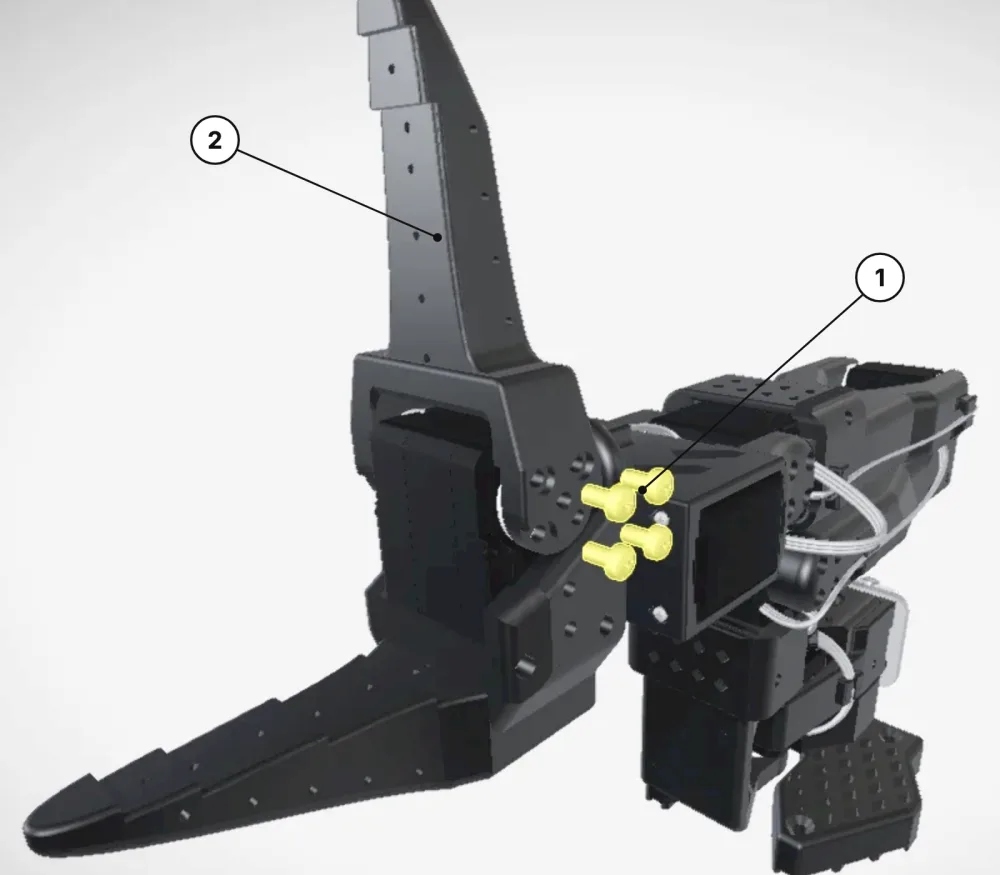
| Item | Description | Qty |
|---|---|---|
| 1 | Screw, pan head, M3 × 6 mm, DIN EN ISO 7045 | 8 |
| 2 | Moving jaw | 1 |
Parts catalog, bill of materials, exploded view.
Three documents that look alike, with three different jobs.
| Document | What it is for | What it lists | Main readers |
|---|---|---|---|
| Bill of materials | Building the product | Every material, part and sub-assembly, as designed or as built | Engineering, purchasing, production |
| Exploded view | Showing how parts fit together | No list on its own: a picture, with balloons when it is numbered | Assembly, maintenance, training |
| Illustrated parts catalog | Identifying and ordering spare parts | The parts a technician can replace or buy, figure by figure | Maintenance technicians, spare parts sales, customers |
An IPC is usually built from the service bill of materials, but it lists only the parts and kits a customer can replace or order, grouped by how the product comes apart rather than how it is built.
IPC standards in aerospace and defense.
- ATA iSpec 2200 Airlines and aircraft manufacturers structure their IPCs to ATA iSpec 2200, which replaced ATA Spec 100.
- S1000D Defense and newer aerospace programs deliver them as S1000D illustrated parts data, information code 941, where each figure and its parts list form one data module.
- House style Machinery manufacturers usually follow their own house style, as PDF or online.
How to make one. Six steps.
- Start from the service BOM. Keep the parts, kits and assemblies a technician can replace or order.
- Split the product into figures. One for each assembly a technician removes as a unit.
- Explode each figure. Make an exploded view of each figure from the CAD model, and number the parts in disassembly order.
- Write the parts lists. Item, part number, description, units per assembly and effectivity.
- Check everything. Every balloon against its line, and every part number against your ERP system.
- Publish and update it. In print, as PDF or online with search, and update it with every engineering change.
TwinWorks
Parts catalogs with TwinWorks.
TwinWorks writes technical documentation as a service, including illustrated spare parts catalogs, from your CAD models, drawings and parts data, and your experts approve it.
More detail
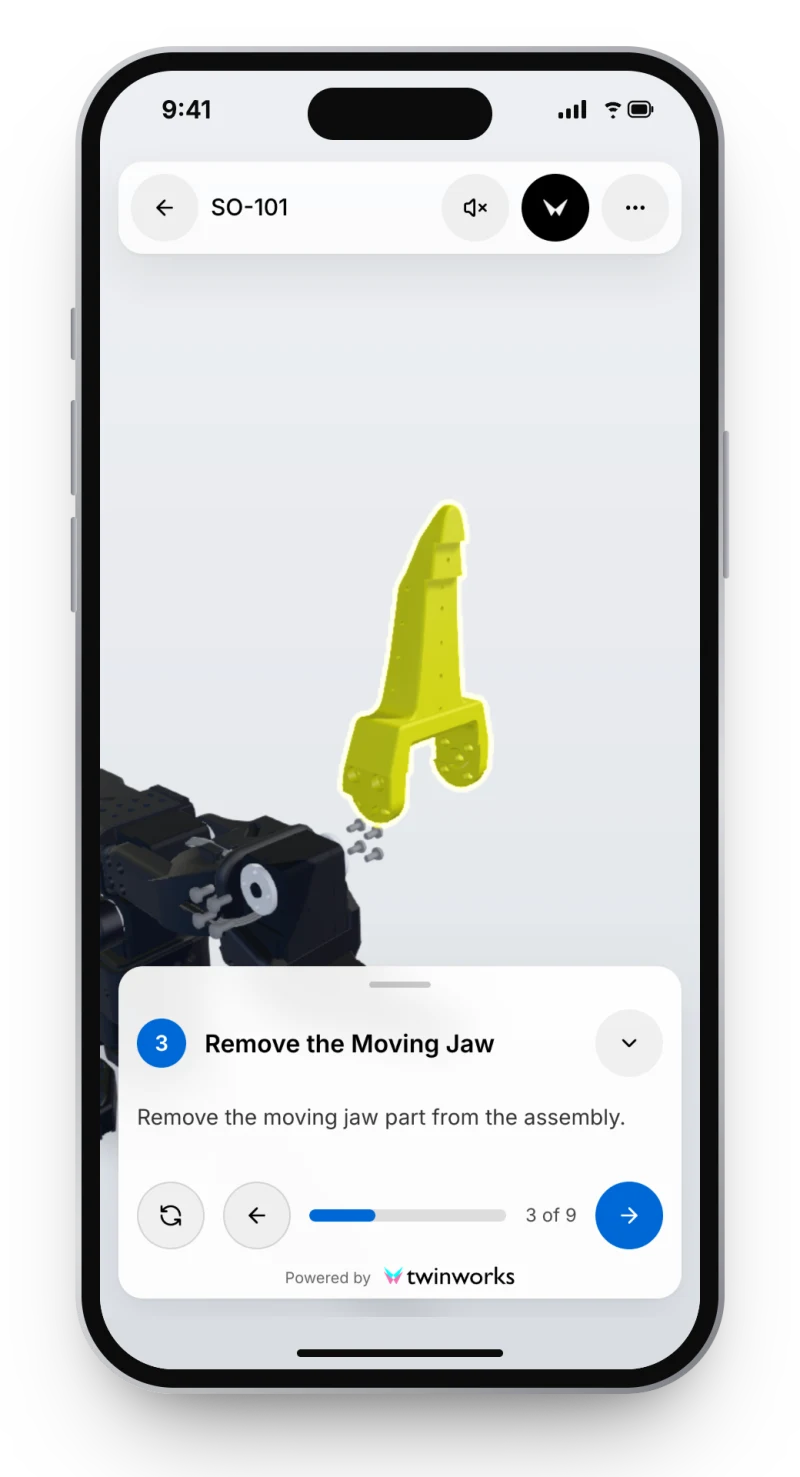
To make the exploded views yourself, TwinWorks Animate explodes a STEP or STP assembly up to 100 MB in your browser, free and with no account. Manuals made in TwinWorks open in a browser from a link or a product QR code, and can also be published as PDF.
Questions
What is an illustrated parts catalog (IPC)?
An illustrated parts catalog (IPC) is a document that identifies every replaceable part of a product. Each page pairs an exploded view, where every part carries an item number, with a parts list that gives the part number, the description and the quantity of each item. Technicians, storekeepers and buyers use it to find the right spare part and order it. It is also called an illustrated parts list (IPL), an illustrated parts breakdown (IPB) or a spare parts catalog.
What is the difference between an IPC and an IPL?
Usually none: illustrated parts catalog (IPC), illustrated parts list (IPL) and illustrated parts breakdown (IPB) name the same kind of document. Some programs call the whole publication the IPC and the parts list of each figure the IPL.
What is the difference between an illustrated parts catalog and a bill of materials?
A bill of materials lists everything needed to build a product, for engineering and production. An illustrated parts catalog lists only the parts a technician can replace or order, with exploded views and item numbers, grouped by how the product comes apart.
What does RF mean in a parts catalog?
RF stands for reference. It appears in the quantity column of an assembly whose parts are listed below it or in another figure, so that the assembly is not counted twice.
Can I make IPC illustrations from a STEP file?
Yes. Explode the assembly in your CAD software, or free in your browser with TwinWorks Animate, which explodes STEP and STP assemblies up to 100 MB, then number the parts and match them to the parts list.
Make the exploded views for your catalog
Drop a STEP or STP assembly into TwinWorks Animate to explode it into its parts, then number them for your parts list. Free, in your browser, with no account.
Updated