In your CAD application
SOLIDWORKS, Autodesk Inventor, Fusion, Onshape, CATIA, Creo and NX all import STEP. The parts arrive as solid bodies, without their feature history.
Glossary
A 3D CAD model saved in STEP, the ISO 10303 standard for exchanging product data. Nearly every CAD application reads and writes it.
A header that says who wrote the file and which schema it follows. Then a numbered list of entities.
STEP is short for Standard for the Exchange of Product model data. ISO publishes it as ISO 10303, Industrial automation systems and integration: Product data representation and exchange, a family of parts first released in 1994. The file you exchange follows Part 21, the clear-text encoding: a header that says who wrote the file and which schema it follows, then a numbered list of entities that describe the product, its structure and its geometry.
Inside a .stp file
ISO-10303-21;
HEADER;
FILE_DESCRIPTION(('idler roller assembly'),'2;1');
FILE_NAME('idler-roller.stp','2026-11-04T10:00:00',('Design office'),('Example Ltd'),'','','');
FILE_SCHEMA(('AP242_MANAGED_MODEL_BASED_3D_ENGINEERING_MIM_LF { 1 0 10303 442 3 1 4 }'));
ENDSEC;
DATA;
#10=PRODUCT('IR-220','Shaft','',(#11));
#20=PRODUCT_DEFINITION('design','',#21,#22);
#31=NEXT_ASSEMBLY_USAGE_OCCURRENCE('3','Shaft','',#40,#20,$);
#50=CYLINDRICAL_SURFACE('',#51,10.);
#60=ADVANCED_FACE('',(#61),#50,.T.);
#70=MANIFOLD_SOLID_BREP('Shaft',#71);
ENDSEC;
END-ISO-10303-21;
It usually leaves out the feature history: the sketches, extrusions and constraints that built the model. It opens as solid bodies you can measure, assemble and modify, but not edit feature by feature.
A STEP file follows one application protocol (AP), a schema written for one kind of data. Three matter for mechanical CAD.
| Protocol | ISO title | First published | What it carries |
|---|---|---|---|
| AP203 (ISO 10303-203) | Configuration controlled 3D design of mechanical parts and assemblies | 1994 | Geometry, assembly structure and configuration data. The first protocol in wide use. |
| AP214 (ISO 10303-214) | Core data for automotive mechanical design processes | 2001 | Geometry and structure plus colours, layers and more design data, from the automotive industry. |
| AP242 (ISO 10303-242) | Managed model-based 3D engineering | 2014, new editions in 2020 and 2022 | Succeeds AP203 and AP214, and adds 3D annotations (PMI), tessellated geometry and support for long-term archiving. |
Export AP242 when the receiving system supports it. AP214 is the usual fallback for older software. The schema a file uses is written in its header, on the FILE_SCHEMA line.
SOLIDWORKS, Autodesk Inventor, Fusion, Onshape, CATIA, Creo and NX all import STEP. The parts arrive as solid bodies, without their feature history.
FreeCAD, free and open source for Windows, macOS and Linux, opens, edits and converts STEP files. CAD Assistant, from Open Cascade, is a free viewer and converter for Windows and macOS that reads AP203, AP214 and AP242.
TwinWorks Animate opens STEP and STP assemblies up to 100 MB, explodes them and animates the joints and gear pairs it detects. We delete your file and the result when you leave the page. No account is needed.
STL, created by 3D Systems in 1987 for stereolithography, stores only triangles. STEP stores the exact shape and the structure around it.
STEPExact surfaces
Circular edges, exact at any zoom
STLTriangles
8 flat facets per turn here
| Criterion | STEP (.step, .stp) | STL (.stl) |
|---|---|---|
| Geometry | Exact surfaces and solids (B-rep) | Flat triangles that approximate the surface |
| Assembly structure and part names | Yes | No |
| Units | Written in the file | Not stored: the reader assumes millimetres or inches |
| Colours | Yes, with AP214 and AP242 | Not in the standard format |
| Editing in CAD | As solid bodies | Hard: the mesh has to be rebuilt into surfaces |
| Typical use | Exchange between CAD systems and with suppliers, archiving | 3D printing, quick viewing |
| Defined by | ISO 10303 | 3D Systems, as a de facto standard |
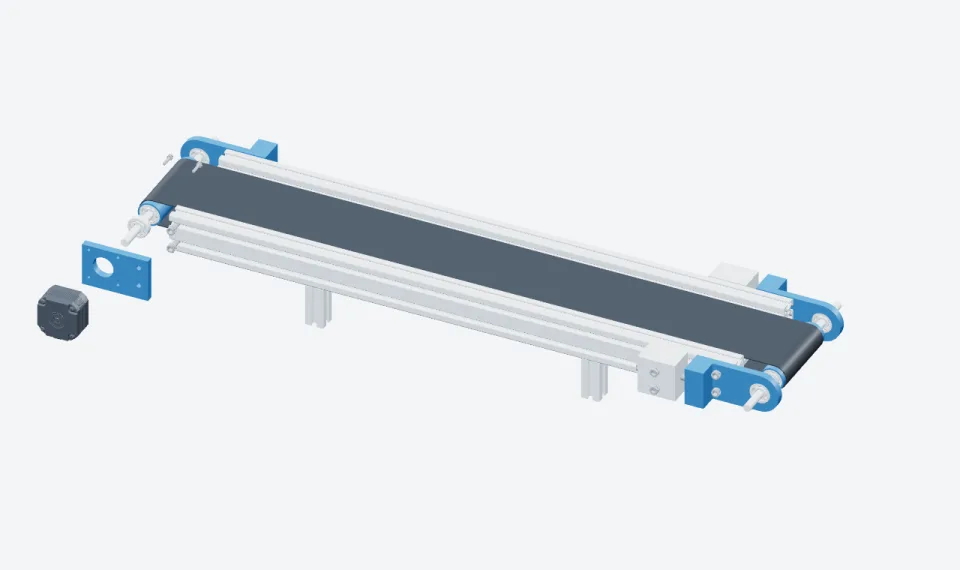
From STEP to STL: open the file in a CAD application or FreeCAD and export it as STL, choosing a tolerance. Tessellated at 0.18 mm, the conveyor’s 15 STEP parts above make 112,160 triangles, and all 45 placed parts, 368,088. From STL to STEP: converters exist, but the result is a solid made of thousands of flat faces, not real planes and cylinders.
TwinWorks
In the TwinWorks app, STEP and STP import is in beta. 3D import also takes OBJ, FBX, GLB, self-contained GLTF and USDZ.
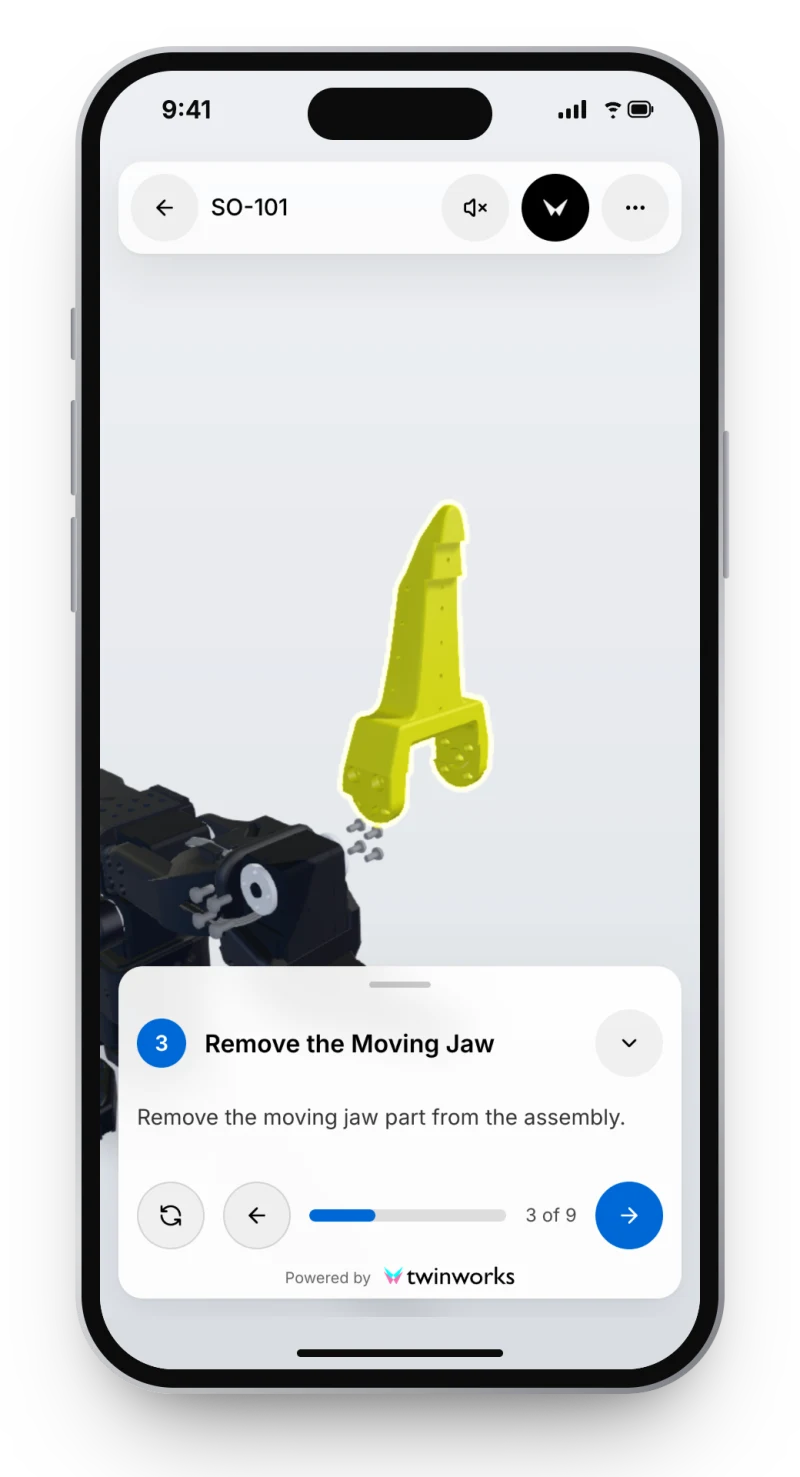
The imported model becomes the visual context of each step: authors set up the part actions and views, and experts review the instruction before release. Open a public example, the SO-101 robot arm gripper servo replacement, in nine 3D steps.
A STEP file is a 3D CAD model saved in STEP, the international standard ISO 10303 for exchanging product data. Its extension is .step or .stp, two names for the same format, and it is plain text. Nearly every CAD application reads and writes it, which is why engineers use it to send a model to a supplier, a customer or another program without losing its exact shape, units, part names or assembly structure.
None. The .step and .stp extensions name the same ISO 10303-21 file format, and any STEP reader opens both the same way.
Use a free CAD application or viewer, such as FreeCAD or CAD Assistant, or open it in your browser with TwinWorks Animate, which explodes and animates STEP and STP assemblies up to 100 MB, with no account.
Yes. Open the STEP file in a CAD application or in FreeCAD and export it as STL, choosing the tessellation tolerance. You get a triangle mesh for 3D printing or viewing, and lose the exact surfaces, part names and assembly structure.
AP242, when both systems support it: it succeeds AP203 and AP214 and adds 3D annotations such as dimensions and tolerances. AP214 is the usual fallback for older software and keeps colours and layers.
Usually not. A STEP file carries the finished solid geometry, the assembly structure and the names, but not the sketches, features and constraints that built the model, so it opens as solid bodies rather than an editable feature tree.
Drop a STEP or STP assembly into TwinWorks Animate: it explodes the parts and animates the joints it detects. Free, with no account.
Updated