Compared · November 2026
TwinWorks vs Assemblio.
Assemblio plans the assembly from the CAD model and derives worker instructions from the plan. TwinWorks drafts instructions and manuals from your documents, with each step shown on the 3D model.
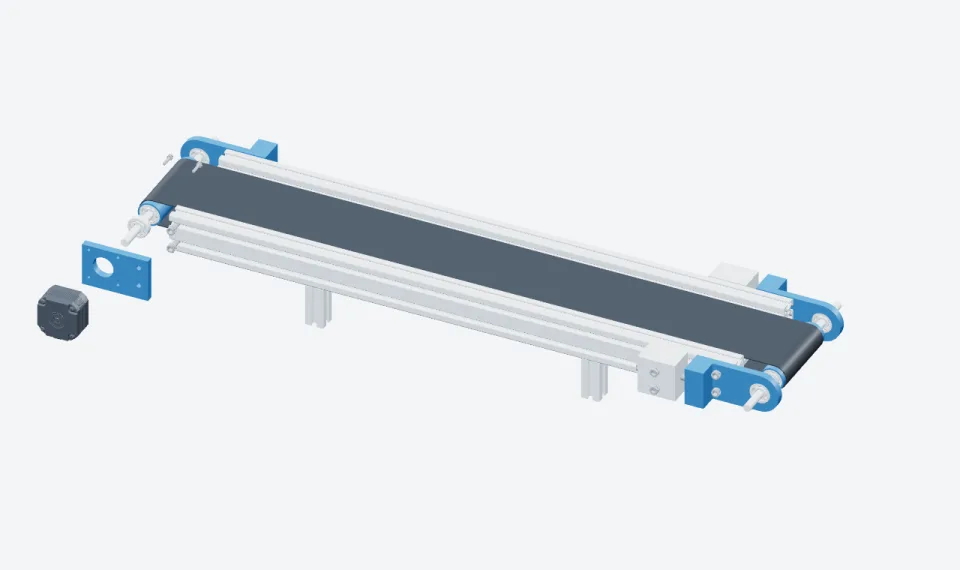
The same conveyor drive, exploded for the parts view of an instruction.
Pick by job. Not by score.
- Plan an assembly sequence from STEP or JTAssemblioParts recognised, steps planned by drag and drop.
- Get a manufacturing parts list from the designAssemblioAn MBOM generated from the design data.
- Draft the procedure text from your PDF manualsTwinWorksAI drafts, experts review, operators follow.
- Write manuals as well as instructionsTwinWorksUser and maintenance manuals, on the web and as PDF.
- Record what was done at each stepTwinWorksStatus, time, comments and photos, with reports.
Side by side. From Assemblio’s own pages.
Checked on 10 November 2026. Features change, so confirm with Assemblio.
| Compared | TwinWorks | Assemblio |
|---|---|---|
| Makes | Work instructions and manuals: drafted, reviewed, published and followed in one product. | Assembly plans and worker instructions from CAD: Assemblio Composer to plan, Smart Viewer to follow. |
| Steps | Authors set each step on the 3D model, with assistant proposals. Experts approve. | Upload the CAD; parts and sub-assemblies are recognised. Steps are planned by drag and drop, then checked and annotated. |
| 3D input | GLB, self-contained GLTF, FBX, OBJ, USDZ. STEP and STP in beta. No CAD add-in. | STEP and JT, up to 3 GB and about 5,000 parts. Other formats on request. |
| Existing manuals | Imports PDF and Word manuals as editable drafts. | — |
| AI | Drafts procedure text from reference PDFs. Proposes part moves and views in the editor. | Carries sequences over to a changed product, writes step text in several languages, helps build the parts list. |
| Output | Browser viewer by link or QR code, PDF, video (MP4 or WebM), S1000D data modules. | PDF, Word and video export. Interactive 3D in the browser-based Smart Viewer. |
| Design change | Shows the procedures and manual sections that use a changed part. Experts approve each update. | An AI change manager compares the changed product with existing instructions and transfers the steps. |
| Review | Comments, review, approval, revisions and diffs. | Roles and approval processes, managed centrally. |
| Shop floor | Step status, duration, comments, serial and operator fields, optional photos. Reports as PDF, Word or Excel. | The Smart Viewer is view-only. Worker assistance through partners. |
| Languages | AI-assisted translation, 41 languages, editable. | AI step text in several languages. |
| Security, hosting | — | ISO 27001:2022. Hosted in the EU on Microsoft Azure. Private cloud or on-premise offered. |
| Price | Free plan | On request. One-year contract. |
— not stated publicly. The Assemblio column sums up its own pages; the links are in the last question below.
How to choose. Four questions.
- Is the build order the hard part? Assemblio plans and validates the sequence. TwinWorks does not plan an assembly line.
- Where does the text come from? If the steps already sit in PDF manuals, pick the tool that drafts from them.
- Where must the data stay? Assemblio hosts in the EU and offers on-premise. Ask us about hosting before a pilot.
- What does the operator send back? Assemblio’s viewer is view-only. TwinWorks keeps step records and exports reports.
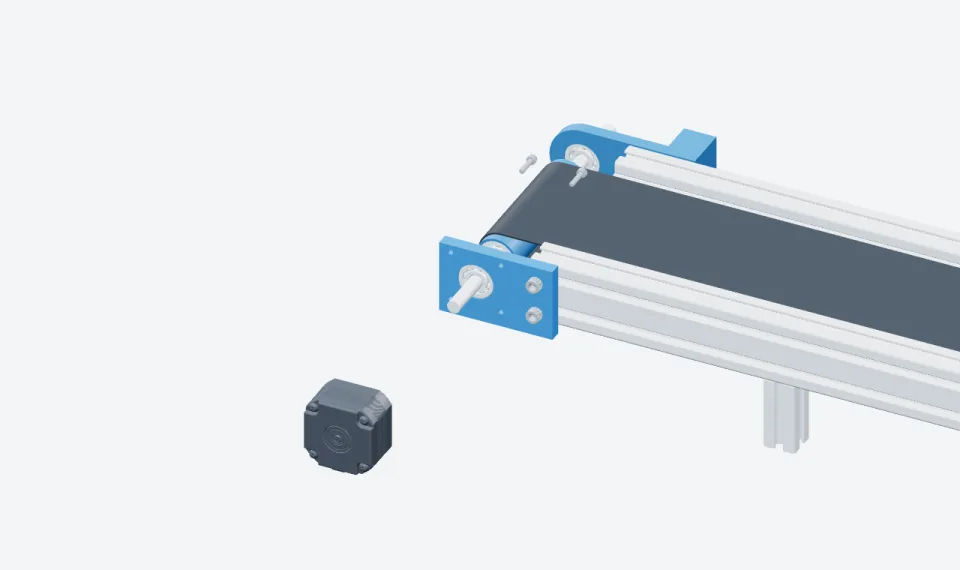
Where TwinWorks fits
Best when instructions and manuals share one source.
Text drafted from your manuals, steps on the 3D model, approvals, execution records. Pick Assemblio for assembly planning, JT files and on-premise hosting.
Questions
What is the difference between TwinWorks and Assemblio?
Assemblio is assembly planning software: you upload a STEP or JT file, plan the steps by drag and drop, and export worker instructions. TwinWorks is work instruction and manual software: AI drafts the text from your PDF or Word manuals, authors set each step on the 3D model, experts approve it, and operators follow it in a browser and send back what they did.
How much does Assemblio cost?
Assemblio publishes no prices. Its packages differ by the number of Composer and Smart Viewer licences and of uploads, on a one-year contract that renews automatically.
Which CAD files do they read?
Assemblio imports STEP and JT files up to 3 GB, recommends at most about 5,000 parts per product, and takes other formats on request. TwinWorks imports GLB, self-contained GLTF, FBX, OBJ and USDZ, with STEP and STP import in beta.
Does Assemblio use AI?
Yes. Assemblio says its AI carries assembly sequences over to a changed product, writes step descriptions in several languages and helps build the manufacturing parts list. In TwinWorks, AI drafts procedure text from reference PDFs and an assistant proposes part moves and views that the author reviews.
What happens when the design changes?
Assemblio compares the changed product with the instructions you already have and transfers the matching steps. TwinWorks shows which procedures and manual sections use the changed part, and your experts review and approve each update.
Where do these facts come from?
From Assemblio’s own pages, read on 10 November 2026: the home page, the FAQ, Assemblio Composer, the Smart Viewer, data security and why Assemblio. We make TwinWorks. Features and prices change, so confirm with Assemblio.
Try it on one of your procedures.
Bring a PDF manual and a 3D model, and see the steps set on the part.
The Free plan costs €0, needs no credit card and starts with 500 AI credits.
TwinWorks publishes this page and is not affiliated with Assemblio. Their names belong to their owners.
Updated