Free template · Word
Free training manual template for Word.
Objectives, lessons with pictures, check questions and a training record, with a filled-in example to start from.
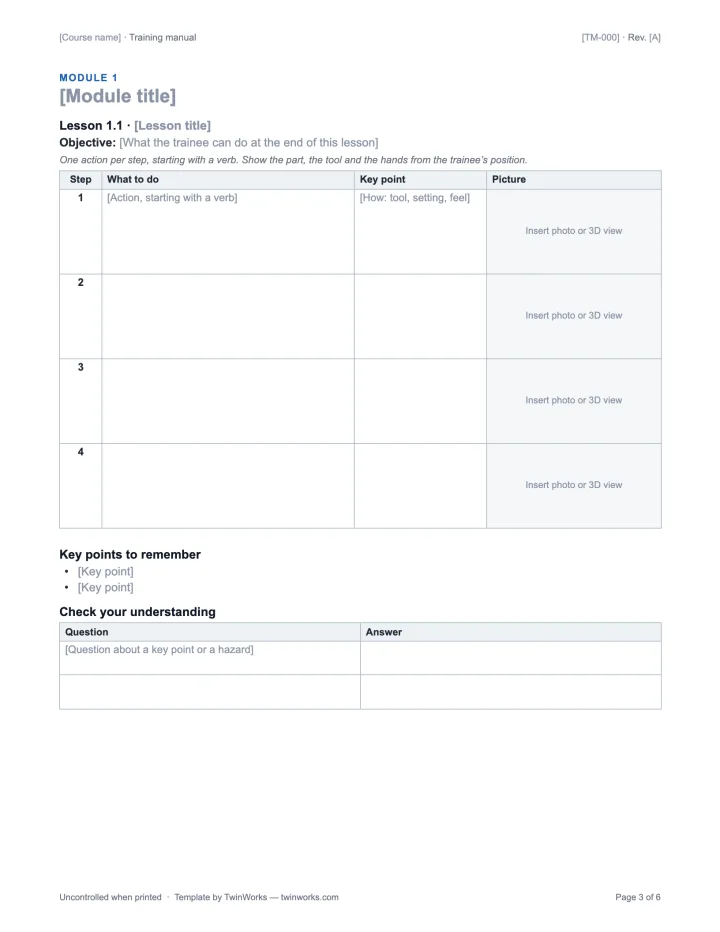
A whole course. On six pages.
Portrait US Letter in English, A4 in French. Each lesson keeps its objective, its steps and its check together.
- Cover Course or machine, audience, duration, owner, related procedure and revision.
- How to use it Modules in order, then the practical exercise with a trainer.
- Learning objectives What the trainee can do at the end, and how each is assessed.
- Prerequisites and safety What to know first, a safety message, PPE and course equipment.
- Lessons An objective, then each step with what to do, a key point and a picture.
- Check your understanding Short questions after each lesson, with room for the answers.
- Practical exercise Observable criteria, the trainer’s notes and a signed sign-off.
- Training record Who was trained on which revision, plus a glossary and revision history.
Two modules. Nine pictures.
The example teaches how to replace the gripper servo of the open-source SO-101 robot arm. Every picture is a view of the public TwinWorks procedure in 3D.
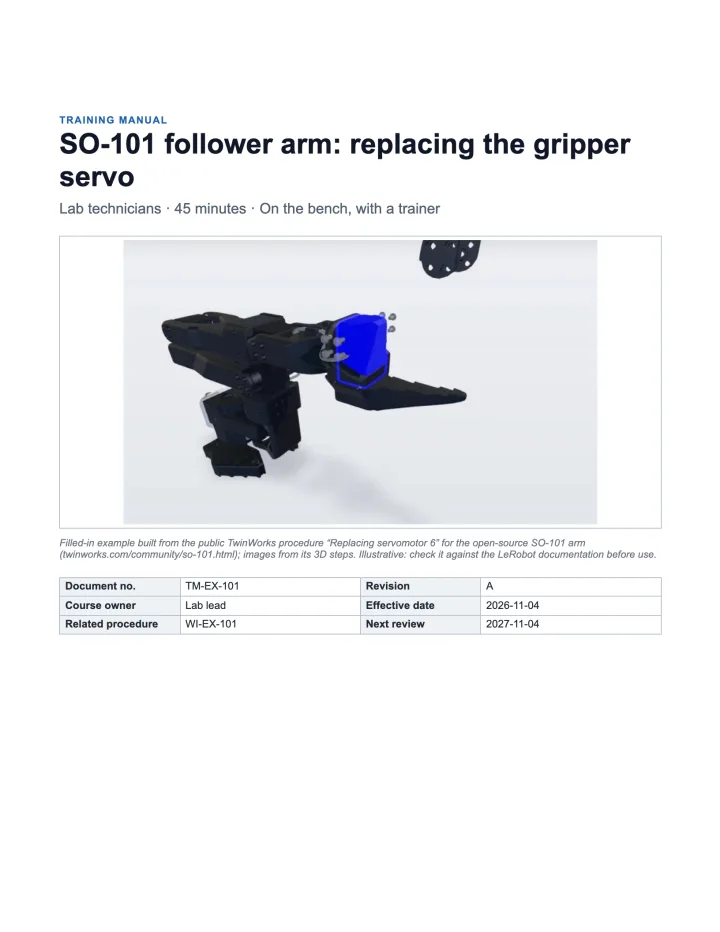
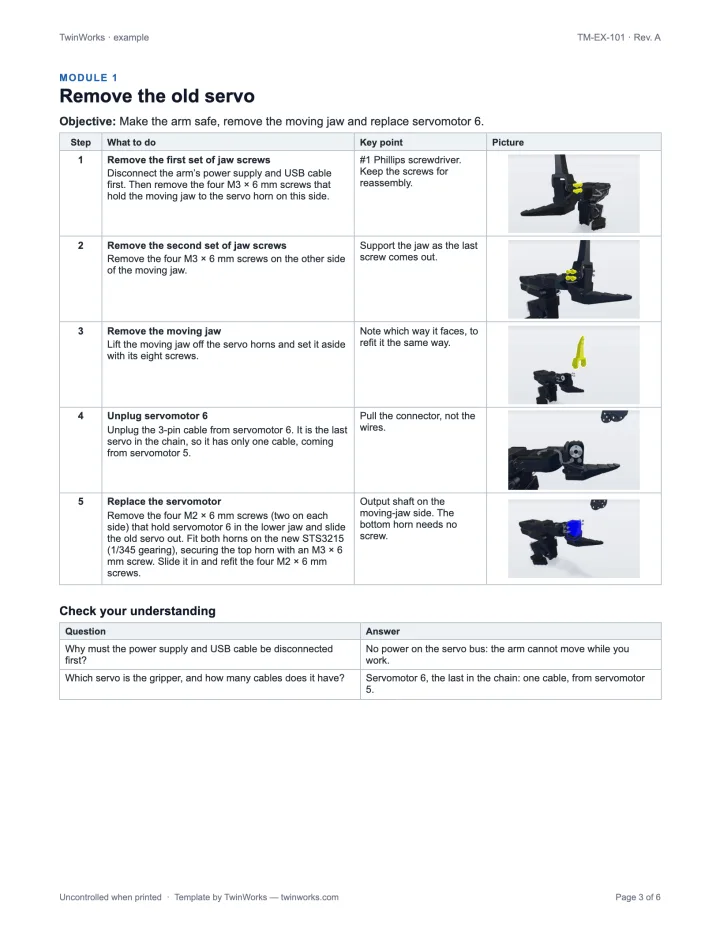
Illustrative: check it against the LeRobot documentation before use. Download the example (.docx)
Six rules for training that sticks.
- Start from the procedure. Train the approved SOP or work instruction at its current revision, and quote its number on the cover.
- Write objectives you can watch. “Fits the servo with the shaft on the jaw side” can be checked. “Understands the servo” cannot.
- One lesson, one skill. A few steps the trainee can practise straight away.
- Show it from the trainee’s position. The part, the tool and the hands in the picture. A 3D view helps when the part is hidden.
- Warn before the step. Put each warning before the step it applies to, and repeat it in the exercise.
- Check, then sign. Questions after each module, an exercise at the end, and a record of who learned which revision.
TwinWorks
Train from the procedure itself.
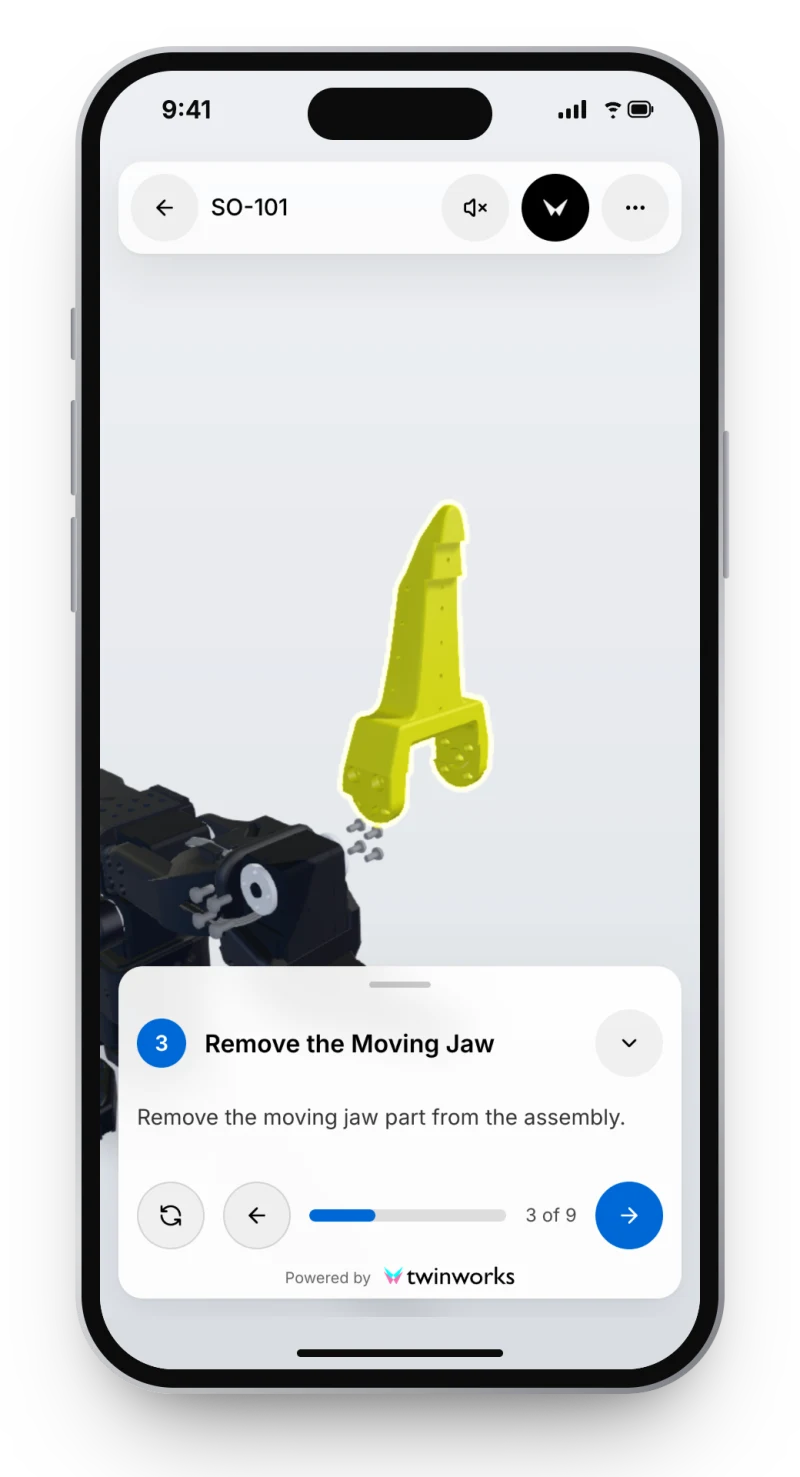
In TwinWorks, training is built from your reviewed procedures: visual steps, narration in your team’s language, and practice records, reused from the same content as your manuals.
Questions
What is in this training manual template?
This free training manual template is a Word document (.docx, 6 pages, US Letter) for training people on a machine or a procedure. It has a cover with the course, audience and duration; how to use the manual; learning objectives with how each is assessed; prerequisites, a safety message and PPE; modules with lessons, each with an objective, steps with a picture cell, key points and check-your-understanding questions; a practical exercise with observable criteria and a sign-off; a training record; a glossary; a revision history; and a page on how to write it. A filled-in example for the SO-101 robot arm comes with it. It is free to use and adapt, with no account and no email.
What is a training manual?
A training manual is the document a trainee learns a task from. It states what they will be able to do, walks them through each step with pictures and key points, checks what they understood, and records who was trained on which revision.
What is the difference between a training manual and an SOP?
An SOP fixes how a process must be done and who does it. A training manual teaches it: it breaks the SOP into lessons, adds objectives, questions and a practical exercise, and records who was trained. Train on the current revision of the SOP and quote its number on the cover.
How do I write a training manual?
Start from the approved procedure. Write objectives you can observe, give each lesson one skill with a few steps and a picture per step, put each warning before the step it applies to, end each module with short questions, and finish with a practical exercise and a signed training record.
Does the training manual template work in Google Docs?
Yes. Upload the .docx file to Google Docs, or open it in LibreOffice or Apple Pages. It uses plain tables and Word heading styles, with no macros.
Is this training manual template free?
Yes. The Word template and the filled-in example are free to download, use and adapt in your company, with no account or email address.
Have a STEP file? Start with the pictures.
TwinWorks Animate explodes and animates a STEP or STP assembly in your browser, free and with no account.
Updated