Drop in a STEP file
STEP and STP assemblies up to 100 MB. We delete your file and the result when you leave the page.
STEP to parts list
Free bill of materials (BOM) and illustrated parts catalog (IPC) from a STEP file. Drop in your assembly: get every part with its quantity, then numbered figures, as a TwinWorks PDF.
What the tool does
STEP to parts list is a free online bill of materials generator for 3D CAD assemblies. Drop in any assembly exported as STEP or STP and it reads its structure: every sub-assembly and part, how many of each, and their names and part numbers as they were exported. You get an indented BOM and a flat BOM with the total of each part, ready to open in Excel. Free, online, no account or CAD software needed.
STEP and STP assemblies up to 100 MB. We delete your file and the result when you leave the page.
The indented list shows each sub-assembly with its parts under it. The flat list adds up each part across the whole assembly.
Make the illustrated catalog, download the PDF, Excel or CSV, or sign up to keep the model in your TwinWorks workspace.
A STEP file holds names, part numbers and quantities, but not material, supplier or revision. Add those in the free bill of materials template. New to the term? Read what a bill of materials is. To watch the same file come apart and move, open Animate. See how it compares with other free STEP tools.
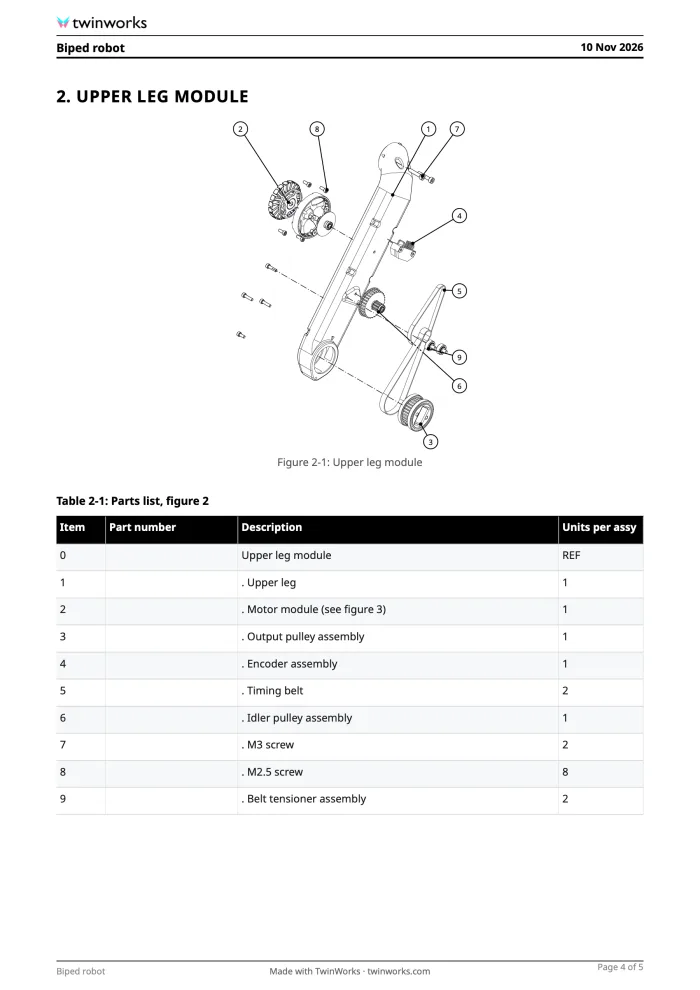
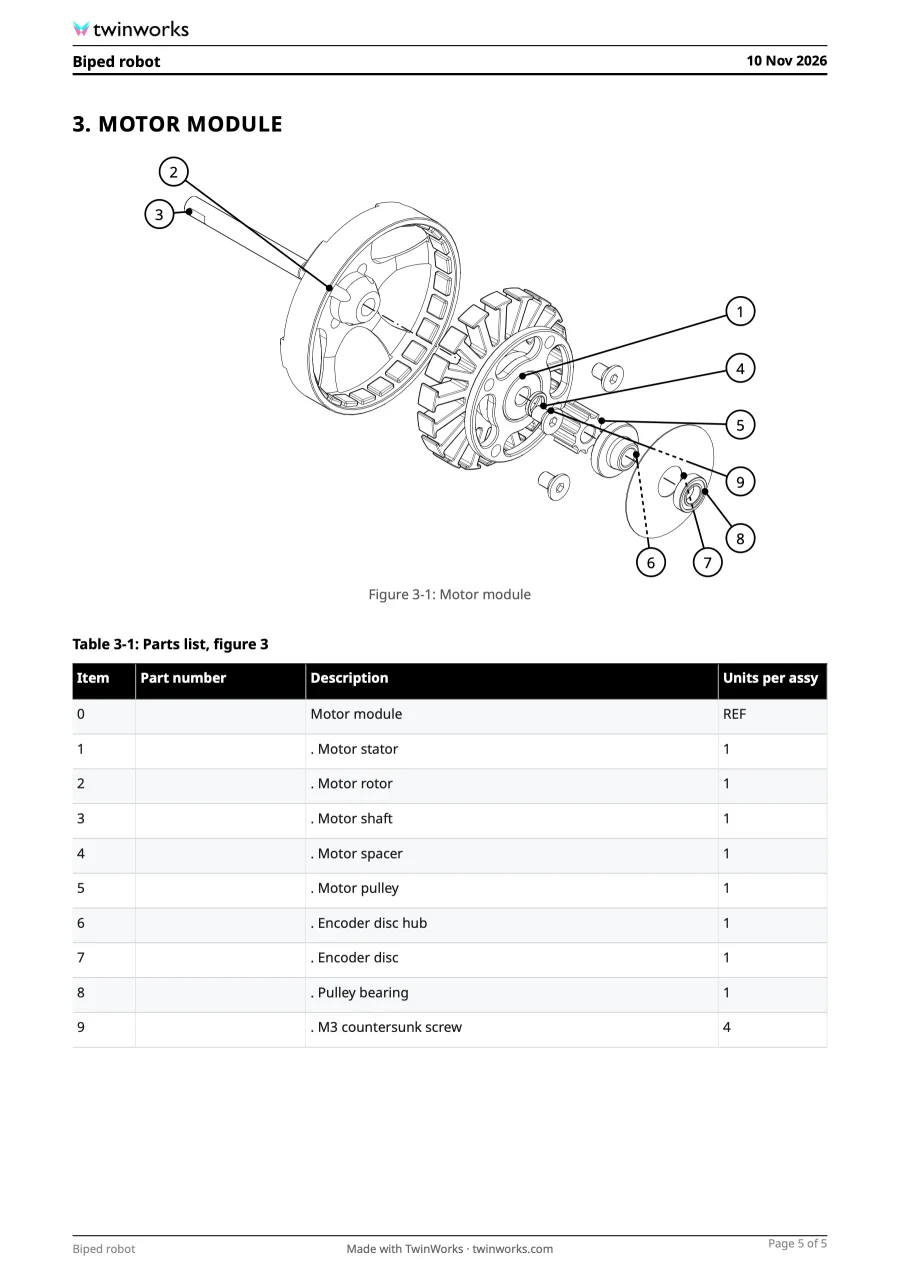
Illustrated parts catalog
Click Make the illustrated catalog. You get up to 20 exploded figures, each with its parts list, in one PDF.
Try it on your STEP fileThe sample BOM lists 130 parts across 42 lines. The workbook includes indented assembly and flat quantity sheets. The sample catalog pairs a numbered pump figure with its parts list.
| Component | Total quantity |
|---|---|
| Ball bearing | 2 |
| Impeller | 1 |
| Motor mounting bolt | 4 |
| Packing ring | 4 |
| Pump casing | 1 |
| Wear ring | 2 |
Source model by Amir-souhail, shared under the author’s terms.
Yes, this one. Drop in a STEP or STP assembly up to 100 MB, with no account. You get its bill of materials as a PDF, Excel and CSV, then an illustrated parts catalog of up to 20 exploded figures with every part numbered, as a PDF.
Your STEP file is uploaded so our servers can read it. We delete it, with the model and the result, when you leave the page: within five minutes if your browser cannot tell us, and within one day in every case. Our storage then keeps a protected old copy for up to 7 more days, which no link can reach. If you go on to our other free STEP tool with the same file, it travels in your own browser and is removed from it as soon as that tool opens. Your file is never used to train AI.
Every part and sub-assembly in your STEP file, in two views. Indented gives each line its level, item, part number, description, quantity and unit, with the parts of each sub-assembly under it. Flat gives the total quantity of each part in the whole assembly. Names and part numbers come from your file, so the list is a first draft.
Yes. No account needed. Download the list as a PDF, Excel or CSV. To keep the model, sign up and it goes to your workspace.
Yes. Once your parts list is ready, sign up from the page and confirm your email within 20 hours of sending your file: the model then goes to your TwinWorks workspace. If you leave the page without signing up, or before the list is ready, we delete it.
Yes. Once the list is ready, click Make the illustrated catalog. The assistant picks up to 20 sub-systems, and TwinWorks draws an exploded figure of each with every part numbered, in a TwinWorks PDF with each parts list. To choose the figures, the part names and the assembly structure go to our AI model provider, which keeps them for up to thirty days for abuse monitoring and never uses them to train models. A larger assembly: sign up and TwinWorks draws every figure in your workspace.
In your own workspace TwinWorks draws them all, with no limit on figures, and you edit the catalog like any document.
Updated