Free template · Excel
Work instruction template for Excel.
One row per step: action, key point, tool, torque or value, picture and check.
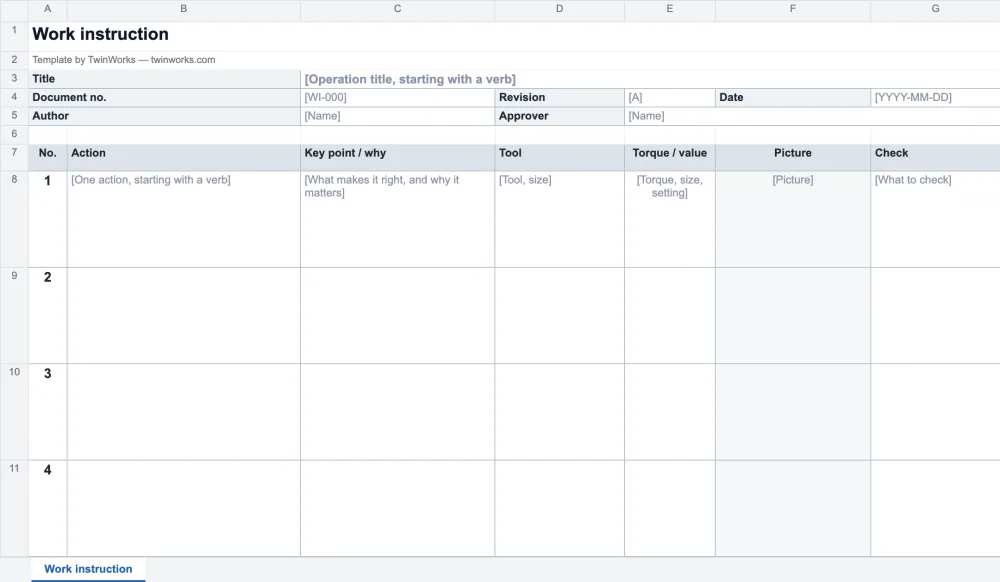
Short steps. Values you read at a glance.
A spreadsheet fits when each step is a line or two and a number matters: a torque, a size, a setting. The second sheet shows it filled in for the open-source SO-101 robot arm.
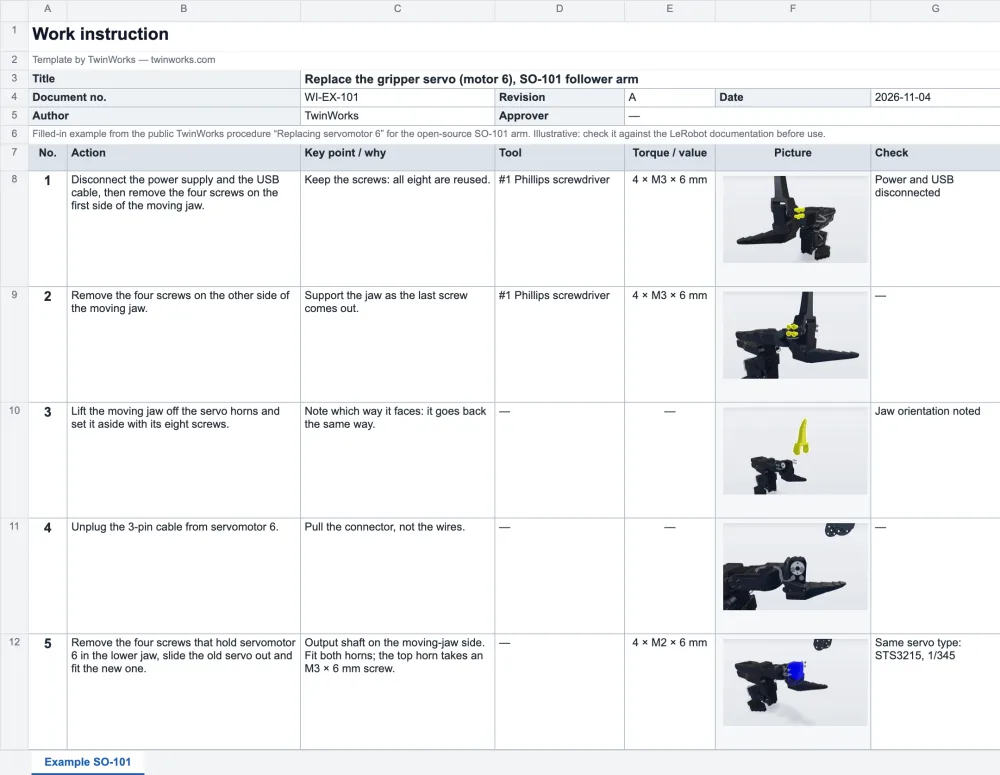
- Short steps One action per row, in a line or two.
- Values in their own column Torque, size or setting, easy to scan and to check.
- Many variants Copy the sheet, then change the values that differ.
Big pictures? Long text? Use Word.
A cell holds a small picture and a few lines. When a step needs more, the Word template gives each step a wide picture cell.
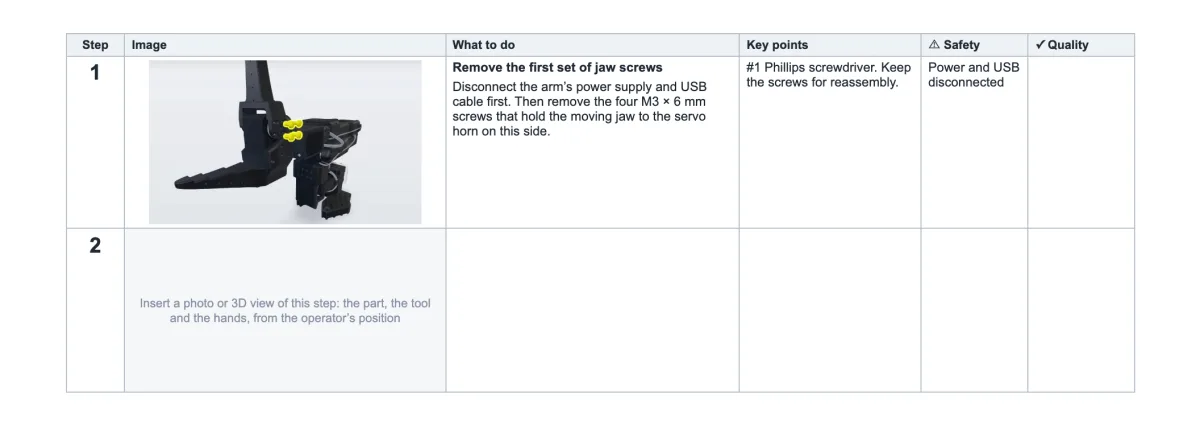
One page wide. However many steps.
The sheet prints landscape, fitted to one page wide. Rows 3 to 7, the header block and the column titles, repeat at the top of every page.
TwinWorks
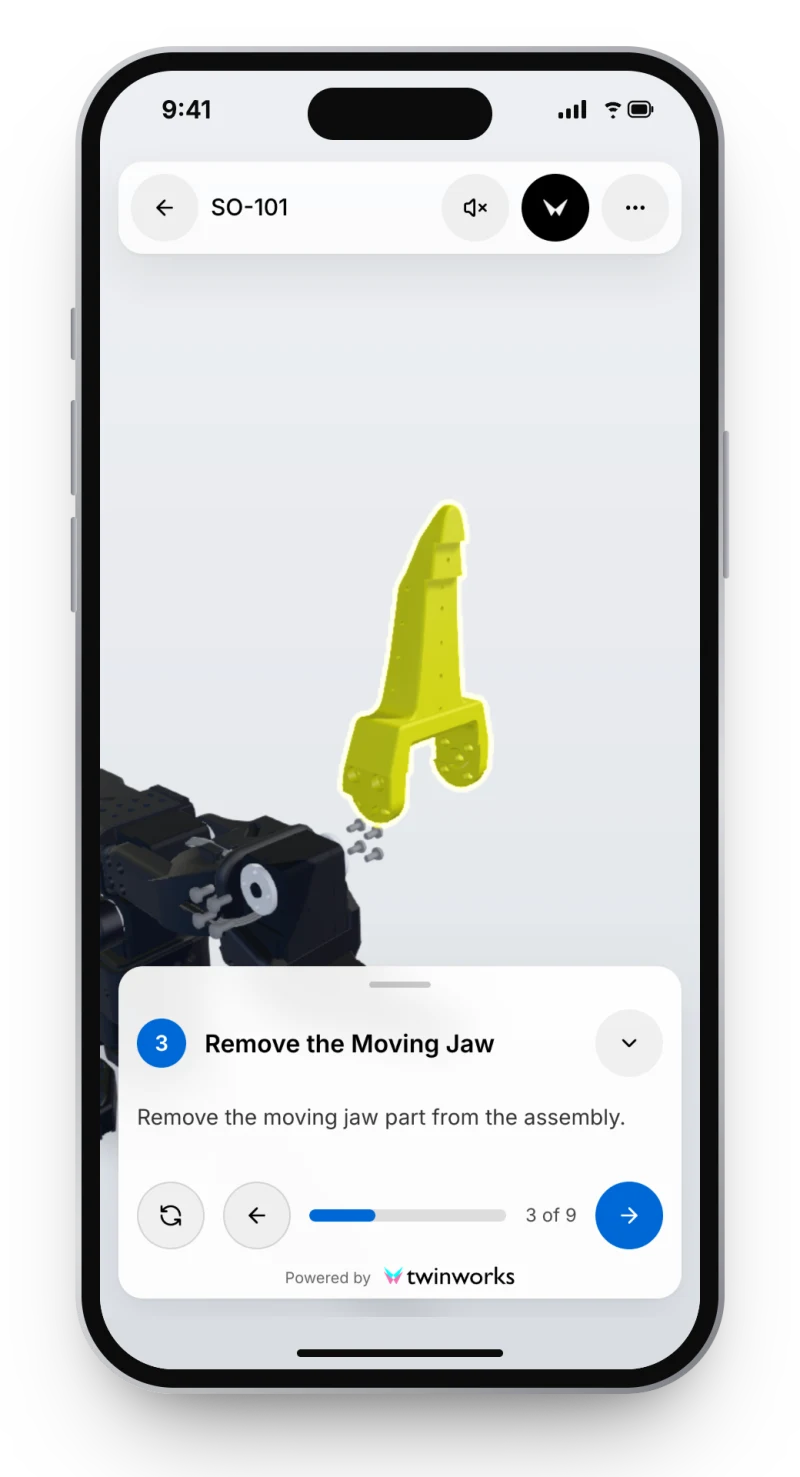
The same steps, in 3D, at the station.
Each step can show the 3D model with that step’s parts highlighted, on a phone, a tablet or a screen. Draft the steps from your existing PDF instructions, then review them.
Questions
What is this Excel work instruction template?
It is a free work instruction template for Excel (.xlsx): a header block with the title, document number, revision, date, author and approver, then one row per step with the action, the key point and why, the tool, the torque or value, a picture cell and the check. The workbook holds a blank sheet, a nine-step example and a how-to sheet, with no macros, no account and no email.
When should I write work instructions in Excel rather than Word?
Use Excel when steps are short and values matter: torques, sizes, settings, quantities, or when you keep many variants of one task as copies of the same sheet. Use Word when a step needs a large picture or more than a few lines of text, because a spreadsheet cell holds neither well.
How do I put a picture in a cell?
In Excel for Microsoft 365, select the picture cell and choose Insert › Pictures › Place in Cell: the picture then belongs to the cell and moves with its row. In other versions a picture floats over the sheet: size it to the cell, then open Format Picture › Properties and choose Move and size with cells.
How does the sheet print?
Landscape, on US Letter in the English file and A4 in the French one, scaled to one page wide and as many pages tall as the steps need. Rows 3 to 7, the header block and the column titles, repeat at the top of every printed page, and the footer numbers the pages. To change this, open Page Layout › Print Titles.
How do I add a step?
Right-click the number of a step row and choose Insert: the new row takes the format of the row above. The header block stays in view while you scroll, because the panes are frozen under the column titles.
Does it open in Google Sheets or LibreOffice?
Yes. Upload the .xlsx to Google Sheets, or open it in LibreOffice Calc or Apple Numbers. It uses plain cells, with no macros and no formulas. Check the print settings after you import it, because each program handles repeated rows in its own way.
Have a STEP file? Start with the pictures.
TwinWorks Animate explodes and animates a STEP or STP assembly online, free and with no account.
Updated